How I make AI ads in under 60 seconds (STEP BY STEP)
Everyone knows the pain of coordinating photoshoots the old way… now there's finally a solution.
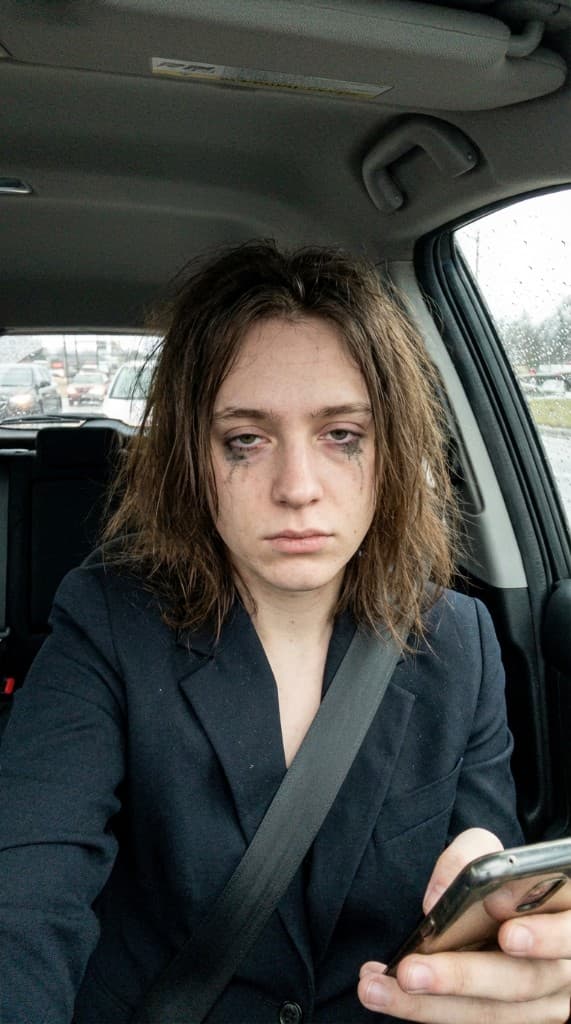
Everyone knows the pain of coordinating photoshoots the old way… now there's finally a solution.
How to create AI UGC photo ads in minutes with ppl.studio
ppl.studio
The 3 Core Elements of a High-Converting UGC Photo Ad
Step 1: The Expert (The Face of Your Brand)
Instead of spending weeks finding talent, negotiating rates, and hiring expensive models or influencers, use ppl.studio to access a diverse roster of AI experts in seconds.
Need someone specific? You can easily pick a persona that aligns perfectly with your brand's target demographic, guaranteeing a consistent face across all your ads.
Step 2: The Scene (Set the Vibe)
The environment makes or breaks an ad. Instead of scouting locations or renting out Airbnbs, you can set the perfect scene directly in the app.
Option 1 — Curated Visual Presets
Choose from completely ready-to-go scene templates: Mirror selfies, golden hour lighting, candid lifestyle shots, fitness studios, and more.
Option 2 — Custom Text Prompts
Have a very specific vision? Just type what you want to see. For example: *“A bright, modern kitchen with white marble countertops and morning sunlight pouring in.”*
Step 3: Generate & Build Storyboards (Plan Your Video)
Once you have your expert and scene, the next phase of a high-converting ad is the storyboard.
- Upload your product: Drop in a clean image of what you're selling.
- Combine Expert + Scene: ppl.studio seamlessly integrates your chosen expert into the scene holding or interacting with your product.
- Generate Photos: Hit the button and wait just 60 seconds to get your base shots.
- Create a Storyboard: Arrange your generated photos into a sequence. Add script captions, visual cues, and narrative flow to plan exactly how your video ad will look scene-by-scene.
Step 4: Animate & Launch (Bring it to Life)
Static photos are great, but motion drives clicks. Take your completed storyboard and instantly turn it into a full video.
- Animate the frames: Use ppl.studio's animate feature to bring your storyboard scenes to life with smooth, realistic motion.
- Review your video: Watch your fully animated ad come together perfectly synced to your planned script.
- Export: Download your dynamic, authentic UGC-style video ad and launch your campaign!
Real vs AI Photo Ads
| Real Photo Shoots | AI Photo Ads with ppl.studio |
|---|---|
| Cost: $50–$300/asset | Cost: ~$1/asset |
| Delivery: 1–2 Weeks | Delivery: 60 Seconds |
| Rights: Often limited | Rights: 100% Ownership |
| Revision: Days/Requires Reshoot | Revision: Seconds |
The 60-Second Workflow, Annotated
The headline “under 60 seconds” is the generation step. The full workflow — from product upload to campaign-ready export — is closer to four-and-a-half minutes the first time you run it, and under two minutes once you have presets locked.
| Step | First run | Once dialed in |
|---|---|---|
| Upload product photo | 20s | 5s |
| Pick or build an AI expert | 90s | 5s (saved roster) |
| Choose a visual preset or write a prompt | 60s | 10s (preset) |
| Generate 4–8 base shots | 60s | 60s |
| Pick winners + tweak prompt | 30s | 15s |
The big unlocks are the saved expert roster and a small library of brand-approved visual presets. After you build those once, every subsequent ad starts at the 1:30 mark.
5 Things That Make an AI Ad Actually Convert
Speed gets the asset out. These five decisions determine whether it performs:
- Expert-audience match. The face in the ad should look like your customer, not your brand team's idea of your customer. If you sell supplements to 30-something women, your AI expert should be a 30-something woman—not a 25-year-old fitness model. Mismatched demographics are the most common reason AI UGC underperforms.
- Product placement that feels incidental, not staged. The product should appear as if the person just happened to be using it—not posed for a product shot. Held in hand, on a nearby surface, visible in the background. The moment it looks like a catalogue photo, the UGC effect disappears.
- Scene context that signals the right use case. Kitchen scenes work for food, wellness, and morning routines. Gym scenes work for supplements, fitness gear, and activewear. Desk scenes work for productivity and tech. Mismatched scenes confuse the viewer's mental model of where the product fits in their life.
- A copy angle that matches the visual. An aspirational lifestyle scene paired with urgency copy creates dissonance. Match the emotional register: lifestyle scenes get aspiration copy, problem-forward scenes get solution copy. See the hook formula guide for specific patterns.
- Format for the platform. Generate 4:5 for Meta feed, 9:16 for Reels and TikTok, 1:1 for carousels and retargeting. Cropping a 4:5 to 9:16 after the fact typically cuts off the face or the product. Decide the destination before you generate.
Frequently Asked Questions
Can you really make a complete AI ad in under 2 minutes?
Yes, once your expert roster and presets are saved. The first run takes 4–5 minutes (expert creation + scene selection + generation). From the second session onward, selecting a saved expert, choosing a visual preset, uploading the product, and generating 4–8 images takes under 90 seconds. Animating a winner into a video adds another 60–90 seconds. Total time to a campaign-ready video ad: under 3 minutes once your setup is in place.
Do AI-generated ads actually perform as well as real UGC?
In head-to-head tests, AI UGC performs comparably to real creator content for static photo ads, and sometimes better—because you can generate 10× more variations and find the winning combination faster. The advantage of real creator content is authenticity signals in video (natural speech patterns, micro-expressions). For static image ads, the performance gap is negligible. See our cost and performance comparison for detailed data.
What product photo input does ppl.studio need?
Any clear product image works—supplier photos, your own phone shots, Amazon listing images, or screenshots from your website. The cleaner and higher-resolution the better, but the AI handles scene composition and lighting. You don't need a professional product photo to get a professional AI UGC output. A clean image on any background works; pure white or gray backgrounds tend to give the cleanest integrations.
Related reading
- AI Product Photography for E-commerce: The Complete Guide
- How to Beat Ad Fatigue: The Creative Refresh Playbook for Paid Social
- AI-generated content disclosure — FTC guidelines
Start creating your first AI ad today
Sign up for ppl.studio, pick a plan that matches your needs, and ship your first campaign-ready AI ad in the same session.
Start free with ppl.studio10 free photos · no credit card required
Founder of ppl.studio. Building AI tools for product marketing teams who need visual content at scale without the production overhead.