AI Product Photography for E-commerce: The Complete Guide
Everything you need to know about replacing expensive photoshoots with AI-generated product imagery.
5 min read
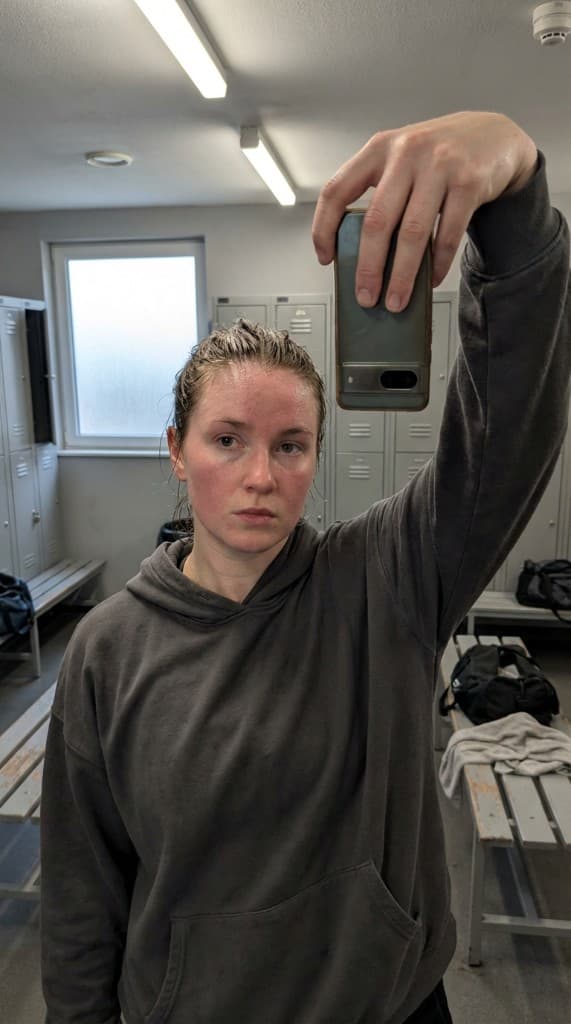
Product photography is one of the biggest expenses for e-commerce brands. Studio shoots cost thousands, take weeks, and produce a limited number of images. AI is changing that completely.
What is AI Product Photography?
AI product photography uses artificial intelligence to generate realistic product images without a physical photoshoot. You provide a product image, choose a scene and style, and the AI creates professional-looking photos that show your product in context—held by a person, placed in a lifestyle setting, or styled in a specific aesthetic.
This isn't just background removal or simple compositing. Modern AI generates complete scenes with realistic lighting, shadows, reflections, and human interaction that look indistinguishable from real photography.
Types of AI Product Photos You Can Create
1. Lifestyle Product Photography
Show your product in real-world settings—a serum on a bathroom shelf, headphones on a desk, or a water bottle at the gym. Lifestyle photography helps customers imagine owning and using your product. AI lets you generate dozens of different lifestyle scenes for the same product.
2. UGC-Style Product Photos
These look like a real person took a selfie or candid photo with your product. Mirror selfies, golden hour shots, kitchen countertop flatlays—the kind of content that performs on social ads because it feels authentic, not produced. With AI, you create a consistent AI expert who appears in every photo.
3. Product-in-Scene Photography
Place your product in curated scenes that match your brand aesthetic. A candle on a marble table, supplements on a gym bench, a tech gadget on a minimalist desk. Each scene is generated to match your exact vision.
4. Multi-Angle and Variant Photos
Generate the same product from multiple camera angles—front, side, overhead, close-up—or show different product variants (colors, sizes) in the same scene for consistency across your product catalog.
How to Create AI Product Photos with ppl.studio
The process takes under 60 seconds per image:
- Upload your product: Add a clean photo of your product to the Props library. One image is all you need.
- Choose or create an AI expert: Pick from existing personas or create a new one that matches your target audience. This expert maintains a consistent face across all photos.
- Set the scene: Choose from 50+ visual presets (mirror selfie, golden hour, candid lifestyle, etc.) or write a custom description of exactly what you want.
- Generate: Hit generate and get your photo in about 60 seconds. Tweak and regenerate as many times as you need.
Where to Use AI Product Photos
E-commerce Product Pages
Supplement your standard product shots with lifestyle and in-use images. Shoppers who see a product in context are more likely to convert. AI lets you add lifestyle photos for every SKU—even if you have hundreds of products.
Paid Social Ads (Meta, TikTok, Pinterest)
UGC-style product photos consistently outperform polished brand shots in paid social. Generate many variations to A/B test different scenes, angles, and experts. Find winning creative faster by testing more.
Email Marketing
Fresh product imagery for every campaign and seasonal promotion. No need to plan photoshoots months in advance—generate themed product photos on demand.
Social Media Content
Keep your Instagram, TikTok, and Pinterest feeds full of on-brand product content without the ongoing cost of creator partnerships or studio time.
AI vs Traditional Product Photography
| Traditional Photo Shoot | AI Product Photography | |
|---|---|---|
| Cost per shoot | $500–5,000+ | $1.99/week subscription |
| Lead time | 1–4 weeks | 60 seconds |
| Images per session | 10–30 | Unlimited |
| New SKU turnaround | Schedule new shoot | Upload product, generate |
| Seasonal refresh | Plan months ahead | Generate on demand |
| Commercial rights | Varies by contract | Full ownership |
Best Practices for AI Product Photography
- Start with a clean product image. The better your input photo, the better the AI output. Use a well-lit, high-resolution image on a plain background.
- Match your AI expert to your audience. If you sell to young professionals, your AI expert should reflect that demographic. Create multiple experts for different audience segments.
- Use visual presets for consistency. Pick a set of styles that match your brand and reuse them across your catalog for a cohesive look.
- Generate more than you think you need. Creative testing requires volume. Generate many variations and let ad performance data tell you which scenes, angles, and experts work best.
- Combine AI and real photography. Use AI for volume and variation. Use real shoots for hero images or specific campaign needs. The best e-commerce brands do both.
Who Benefits Most from AI Product Photography?
- DTC brands with large catalogs that need lifestyle imagery for every SKU
- Dropshippers who don't have physical products to photograph
- Performance marketers who need high creative volume for A/B testing
- Small e-commerce teams without budget for regular photoshoots
- Agencies managing product imagery for multiple clients
The Bottom Line
AI product photography has crossed the quality threshold where it's indistinguishable from real photography for the majority of e-commerce applications. Lifestyle scenes, in-use shots, UGC-style candids—all are now faster and cheaper to generate with AI than to schedule, shoot, and edit traditionally.
The strategy that works: use a real product photo for your hero image (white background, required on Amazon and most marketplaces), then fill every other image slot with AI-generated lifestyle content. This hybrid approach delivers compliance where it matters and visual storytelling where it converts. For more on maximizing every image slot, see our Amazon A+ Content guide.
Frequently Asked Questions
How does AI product photography work?
AI product photography tools like ppl.studio take a photo of your product and an AI-generated persona (an “AI expert”) and composite them into a realistic lifestyle scene. You choose the environment (kitchen, gym, office, outdoors), the visual style (candid, golden hour, clean minimal), and the composition. The AI handles lighting, shadows, and natural product integration. The result looks like a real person in a real location with your real product—without any of the production logistics.
Can you use AI product photos on Amazon?
Yes. Amazon allows AI-generated lifestyle imagery in listing image slots 2–7 (the secondary images). The main image (slot 1) must be a real product photo on a white background per Amazon's guidelines. Fill slots 2–7 with AI product lifestyle photos showing your product in use, in context, and from multiple angles. Listings with all 7 image slots filled with lifestyle imagery see significantly higher conversion rates than listings with 2–3 product-only images.
What makes a good input photo for AI product photography?
A clean, well-lit product photo with a plain or neutral background gives the best results. High resolution (at least 1000×1000px) helps the AI render product details accurately. The product should be the clear focus—no clutter, no hands or people in the input (those get added by the AI). White or light gray backgrounds tend to give the cleanest composite integrations. Your supplier's product images or basic phone photos in good light both work well as inputs.
How is AI product photography different from traditional product photography?
Traditional product photography requires physical presence: a studio, lighting equipment, a photographer, models, and the physical product. AI product photography requires a digital photo of the product and an internet connection. Traditional shoots produce 10–30 usable images per day at a cost of $500–5,000. AI product photography produces unlimited variations in seconds at a cost under $10/month. The tradeoff: traditional photography captures reality; AI photography generates it. For most e-commerce use cases—lifestyle imagery, ad creative, social content—AI product photography delivers equivalent results faster and cheaper.
Try AI product photography free
Upload your product, choose a scene, and get your first AI-generated product photo in 60 seconds.
Start free with ppl.studio10 free photos · no credit card required
Founder of ppl.studio. Building AI tools for product marketing teams who need visual content at scale without the production overhead.