ppl.studio
How it works

One loop. 33 engines.Everything that happens between an idea and a post that landed.

Every video, carousel and photo pack on ppl.studio goes round the same loop: find what to post, write it, shoot it, cut it and put it out — then its numbers pick the next one. Here is each engine that does the work, what you control in it, and what comes out.

The loop

Five phases, in the order the work flows

This is the dial on your dashboard. Find turns into words, the words are filmed, the clips are joined up, the video goes out, and what it did picks the next thing to find. Pick a phase to see its engines.

The loop: Find, then Write, then Shoot, then Cut, then Distribute, and back to Find.FindWriteShootCutDistribute

Phase 1 of 5

Find

What to post next

Set up once

The kit every post draws on

Before the loop: who stars in your posts, what you sell, and who you sell it to. Every run reads them; none of them is made twice.

Experts

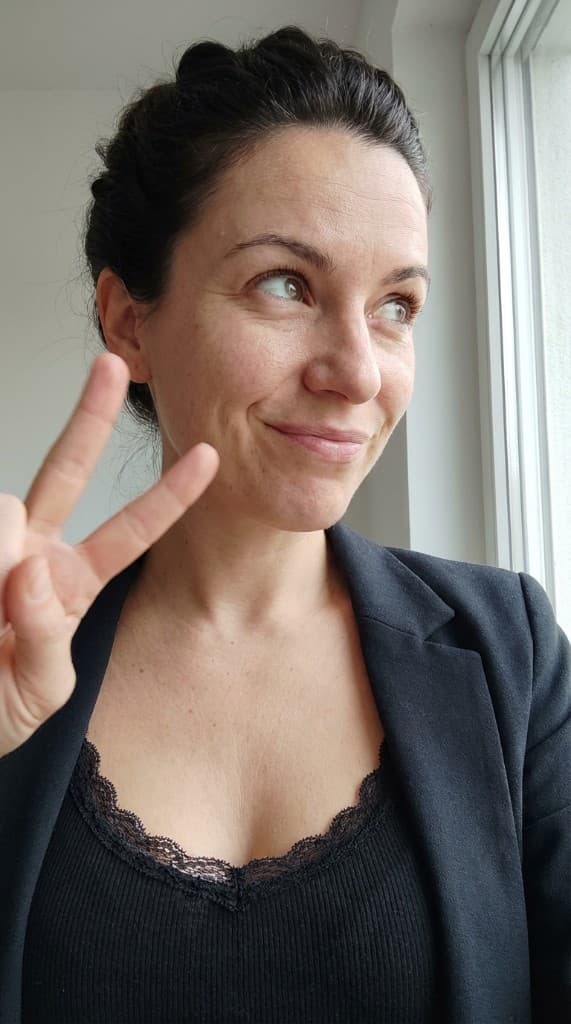
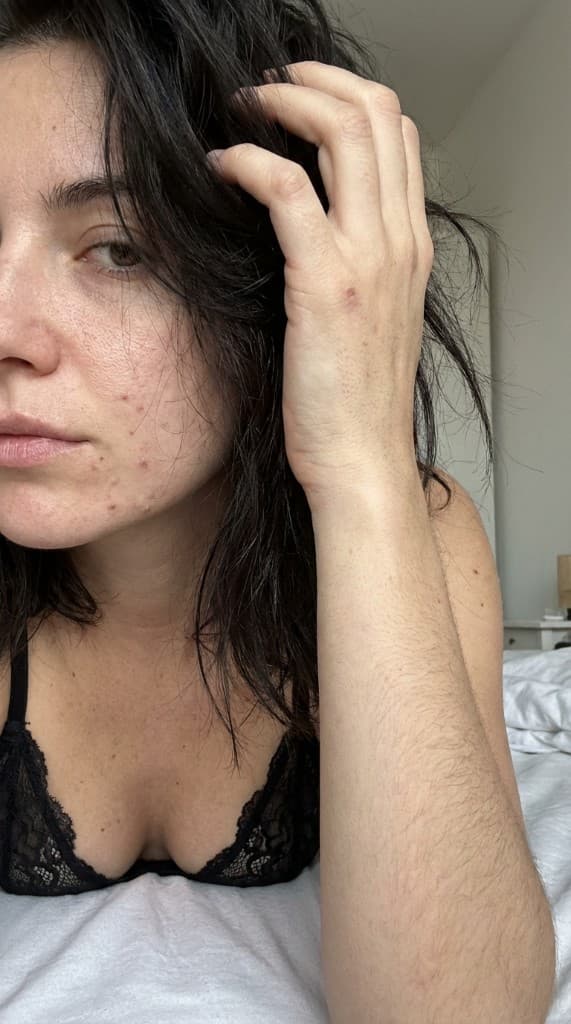
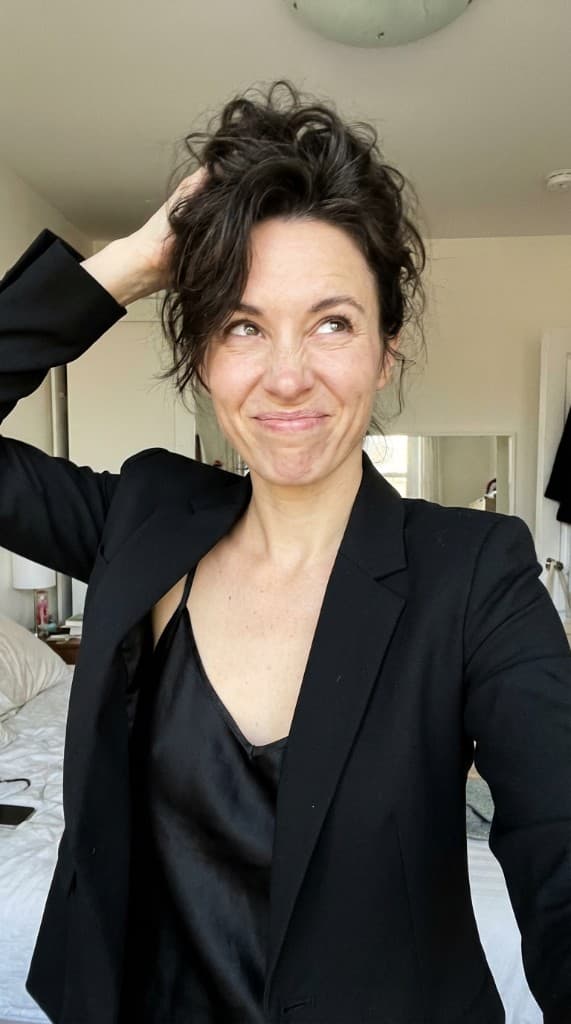
An Expert is a person with one face, a body, a voice and a dossier — backstory, niche, catchphrases, words they'd never say. Their character sheet (face and full body) is the reference every photo and clip is drawn from, so the same person shows up everywhere.

What you control
Ask for four Experts cast for your brand and pick one, start from the library, or build one field by field. Choose how far the look goes — Everyday, Signature or Character — and restyle later.
What comes out
A cast you reuse in every run, each with a profile, a voice and a character sheet.
AI Experts

Products

Items are the things you sell, photographed into every scene. Apps keep your screens and store listing. Catalogs are product feeds, read fresh each time a run uses them; the run keeps a dated copy of what it showed.

What you control
Upload product photos, add an app (yours or one you review), or paste a Shopify, Google Merchant or CSV feed.
What comes out
What a run puts in a creator's hands, on a phone screen or on a slide.
Props library

Audiences

A saved audience holds the product, who it's for and the language. Every workflow can start from one, so a brief is never typed twice.

What you control
Save one from any run's brief, then pick it in the next.
What comes out
The product, audience and language filled into a new run.

Under every workflow

Eight bricks, chained into a workflow

A run is built from up to eight bricks, always in the same family: Brief, Cast, Write, Voice, Picture, Animate, Cut, Deliver. Each brick has variants, and each reads what earlier bricks made. A workflow is a preset — a fixed chain of bricks, one variant each — with a preview gate before anything that costs video.

  1. Brief1

    What the run is about: the product, the audience, the goal, the platform, the language.

    3 variants

  2. Cast2

    Who and what is in it: an Expert, a product, an app screen, items from a feed, your recording.

    7 variants

  3. Write3

    The words: a script, slides, a chat, lyrics, a shot plan.

    10 variants

  4. Voice4

    The words read aloud, or sung.

    3 variants

  5. Picture5

    The stills: frames, product shots, slides, story stills.

    10 variants

  6. Animate6

    Stills into clips: Veo, lip-sync or a Motion.

    3 variants

  7. Cut7

    Clips, voice and captions into one video.

    6 variants

  8. Deliver8

    Where it lands: the gallery, an export pack, a post caption.

    3 variants

Pick a workflow, see its chain

These are the workflows the app runs, read straight from them. Click a step to see the brick's variants, or lay the chain on the eight bricks to see what a workflow skips.

Videos
Carousels
Photo packs

Creator UGC Video

Brief · what the run is about: the product, the audience, the goal, the platform, the language

  • Full brief
  • Product brief
  • No brief

Used here: Full briefText or image

7 steps · stops at the preview before video

The Creator UGC Video guide

Phase 1 · Find

What to post next

Before anything is written: what's rising in your niche, which openings have worked, and which formats are proven in the market.

Find · Topics, Hooks and FormatsExample

Winter skin barrier routines

Skincare · Rising now on TikTok search

I stopped buying a new moisturiser every month.

Spoken openingUse this hook

5 signs your skin barrier is damaged

Carousel coverUse this hook

Listicle carousel

Proven in the market · real examples and a sample to open

Follow

Topics

1.1

Each niche has its own list of topics, rising now and steady demand, built from TikTok searches and trend research and refreshed every night.

What you control
Pick a niche and a topic, or type your own. A run can mix trends in, prefer them, or leave them out.
What comes out
A topic that fills the run's brief.

Hooks

1.2

A collection of first lines that worked in your niche, sorted by how they did and grouped by medium: a spoken opening, a carousel cover, a text over a screen.

What you control
Use a hook to set a run's opening, or tick two or three and test them against each other.
What comes out
A run whose first line follows the hook's shape, in your own words.

Rising creators

1.3

Accounts that are breaking out in your niche right now, with what they post.

What you control
Filter by niche and open the ones worth studying.
What comes out
References for formats and hooks to try next.

Formats

1.4

A library of post formats that keep working — listicle carousels, one-photo posts, talking heads, text-message threads, story ads — each with real examples, their numbers, and a sample we made with the same workflow you'd run.

What you control
Follow a format, let Auto choose, or clone a post that went viral: paste it and its beats are read out for your writers to follow.
What comes out
A run written on the format's beats instead of a blank page.

Format pick

1.5

On Auto, a run takes turns through the library's proven formats for its niche. Once your account's posts have numbers, it weighs each format by how its posts did for you — and still tries the less proven ones now and then.

What you control
Name the posting account on a run and leave the format on Auto.
What comes out
A format chosen from your own results, not a guess.

Phase 2 · Write

The words, written and read

One family of writers for every medium, held to the same rules, then read aloud or sung.

Write · Script with its critiqueExample
84

Talking script · 3 lines

Strong opening claim; the close asks for one thing.

  1. 1I stopped buying a new moisturiser every month.
  2. 2This is the only one I've finished twice — two pumps, morning and night.
  3. 3If your skin hates winter, start here.

Repaired before you saw it

  • Line 2 was too long to say in its clip; shortened.
  • The close asked twice (follow, and link in bio); one ask kept.
  • A phrase on the account's never-say list; rewritten.
Write · Chat threadExample

my sister reviewed my dating profile

Today 11:42 PM

  1. ok be honest
  2. why is every photo you holding a fish
  3. it shows I'm outdoorsy
  4. it shows the fish had a worse day than you

Brief

2.1

The brief is what every later step reads: the product and its facts, the audience, the goal, the platform, the niche and the language. It can be drafted from a product page.

What you control
Paste a product URL, pick a saved audience, or fill it in yourself.
What comes out
One brief the whole run is written from.

Writers

2.2

A writer for each medium — a talking-head script, a long monologue, narrated story scenes, carousel slides, one line for a demo, a text-message thread, song lyrics, a shot plan for product photos, a post caption. They share one set of voice rules, follow the format you picked, and keep to the brand rules of the account you post from.

What you control
Edit any line, redo a draft, or rewrite from the critique. Scripts you like are saved and can be sent to a workflow.
What comes out
The words of the post, ready to read, film or draw.
UGC script generator

Openings

2.3

Every writer opens on a hook judged for clarity, emotion and curiosity. Spoken openings lead with the claim and give the reasons after. A run with a hook from your niche, or one under test, opens on that shape.

What you control
Pick a hook, test several, or leave it to the writer.
What comes out
An opening that earns the second line.
Hook generator

Copy check

2.4

Each draft is read for what gets posts buried or ignored: salesy phrasing, asks the platform penalises, two asks in one close, a line too long for its slot, a headline promising a number nothing backs up, a product never named, a phrase on the account's never-say list. What it finds is repaired before the draft reaches you.

What you control
Add never-say phrases and a tone to each posting account; they apply to every writer.
What comes out
Copy that already passes the rules you'd check by hand.

Critic

2.5

Scores a script out of 100 with a short critique of what holds it back, and ranks a batch best first.

What you control
Rewrite from the critique in one click, or keep your version.
What comes out
A score, the reasons, and a stronger draft if you want one.

Translate

2.6

Translates a script for another market and keeps its numbers and the product's name as they are.

What you control
Pick the language on the brief, or translate a saved script.
What comes out
A script ready to voice in the new language.

Voice

2.7

Reads the script in the Expert's voice, a take per line or one long take. A take that runs on or comes out wrong is recorded again.

What you control
Pick the voice, and whether the script is read line by line or in one take.
What comes out
Voice takes the cut is timed to.

Songs

2.8

Turns lyrics into a full song with a sung vocal. Each take is listened back to; a take where too many words can't be heard is sung again.

What you control
Pick the style and the length.
What comes out
A song the drama is cut to, line by line.
Drama Song Ad

Phase 3 · Shoot

Photos and clips of your experts

Stills first, checked on one board, and only then paid video.

Shoot · PreviewExample
Frame 1 of an example run: three scenes, each with its line1

I stopped buying a new moisturiser every month.

Redraw · Swap · Edit line

Frame 2 of an example run: three scenes, each with its line2

This is the only one I've finished twice.

Redraw · Swap · Edit line

Frame 3 of an example run: three scenes, each with its line3

If your skin hates winter, start here.

Redraw · Swap · Edit line

3 clips × 8 s · about $1.20 on your own Gemini keyNothing renders until you approve.

Approve and render

Photos

3.1

One image engine draws everything still: UGC photos of your Expert holding your product, a frame for each line of a script, product shots and listing packs, an Expert with your app on a phone, story stills. Photos get a phone camera's finish — its resolution, grain and compression — so they read as taken, not rendered.

What you control
In the Workbench, pick the Expert, the product, a style or a Look, and edit the prompt if you want to.
What comes out
Photos in your gallery, frames for a run.
Product UGC Photos

Looks

3.2

A Look is a photo's pose, framing, light, clothing and background, read from a post link or a screenshot. Pick one and your Expert takes the person's place.

What you control
Add Looks from any post, use the shared library, and switch the Look's clothing and background on or off.
What comes out
The photo you liked, with your Expert in it.

Slides

3.3

Draws carousel slides with the words baked in: photo slides, designed cards (a table, a list, a menu, a price card), app screens on phones, products from your feed. Covers and faceless slides can use stock photos.

What you control
Pick the slide count and the mix, edit any slide's words, swap a picture.
What comes out
Finished slides to post, and the same slides as a video.
Viral TikTok Carousel

Preview

3.4

Every workflow with paid video stops at one board: each frame with the line it carries, and the price of the clips. Nothing that costs video runs before you approve it.

What you control
Edit a line, redraw or swap a frame, then approve — or tell a run to go straight through once you trust it.
What comes out
Approved frames, and a price you've already seen.

Clips

3.5

Animates each approved frame into a short clip with Google Veo, or MiniMax for the song and story ads. A refused or failed clip is retried with a safer prompt.

What you control
Pick the video model for the song and story ads; redo any single clip.
What comes out
One clip per frame, ready to cut.
Animate

Lip-sync

3.6

Puts one long voice take on a frame of your Expert, lip-synced, for monologues longer than a clip.

What you control
Write or paste the monologue and pick the frame.
What comes out
A talking-head video that runs as long as the script.
Long Lip-Sync Video

Motions

3.7

Takes the movement of a clip you upload — a dance, a gesture, someone talking — and has your Expert perform it in their own scene. The original sound is dropped, so you add the trending sound on the platform.

What you control
Upload a clip, pick up to 30 seconds of it, and choose one of your Expert's photos to start from.
What comes out
A clip of your Expert doing the trend.

Screen recordings

3.8

Reads your screen recording for the moments that matter — the screen that proves the point — and keeps the headline and labels to what the recording actually shows.

What you control
Upload the recording; check the headline.
What comes out
A proof video, cut from what you really recorded.
Screen Recording Video

Phase 4 · Cut

Clips joined into one video

Clips, voice and words become one vertical video you can post.

Final cut

Three approved clips, one per line
  • Clips joined in the script's order3 clips
  • Dead air trimmed between lines
  • Timed captions burned in
  • Loudness evened out
  • Lifted to 1080 × 1920

A walk-through of the order the cut works in; nothing is rendered here.

Assembly

4.1

Joins the clips in order, fits each one to its voice line or to the song, trims dead air, evens the loudness and upscales to 1080p. Product demos can end on a card with your call to action; testimonials carry an AI-generated label.

What you control
In the Editor, join any clips in any order, fit them to voice takes, and lift the cut to 1080p.
What comes out
A finished 9:16 video in your gallery.

Captions

4.2

Burns timed captions of the spoken words into the video, so the post works with the sound off.

What you control
On in the spoken video workflows; a choice in the Editor.
What comes out
A video that reads without sound.

Chat videos

4.3

Plays a text-message thread as a screen recording of Messages: each bubble typed and sent in turn, the hook over the top, emoji included.

What you control
Edit any message, who sent it, the hook and the timestamp, then play it again.
What comes out
A text-message video, no camera needed.
Text Message Video

Phase 5 · Distribute

Out to your accounts, and what landed

Where the work goes out, under whose rules, and what each post did.

Distribute · Experiments, the day's planExample
  • Spark

    Yesterday's best post, varied: its hook, then its angle.

  • Screen

    Formats new to the account, a post each.

  • Confirm

    A promising format again, until there's a verdict.

  • Tune

    One change at a time on a champion, two arms.

A format becomes a champion at a median of 1.5× the account's usual views over 4 or more posts on 3 or more days. At most three champions at a time.

Distribute · Hook testExample
  • Nobody tells you this about winter skin

    71% best

    4 scored posts

  • I stopped buying a new moisturiser every month

    24% best

    4 scored posts

  • 5 signs your skin barrier is damaged

    5% best

    3 scored posts

Still running: a winner needs 90%, with three scored posts on every hook.

Accounts and brand rules

5.1

Each posting account keeps its own rulebook: phrases it never says (with wildcards for the in-between words), its tone, and notes. Every writer and every topic idea follows them, and the copy check repairs a draft that slips.

What you control
Add accounts and write their rules once; pick the account on a run.
What comes out
Copy that sounds like that account, run after run.

Export and captions

5.2

A run ends in your gallery, as an export pack (slides, video, frames), or with the post's caption written for the platform.

What you control
Choose where the run lands; download or copy what you need.
What comes out
Files and a caption, ready to post.

Schedules

5.3

Starts a run on the weekdays and hour you choose — data carousels and text-message videos, the workflows with no image or video cost — with a trending topic it hasn't used in its last 20 runs.

What you control
Pick the workflow, the days, the hour and where topics come from.
What comes out
New runs on a timetable, without you starting them.

Posts and numbers

5.4

Every post is logged with what made it — format, hook, topic, account — and its numbers are recorded at fixed checkpoints after posting. Connected Facebook Pages are read automatically.

What you control
Mark a run as posted and add its numbers, or connect a Page.
What comes out
A record of what worked, tied to how it was made.

Hook tests

5.5

Runs two or three openings on the same format for one account, taking turns. A hook wins once it's at least 90% likely to be best after three scored posts each; at eight posts each with no winner, it's a tie.

What you control
Tick two or three on the Hooks page and press Test them; promote the winner or stop the test.
What comes out
The winning opening, used by the next runs.

Experiments

5.6

A ladder for each account's daily posts. Spark gives yesterday's best post two variations. Screen tries formats new to the account. Confirm keeps posting a promising format until there's a verdict. Tune changes one thing at a time on a champion. A post is scored on its views over the account's usual, never on one post alone.

What you control
File the account into a project; the day's plan and each format's standing are on Experiments.
What comes out
Formats earning their slots by their own numbers.

Back to Find

The numbers pick the next post

The last arrow on the dial. What a post did decides what the loop makes next — a format, an opening, a slot in tomorrow's plan.

  1. Step 1

    Each post is logged with what made it

    The format, the hook, the topic and the account are kept with the post when it goes out, so its numbers can be tied back to the choices behind it.

  2. Step 2

    Its numbers are scored against the account's usual

    Views at fixed checkpoints after posting, weighed with saves, shares, follows and watch time where the platform reports them — compared with the same account's recent posts, so a small account and a big one are judged fairly.

  3. Step 3

    Formats and openings earn their next slots

    Hook tests decide which opening the next runs use. The experiments ladder moves formats from Screen to Confirm to Champion, or rests them. On Auto, the format pick weighs each format by how it did for you.

  4. Step 4

    Find starts from what landed

    The next run opens on a proven format and a winning hook, in a topic that's rising in your niche — and the loop goes round again.

Every post also gets a hook score for clarity, emotion and curiosity. It is logged, not used to rank hooks: it earns that once it is shown to predict views.

From code or an assistant

Every engine, over the API and MCP

The bricks are the same everywhere, so anything the dashboard does, the REST API and the MCP server do too: start a whole workflow and approve its priced preview, or run one brick on its own — a chat video from a thread, a voice take, a cut.

terminal — or your assistant
# a whole workflow — it stops at the priced preview
curl https://ppl.studio/api/v1/flows \
  -H "Authorization: Bearer $PPL_API_KEY" \
  -H "Content-Type: application/json" \
  -d '{ "preset": "creator-ugc-video", "creatorSlug": "your-expert",
        "briefSource": { "mode": "url", "value": "https://yourstore.com/products/serum" } }'

# or from Claude, ChatGPT or Cursor over MCP
start_run → wait_for_run → approve_run
start_job cut:chat   # one brick on its own

Questions

What is an engine?

An engine is one job done one way everywhere: the writers, the copy check, the image engine, the cut. The dashboard, every workflow, the API and the MCP server all call the same engines, so a fix to one reaches everything that uses it.

What is a brick, and what is a workflow?

A run is made of up to eight bricks: Brief, Cast, Write, Voice, Picture, Animate, Cut and Deliver. Each brick has variants (Animate can be Veo clips, a lip-sync or a Motion). A workflow is a preset: a fixed chain of bricks, one variant each, with the preview gate before anything that costs video.

Do I pay for video before I see it?

No. Every workflow with paid video stops at a preview board with each frame, its line and the price of the clips. Nothing that costs video runs until you approve. Photos and text are cheap and run without the stop.

Can a run go on without me?

Yes. On Auto, each step starts as the last one finishes and the run waits at the preview for your approval. You can tell a run to go straight through once you trust it, and schedules can start text-only workflows on a timetable.

Which AI models does it use?

Google Gemini for text, images and voice, Google Veo for video clips (MiniMax for the song and story ads), and models on fal.ai for lip-sync, Motions and songs. Gemini and Veo run on your own Google key, billed by Google with no markup.

Does it learn from my posts?

Yes, once your posts have numbers. Hook tests pick the opening the next runs use, the experiments ladder decides which formats get the day's slots, and on Auto the format pick weighs formats by how they did for your account.

Go round the loop once

Make an Expert, add a product, and run a workflow to its preview. 10 free photos to start, no card.

Your own Gemini key · no markup on generation · video only after you approve