Veo vs Gemini Omni 1.2 Flash: Price, Limits and What Changed in 2026
Google replaced Veo on the Gemini API with Gemini Omni Flash, and on November 5, 2026 it released version 1.2. This is what changed, what each model costs and allows, and what we saw rendering talking videos on both, with every Google fact checked against Google's own pages today.
9 min read

If you built on Veo 3.1 through the Gemini API, it stopped working on October 22, 2026. The model Google points you to is Gemini Omni Flash, now at version 1.2. We switched every talking clip in ppl.studio from Veo to Omni on October 12, so the notes below come from renders, not only from the spec sheet. Where a number is Google's, we say so; where it is ours, we say which model it was measured on.
The Short Version
- The latest Google video model is Gemini Omni 1.2 Flash (
gemini-omni-1.2-flash), generally available since November 5, 2026. - It costs about $0.07 a second at 720p. That is $12 per million video tokens, 31% below Omni 1.1 Flash at $17.50.
- Clips run 3 to 15 seconds, and extend to 30. Veo 3.1 makes 4, 6 or 8 seconds.
- You can edit a clip by talking to it. “Make the phone invisible. Keep everything else the same.” Veo cannot.
- Veo 3.1 is gone from the Gemini API. It lives only on Google Cloud, needs a cloud project instead of an AI Studio key, and there is no Veo 4.
- The old Omni 1.1 id turns into 1.2 on December 3, 2026, at 1.2 prices, so nobody stays on 1.1.
What Happened to Veo
| Date | What happened |
|---|---|
| Oct 15, 2025 | Veo 3.1 and 3.1 Fast previews on the Gemini API |
| Nov 17, 2025 | Veo 3.1 generally available on Vertex AI |
| Mar 31, 2026 | Veo 3.1 Lite preview on the Gemini API |
| Jun 30, 2026 | Omni Flash preview announced at Google I/O; Veo 2 and Veo 3.0 shut down the same day |
| Aug 27, 2026 | Omni 1.1 Flash generally available: extension, first and last frame, 360p to 4K |
| Oct 22, 2026 | Veo 3.1 previews and the Omni preview shut down on the Gemini API |
| Nov 5, 2026 | Omni 1.2 Flash generally available: 15-second clips, 30 seconds with extension, 6 reference images, lower price, higher limits |
| Dec 3, 2026 | Omni 1.1 Flash requests are routed to 1.2 at 1.2 prices |
Veo is not dead. Veo 3.1 is generally available on Google Cloud, and Google lists its retirement as May 4, 2027 or later. But on the Gemini API, the one a normal AI Studio key reaches, Google's own deprecation table names Omni as the replacement for each Veo model.
Specs Side by Side
| Gemini Omni 1.2 Flash | Veo 3.1 (Google Cloud) | |
|---|---|---|
| Where | Gemini API, paid tier only | Google Cloud only (us-central1) |
| Sign-in | AI Studio API key | Google Cloud project and IAM |
| Clip length | Any whole second, 3 to 15 | 4, 6 or 8 seconds |
| Longer videos | Extend 3 to 10 s a step, up to 30 s | Extend supported |
| Resolution | 360p, 720p, 1080p, 4K (1080p and 4K are upscaled) | 720p, 1080p; 4K on Standard |
| Aspect ratios | 9:16 and 16:9 | 9:16 and 16:9 |
| Inputs | Text, image, video | Text, image, video to extend |
| Reference images | Up to 6 (3 per character, 2 characters) | Standard and Fast; not Lite |
| Edit by prompt | Yes, in conversation | No |
| Negative prompt field | No; write it in the prompt | Yes |
| Audio | Native, speech included; no audio input | Native, speech included |
| Watermark | SynthID | SynthID and C2PA |
| Free tier | None | Billed Google Cloud account |
What only Veo on Google Cloud still gives you is enterprise plumbing: a native negative prompt, 4K on the Standard tier, provisioned throughput, customer-managed keys and data residency. What only Omni gives you is editing, longer clips, reference images and a price per second that no Veo tier beats once the audio is on, except Veo Lite.
What Each Costs
| Model (720p, with audio) | Per second | 8-second clip | 15-second clip |
|---|---|---|---|
| Gemini Omni 1.2 Flash | $0.0695 | $0.56 | $1.04 |
| Gemini Omni 1.1 Flash (until Dec 3) | $0.101 | $0.81 | not available |
| Veo 3.1 Lite (Google Cloud, preview) | $0.05 | $0.40 | not available |
| Veo 3.1 Fast (Google Cloud) | $0.10 | $0.80 | not available |
| Veo 3.1 Standard (Google Cloud) | $0.40 | $3.20 | not available |
Omni is billed in video tokens, not seconds: 720p is 5,792 tokens a second, so at $12 per million a second costs $0.0695. By resolution, 1.2 comes to about $0.023 a second at 360p, $0.104 at 1080p and $0.209 at 4K. Google upscales 1080p and 4K from the base render, so for most social video 720p is the one to pay for. Veo prices above are Google Cloud list prices; Veo is cheaper without audio, but a talking clip needs the audio.
For a four-clip, 32-second talking video that is $2.22 on Omni 1.2 against $3.23 on Omni 1.1. The only Google model cheaper per second than Omni 1.2 is Veo 3.1 Lite, and it is a preview on Google Cloud, so using it means a second sign-in path for about 28% off.
Limits That Matter
- Paid tier only. A key whose project has no billing cannot render.
- Requests, not seconds, are capped. The first paid tier allows 8 requests a minute and 40 a day (the next tier 16 and 200, then 40 and 2,000). Four clips make one video, so one key makes about ten videos a day.
- No audio in. Google says uploading audio inputs or references is unsupported, so you cannot hand Omni a voice recording to lip-sync.
- Edits on your own footage are not offered in the EEA, Switzerland or the UK. Extending and editing a video the model made works everywhere.
- Two-frame interpolation stops at 10 seconds, and 11 to 15 second clips take one reference video instead of three.
- Real people and celebrities are blocked, and every clip carries a SynthID watermark.
What We Measured
We have run talking videos on Veo 3.1 Lite and Omni 1.1 Flash, on real accounts, since early October. Nothing below is measured on 1.2 yet, and we say so in each row.
| Test | Result |
|---|---|
| 6 talking clips, same first frames, Omni 1.1 vs Veo 3.1 Lite (Oct 5) | All 6 rendered on both. Dialogue words heard: 104 of 106 on Omni, 102 of 106 on Veo. Same identity. Both drew a stray hand on the phone shot. We could not tell them apart by eye. |
| Music under speech (Oct 7 and Oct 12) | Veo put a music bed under 24 of 41 talking clips, and no prompt wording removed it. Omni did it on 0 of 4. |
| Speed (Oct 5 and Oct 12) | A 4-second Omni clip took 30 to 42 seconds. Five rendered in parallel without trouble; Veo previews allowed about two at once. |
| Prompts (Oct 26) | The model acts out every clause. “No skeleton” drew a skeleton; “warm gold light washes over” painted the figure gold. Describe only what the first frame holds. |
On the outside, reviews are thin and mostly from resellers. Segmind's 20 tests of Omni 1.2 found it strong on labelled diagrams, kinetic type, and background or wardrobe edits, and weaker on photoreal people from scratch and on counting past three; it reported about one instruction in four skipped. A review of the June preview reported lip-sync holding for 6 to 7 seconds before drifting, which we have not tested past 8 seconds and will, since 1.2 allows 15-second clips. Leaderboards rank Omni Flash first for text-to-video, but those rows are for 1.0 and 1.1. We found no blind head-to-head of Omni 1.2 against Veo 3.1.
Prompting Omni
- Ask for one continuous shot. By default Omni cuts into a few shots and invents a story. Say “single continuous shot, no scene cuts”.
- Put exclusions in the prompt. There is no negative field, so write “No dialogue. No extra sound effects.” after the subject and action.
- Audio is part of the prompt. Left alone it invents a soundtrack. Ask for the sound you want or for none.
- Be specific about motion from a still. “Slow push-in, handheld wobble, she nods” beats “make it move”. Use a sharp first frame.
- Time it. “After 3 seconds, she lifts the bottle” or a block like
[0-5s] … [5-10s] …works. - Keep edits short. “Make the phone invisible. Keep everything else the same.” Long edit prompts change other things.
- Quote any text you want on screen, word for word.
- The duration field wins over the prompt. A length written in the text is overridden by the request's duration, and over 15 seconds is an error.
Which One to Use
| You need | Use | Why |
|---|---|---|
| A person talking to camera, on an AI Studio key | Gemini Omni 1.2 Flash | The only Google video model that key reaches; cleaner audio in our tests |
| A clip fixed by an edit instead of a re-roll | Omni | Edit by prompt; Veo cannot |
| Clips longer than 8 seconds | Omni | 3 to 15 seconds, 30 with extension |
| Enterprise controls: data residency, provisioned throughput, C2PA | Veo 3.1 on Google Cloud | The only place they exist |
| Silent B-roll and story shots, many at once | MiniMax H3 Max Turbo | $0.04 a second and parallel; see our H3 vs Omni test |
What This Means for ppl.studio
Talking workflows such as the creator UGC video render on Gemini Omni Flash with the Gemini key you add in Settings, and silent ones such as the drama song ad default to MiniMax H3 when your account has a fal key. Google moves every Omni 1.1 request to 1.2 on December 3, so those workflows get the lower price and the longer clips from then on. We will re-run our talking-clip tests on 1.2, including 12 to 15 second takes, and update this page with the numbers. The still frames for each clip come from Nano Banana 2.1.
Frequently Asked Questions
Is Gemini Omni the same as Veo?
No. Veo is Google's earlier video model family (Veo 3, 3.1); Gemini Omni Flash is the newer model that generates and edits video through the Gemini API's Interactions endpoint. Google's deprecation table names Omni as the replacement for every Veo model on the Gemini API, and Google did not call it Veo 4.
Is there a Veo 4?
Google has announced none as of November 10, 2026. The video model Google launched at I/O 2026 was Gemini Omni Flash, and it is the one the Gemini API now points to.
Can I still use Veo 3.1 with a Gemini API key?
No. The Veo 3.1 preview models were shut down on the Gemini API on October 22, 2026. Veo 3.1 is generally available only on Google Cloud (Vertex AI, now the Gemini Enterprise Agent Platform), which needs a Google Cloud project and IAM rather than an AI Studio key, and Google lists its retirement as May 4, 2027 or later.
How much does Gemini Omni 1.2 Flash cost?
$12 per million video tokens, which at 720p (5,792 tokens a second) is about $0.07 a second: $0.56 for an 8-second clip and $1.04 for a 15-second clip. 360p is about $0.023 a second; 1080p and 4K, which are upscaled, are about $0.104 and $0.209. Omni 1.1 Flash was $17.50 per million, about $0.10 a second.
How long can a Gemini Omni 1.2 video be?
Any whole number of seconds from 3 to 15 in one request, and a clip can be extended in steps of 3 to 10 seconds up to 30 seconds in total. Veo 3.1 only makes 4, 6 or 8 second clips.
Is the free tier available for Omni?
No. Omni is paid tier only. On the first paid tier the limit is 8 requests a minute and 40 requests a day, so a key can make roughly ten 4-clip videos a day.
What happens to Gemini Omni 1.1 Flash?
On December 3, 2026 Google routes requests for gemini-omni-1.1-flash to 1.2, billed at 1.2 rates, with no code change. Anyone on 1.1 is on 1.2 from that date.
Which is better for talking videos, Veo or Omni?
On six real talking clips rendered from the same first frames, Omni 1.1 and Veo 3.1 Lite were indistinguishable to us: 104 of 106 dialogue words heard on Omni against 102 of 106 on Veo, same identity. The difference was audio: Veo put a music bed under 24 of 41 talking clips and no prompt wording removed it, while Omni did it on none of 4. We have not yet re-run this on 1.2, and no blind public test of 1.2 against Veo 3.1 exists that we could find.
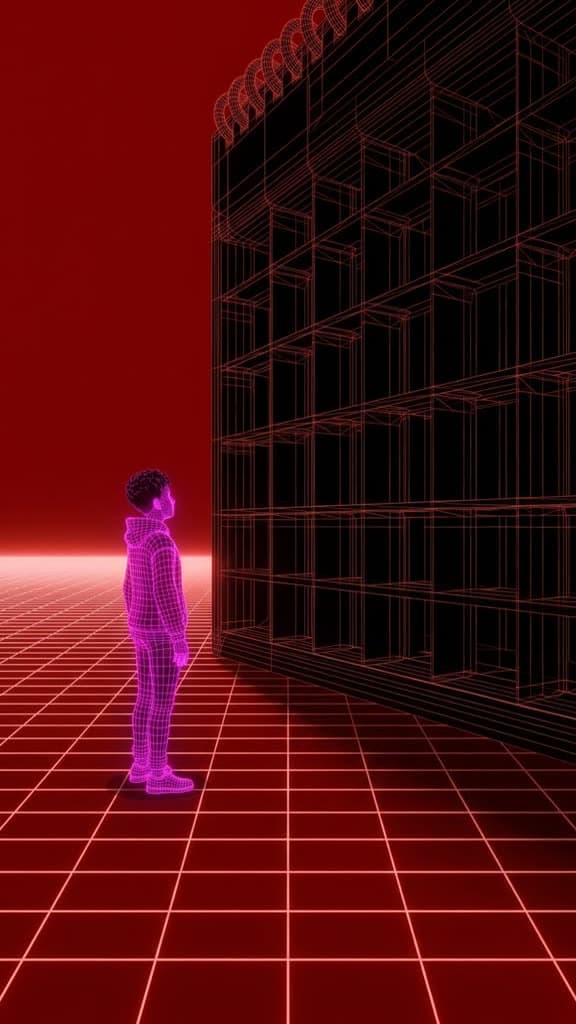
Two of our stills, four seconds into Gemini Omni 1.2
Our own test of the new model: the same first frame and prompt as a MiniMax H3 clip, rendered on Omni 1.2 Flash.


Sourceschecked November 10, 2026
- Google: Generate and edit videos with Gemini Omni Flash
- Google: Gemini API pricing (Omni 1.2 and 1.1)
- Google: Gemini API changelog (2026-11-05 and 2026-08-27)
- Google: Gemini API deprecations (Veo and Omni)
- Google: Gemini API rate limits (Omni Flash)
- Google Cloud: Veo 3.1 on the Gemini Enterprise Agent Platform
- Google Cloud: Vertex AI generative AI pricing (Veo)
Make a talking video on Gemini Omni
Pick a workflow, drop in your product and generate. Talking workflows render on Gemini Omni Flash with your own Gemini key; silent ones on MiniMax H3 when your account has a fal key.
Start free with ppl.studio10 free photos · no credit card required
Founder of ppl.studio. Building AI tools for product marketing teams who need visual content at scale without the production overhead.