Gemini & Nano Banana Prompts for Product Photos: The Complete Guide
A practical prompt engineering guide for Gemini and Nano Banana image models—with the exact structures, modifiers, and workflows that produce e-commerce-ready product photos.
13 min read
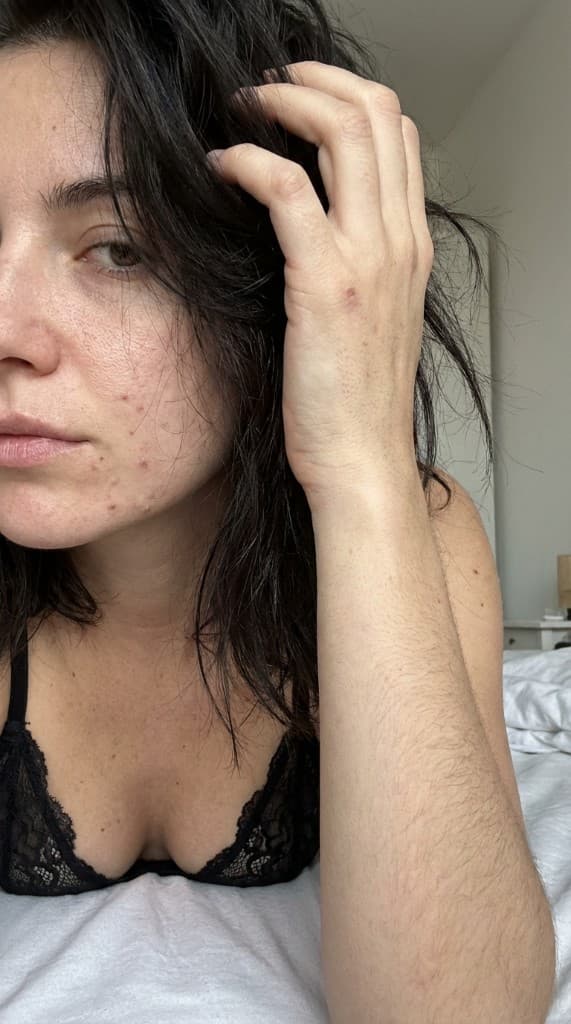
Google's Gemini image models and the Nano Banana edit model have quietly become the best tools in the world for commercial product photography. They preserve product identity across edits, follow natural-language instructions with surprising precision, and produce photoreal results that hold up next to studio work. But only if you know how to prompt them.
Why Gemini and Nano Banana Are Different
Most image models treat your product as a loose reference. Nano Banana treats it as ground truth: it will keep labels legible, bottle shapes consistent, and brand colors accurate across generations. That reliability is the thing that makes it suitable for ad creative rather than just moodboards. Gemini adds grounded reasoning about physics, lighting, and composition so your prompts can be high-level rather than micro-managed.
The result is a workflow that looks a lot more like briefing a photographer than tuning a model. You describe the shot, the mood, the lens, and the product role—and the model fills in the rest. The catch is that badly structured prompts produce badly structured images. This guide walks through the exact structure that works, with examples you can copy.
The 5-Part Prompt Framework
Every high-performing product photo prompt has five parts in this order: subject, action, environment, camera, style. Mixing the order confuses the model. Skipping a part gives you generic results. Here is the breakdown.
- Subject — Who or what is the hero of the frame. Always name the product explicitly and specify the person holding it (age, ethnicity, styling) if it is a UGC-style shot.
- Action — What they are doing with the product. Verbs matter: “pouring,” “applying,” “holding up to the light.”
- Environment — The scene. Specify the room, the surface, the props, and the time of day.
- Camera — Focal length, angle, depth of field. “50mm, eye-level, shallow depth of field” produces very different results than “24mm, low angle, deep focus.”
- Style — The photographic reference. “Editorial skincare photography” vs “authentic iPhone UGC” vs “kinfolk magazine” dramatically change the output.
Prompt Examples That Work
Here are three prompts that produce reliably great results in Gemini and Nano Banana. Each follows the 5-part framework. Copy them, swap the product, and iterate.
- Skincare hero shot — “A 32-year-old woman with clear skin holding [product bottle] at chest level, standing in a sunlit bathroom next to a white marble sink with eucalyptus stems in a vase, shot on 85mm at f/2.0, soft window light from camera-left, editorial skincare photography reminiscent of Glossier campaigns.”
- Supplement kitchen scene — “An athletic man in his late 20s pouring [product] into a blender on a white oak kitchen counter, morning light streaming in from a window behind, fresh fruit and a protein shaker in frame, 35mm lens, waist-up composition, authentic wellness lifestyle photography.”
- Product flat lay — “Overhead flat lay of [product], arranged on a cream linen tablecloth with a sprig of rosemary, a small ceramic bowl, and scattered coffee beans, soft diffused natural light, shot on 50mm, muted earth-tone color palette, editorial food-adjacent styling.”
Modifiers That Actually Move the Needle
Not all prompt modifiers are equal. After generating thousands of product photos, these are the ones that produce the biggest quality jump. Use them sparingly—stacking too many confuses the model.
- “Photoreal, natural skin texture” — Reduces the plastic look that AI models default to.
- “Subtle imperfections” — Adds the visual noise that makes a photo feel authentic rather than rendered.
- “Shot on iPhone” or “shot on Fujifilm X-T5” — Changes the entire lighting and color science.
- “Grounded shadow, accurate reflections” — Fixes the floating-product problem that plagues AI compositing.
- “Label legible, brand colors preserved” — Reminds Nano Banana to keep your product identity intact.
Nano Banana Edit Workflows
Where Nano Banana really shines is edits. You upload a rough composite, point to what you want changed, and describe the change in plain language. Common edit workflows include: replacing a studio background with a lifestyle environment, swapping the model holding a product, relighting a scene without re-shooting, and cleaning up product labels that came out warped in a first pass.
The trick with edit prompts is specificity. “Make it better” fails. “Replace the gray background with a sunlit kitchen counter, keep the product and hand identical, match the existing lighting direction” succeeds. Be explicit about what should stay, not just what should change. See our guide on AI UGC for Amazon product listings for an end-to-end workflow example.
Common Mistakes and How to Fix Them
The four most common prompt failures are: describing the product but not the scene, describing the scene but not the camera, stacking ten style references, and forgetting to name a lens. Each has a simple fix. Always include all five framework parts. Pick one style reference, not five. And always name a lens—“50mm at f/1.8” is the single most effective modifier for making AI photos look like photos.
Another frequent issue is over-polished output. Models default to a glossy, high-contrast look that screams “ad.” Counteract this with explicit UGC modifiers: “shot on iPhone, natural lighting, slight motion blur, candid moment.” That single line turns a generic render into something that could pass as a real creator post.
Batching and Variation at Scale
Once you have a prompt that works, the real leverage comes from variation. Change one variable at a time—environment, model, camera angle, time of day—and generate 20 versions. You will end up with a library of related shots that feel like they came from the same photo shoot. This is how you build creative volume without blowing out your budget.
The best performers usually do 3 to 5 rounds of prompt iteration, then lock in a winning template and run 30 variations from it. That ratio—small iteration followed by wide variation—is what separates people who use AI image models for moodboards from people who use them for actual campaign assets.
Gemini vs. Nano Banana: When to Reach for Which
Gemini and Nano Banana are siblings, but they are not interchangeable. Gemini is the generalist that handles scene generation, complex compositions, and natural-language reasoning about physics and lighting. Nano Banana is the specialist that excels at edits, identity-preservation, and tight iteration on a locked composition. Most production workflows use both, switching tools at the moment the job changes from “invent” to “refine.”
| Job | Reach for | Why |
|---|---|---|
| Hero image from a blank canvas | Gemini | Strong spatial reasoning, follows compositional language |
| Swap a background but keep the product | Nano Banana | Best-in-class identity preservation across edits |
| Relight an existing photo | Nano Banana | Understands “match existing lighting direction” instructions |
| Multi-product flat-lay with brand labels | Nano Banana | Keeps labels legible and brand colors accurate |
| Hand-held product UGC scene | Gemini, refined in Nano Banana | Gemini for the scene, Nano Banana for the bottle and hand fix |
| Removing a watermark or stray prop | Nano Banana | Targeted edits with no scene drift |
| Storyboard frames in a series | Gemini + seed locking | Reproducible base scene for variations |
The Camera, Light, and Mood Vocabulary Cheat Sheet
The fastest way to get better images out of Gemini and Nano Banana is to upgrade your vocabulary. Below is the working glossary of camera, lighting, and mood modifiers that actually change the output. Pick one from each column rather than stacking three.
| Camera | Lighting | Mood / reference |
|---|---|---|
| 35mm wide-angle, environmental portrait | Golden-hour window light, camera-left | Editorial, kinfolk magazine |
| 50mm at f/1.8, shallow depth of field | Soft diffused daylight, overcast sky | Authentic UGC, shot on iPhone |
| 85mm beauty portrait, tight crop | Bare bulb softbox, single key light | Glossier campaign aesthetic |
| 100mm macro, extreme close-up | Hard rim light from behind | High-end editorial product still life |
| Overhead flat-lay, top-down | Studio strobe with white reflector | Catalog, e-commerce, white background |
| 24mm low angle, dramatic perspective | Mixed tungsten + daylight, warm-cool contrast | Cinematic, A24 film still |
| Phone-camera POV, slightly tilted | Bathroom mirror light, fluorescent | TikTok creator, candid moment |
Category-Specific Prompt Templates
Different verticals need different anchors. The 5-part framework holds, but the language inside each part should reflect what a buyer in that category expects to see. Below are working templates by product category. Swap the bracketed pieces and you have a starting point that beats a blank page.
Beauty & Skincare
Beauty buyers scan for skin texture, lighting quality, and natural-feeling skin tones. The dead giveaway of a bad beauty render is over-smooth skin and uniform color. Anchor your prompt in soft daylight, natural pores, and a real bathroom or vanity environment.
- Routine moment — “A 28-year-old woman with freckled skin and damp hair, applying [serum] to her cheekbone in front of a white bathroom mirror, natural morning light through a window behind her, 50mm at f/2.2, slight grain, natural skin texture, no retouching, candid morning routine photography.”
- Product close-up — “Macro 100mm shot of [product bottle] resting on a marble vanity, single droplet on the side of the bottle, soft window light, eucalyptus stems in soft focus background, editorial skincare still life.”
Food & Beverage
Food prompts live or die on textural detail—steam, crumbs, condensation, glaze. Anchor the prompt in a sensory descriptor before any environment language.
- Hot drink hero — “Overhead shot of a ceramic cup of [drink] with visible steam rising and a crema swirl on the surface, weathered oak table, scattered coffee beans and a folded linen napkin, 50mm, soft window light from camera-right, kinfolk styling.”
- Cold drink hero — “[Product] in a tall glass with condensation droplets running down the side, ice cubes catching backlight, fresh fruit garnish, blurred backyard scene through the window behind, 35mm shallow depth of field, bright summer mood.”
Apparel & Accessories
For apparel, the dead giveaway is a mannequin-stiff pose. Always specify the action: walking, leaning, reaching, mid-stride. Pair with a real environment, not a seamless backdrop, unless the brand needs catalog-flat output.
- Street style — “A 30-year-old man mid-stride on a Brooklyn brownstone block wearing [jacket], hands in pockets, looking off-camera, late afternoon side light, 35mm, slight motion blur in the foreground, documentary street fashion photography.”
- Accessory close-up — “Cropped shot of [handbag] held at hip level by a woman wearing a tan trench coat, hand and bag in sharp focus, blurred Parisian cafe in background, 85mm at f/2.0, golden-hour light.”
Electronics & Gadgets
Tech buyers scan for the screen content and the desk context. Always specify what is on the screen and what surrounds it—a tech product on a bare backdrop reads as a render, not a product photo.
- Desk hero — “Overhead flat-lay of [device] on a walnut desk, with a leather notebook, a ceramic coffee mug, and a small succulent in soft focus, [specific app] visible on the screen, soft north-facing window light, 35mm, muted earth-tone palette, modern minimalist work-from-home aesthetic.”
- In-use moment — “Over-the-shoulder shot of a 32-year-old man holding [device], thumb mid-tap, screen visible and slightly glowing, evening kitchen counter in background with blurred warm pendant light, 50mm at f/1.8, authentic candid photography.”
Identity Preservation: The Nano Banana Superpower
The thing that makes Nano Banana viable for commercial work is that it treats your product as ground truth. Upload one clean shot of your bottle, jar, or package, and the model will keep its silhouette, color, label typography, and proportions consistent across every edit. That is the difference between a moodboard tool and a campaign tool.
To get the most out of it, follow three rules. First, upload a clean, high-resolution reference—not a screenshot, not a JPEG from a phone gallery. Second, name the product explicitly in every prompt: “the bottle” works less well than “the [brand] glass dropper bottle.” Third, always add a guard phrase like “keep product silhouette and label artwork identical to reference” on edits where you are changing the environment. The phrase is verbose but it cuts identity drift by a wide margin. See our guide to building a product photo library for a full reference-management workflow.
Negative Prompting and Failure Modes
Neither Gemini nor Nano Banana support a formal negative-prompt field the way Stable Diffusion does, but you can steer away from common failure modes by naming them explicitly. The pattern is “do X, avoid Y” in the same sentence.
- Plastic-skin syndrome. Add “natural skin texture, visible pores, no smoothing, no retouching.”
- Floating-product compositing. Add “product grounded with accurate contact shadow, reflection on surface where appropriate.”
- Six-finger hands. Frame the shot to crop the hands at the wrist whenever the hand is not the hero, or anchor with “hands clearly visible with five fingers, natural anatomy.”
- Warped or illegible labels. Add “label artwork sharp, legible, color-accurate, no distortion.”
- HDR over-saturation. Add “natural color, accurate white balance, no HDR look, no oversaturated colors.”
- Generic-stock-photo vibe. Add a specific reference style (a magazine name, a creator handle, a film stock) rather than relying on “photoreal.”
A Worked Iteration: From First Pass to Campaign Asset
Here is the full sequence on a real example. The brief: a hand-cream brand needs a lifestyle hero shot for an Instagram launch.
- First pass in Gemini. “A 35-year-old woman with subtle freckles applying hand cream at a white marble bathroom counter, soft morning light.” Output: bottle floating, skin too smooth, generic backdrop.
- Add the camera language. “...50mm at f/2.0, eye-level, hand in foreground sharp, soft shadow grounding the bottle on the marble.” Output: better grounding, still generic backdrop.
- Add the environment specifics. “...eucalyptus stems in a small glass vase, folded white linen towel, brass faucet edge in soft focus.” Output: scene now reads as a real bathroom.
- Add the style reference. “...editorial skincare photography reminiscent of a Glossier campaign, natural skin texture, no retouching.” Output: campaign-quality hero.
- Lock the seed, vary one variable. Move to Nano Banana with the winning frame as a reference and generate four variations: same scene at golden hour, same scene with a hand on a different counter, same scene with the cream applied to the forearm, same scene with the bottle held at chest height. Result: a four-image hero set from one prompt.
That sequence is the actual production loop. Big prompt jumps early, then small variable swaps once the base scene works. People who skip the iteration phase end up with one decent photo. People who do the loop end up with a campaign set in the same amount of time.
Building a Reusable Prompt Library
The prompts that win for your brand are not transferable to anyone else—but they are highly reusable inside your own catalog. Once you have a winning template for one SKU, it adapts to the next SKU with a one-line swap. The teams that compound the fastest treat the prompt library like a creative brief library.
- Store winning prompts alongside the asset. Tag every saved image with the prompt that produced it, the seed, and the model. Reproducibility is the whole game.
- Build category templates. Beauty hero, food overhead, apparel street, electronics desk—four templates that cover 80% of e-commerce needs.
- Maintain a modifier shelf. A running document of the modifiers that work for your brand voice. “Editorial skincare,” “authentic kitchen UGC,” “clean catalog flat-lay” for one team. Different shelf for the next.
- Version your prompts. v1, v2, v3 on the same shot. Model updates change what works; the team that versions catches drift in days, not quarters.
Frequently Asked Questions
Can I use Gemini and Nano Banana output commercially?
Yes, Google's terms allow commercial use of generated images, with the standard caveats about likeness rights and not generating people who look like specific real individuals. Always check the current Gemini API and Workspace terms for your specific tier. For brand-safety best practices, see our FTC disclosure guide.
How do I get consistent characters across multiple images?
Use Nano Banana's edit mode with one reference portrait, then ask for the same person in new scenes. Phrasing matters: “the same woman from the reference image, now in a different environment, identical face and hair” works better than asking for character names. For repeated brand-spokesperson workflows, ppl.studio's AI personas feature handles the consistency end-to-end.
Why do my labels come out garbled?
Two reasons. Either the source reference is low-resolution, or the model is leaning on its general knowledge of label aesthetics rather than your specific artwork. Fix both: upload a high-res, label-forward reference, and add “label artwork preserved exactly as in reference” to the prompt. For complex labels, render the scene first, then composite the label in a follow-up edit.
How long should a prompt be?
Long enough to cover the 5-part framework, short enough that each phrase carries weight. In practice, 40–80 words is the sweet spot. Below 40 you are under-specifying. Above 100 you are usually contradicting yourself.
Should I use Gemini, Nano Banana, or both?
Both. Gemini for the original scene, Nano Banana for the iteration and identity-locked variations. Teams that try to do everything in one tool spend more time fighting the model than briefing it.
Do I need a seed to get reproducible results?
Yes, if you want exact reproducibility. Lock the seed once you have a winning frame, then change one variable at a time. Without a seed lock, even identical prompts drift across runs.
Where can I learn more about prompt engineering?
Our complete prompt engineering guide covers the marketer-friendly framework, camera and lighting vocabulary, consistency patterns, and negative prompting in depth. For brand-style consistency across a series, see our AI UGC brand style guide.
Where To Go From Here
Prompt engineering is a skill that compounds. The more prompts you write, the faster you develop intuition for what each model wants. Start by copying the framework above, swap in your own product, and generate 10 variations. Within a week you will have your own shorthand for the modifiers that work for your category.
Generate prompts in seconds, not hours
Use our photo prompt generator to build production-ready Gemini and Nano Banana prompts from a simple product description. Or jump straight into the dashboard and start generating.
Start free with ppl.studio10 free photos · no credit card required
Founder of ppl.studio. Building AI tools for product marketing teams who need visual content at scale without the production overhead.