AI for Founder-Led Marketing: Fresh Photos of You Without Faking Your Story
Founder-led marketing runs on your words; the photos are the wrapper that gets a post noticed. AI is good at the wrapper. From one clear photo of you, you can generate a consistent likeness and put it in fresh, ordinary settings: at your desk for a LinkedIn post, holding the product for your Shopify gallery, an environmental portrait for the About page or a podcast bio. The caveat that matters: generate settings, not events. If the post says you were somewhere, met someone or did something, the photo has to be real.
3 min read
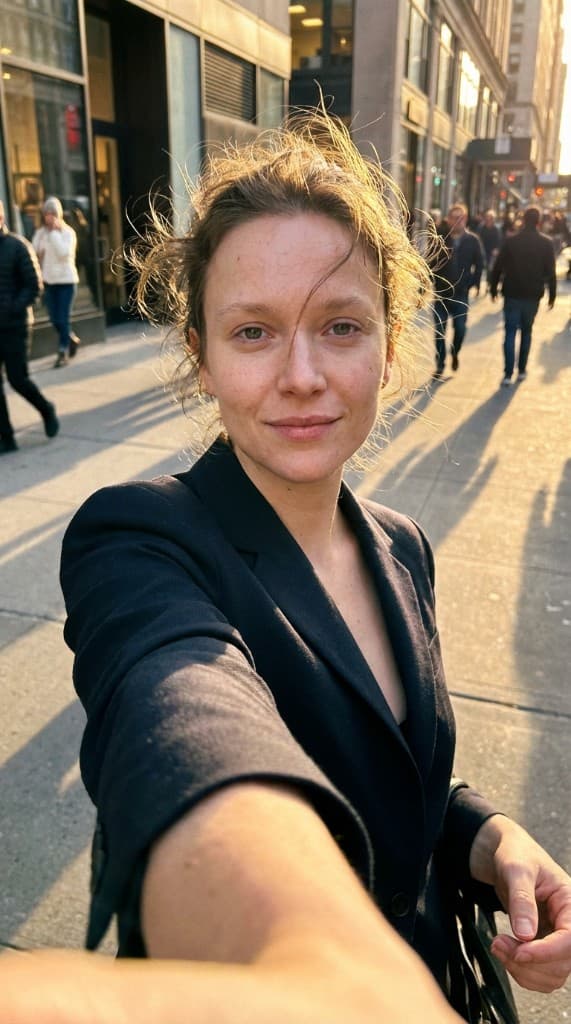
Founders who post consistently tend to hit the same wall around week three: the ideas are there, but every photo of you is either a two-year-old headshot or a blurry conference selfie. You don't need a shoot for most posts. You need one plausible, current-looking image of you per post, in a setting that matches the topic, and you need it in two minutes rather than two days. That is a narrow job, and it is the one AI does well.
Make an AI Expert from your own photo
In ppl.studio an AI Expert is a persona whose face stays the same across every image. Upload a clear reference photo of yourself and the model keeps that face; the setup guide walks through it. A few things that make the likeness hold:
- Use a recent, even-lit, front-facing photo with your current hair and glasses. Old photos produce a younger you that colleagues will notice.
- Pick two or three wardrobes you actually wear and name them in prompts. A founder who lives in a grey crewneck should not suddenly appear in a suit.
- Judge likeness with someone who knows you. If your co-founder hesitates, regenerate. Being almost-you is worse than an honest stock image.
- Only make an Expert of yourself, or of a teammate who has agreed. Someone else's face is not yours to generate.
Shots worth generating
| Use | Setting | Note |
|---|---|---|
| LinkedIn or X post image | At a desk, a whiteboard, a workbench, a laptop with the product | Match the post's topic; a hiring post and a pricing post need different rooms |
| Product page “founder holding” | You with the real product, in your kind of space | The Shopify product pack includes this shot; use your own Expert or it is not a founder shot |
| About page portrait | Environmental, wider frame, the kind of place you work | Don't invent a factory, office or team you don't have |
| Newsletter header | One recurring setting, varied by season | Consistency makes the email recognizable in an inbox |
| Speaker, guest and podcast bios | Head-and-shoulders, plain background | See AI headshots for business |
What stays real
Founder content works because the audience believes it is you, reporting what happened. An AI image that illustrates an idea doesn't strain that belief; an AI image that documents a moment does. Keep these real:
- Events and places: the trade show booth, the store opening, the factory visit, the conference stage.
- Other people: customers, investors, team members, anyone famous. Don't generate yourself next to anyone.
- Results and numbers: screenshots of revenue, dashboards, sold-out shelves.
- Press photos when an outlet asks for them. Many publications have rules on AI images; send a real photo unless they say otherwise.
A reasonable rhythm: one real photo a week from your phone for the moments that happened, and AI images for the explanatory posts around them.
Video and voice
Animate turns a photo of your Expert into a short talking-head clip from a line you write. The voice is generated, not recorded from you, and that difference matters more for a founder than for a brand mascot. Use it for short explanatory clips with your own script, and say on screen or in the caption that the clip is AI-generated. For anything personal—why you started the company, a launch-day message, an apology—record yourself. A phone on a stack of books is enough.
Labels and disclosure
- Images made with Google's models carry SynthID, an invisible watermark Google embeds in generated images, so assume the image can be identified as AI-made.
- Platforms label AI content. LinkedIn shows content credentials on images that carry C2PA provenance data, and Meta and TikTok have their own AI labels. Check each platform's current rules.
- A one-line note costs little. “Photos AI-generated from my own likeness” in a profile or caption heads off the “is that real?” reply.
- Product claims are still claims. An AI image of you using the product doesn't change what you can say about it; FTC truth-in-advertising rules apply to the copy either way.
A month of founder images in one sitting
- Write the month's posts first. The image follows the post, not the other way round.
- For each explanatory post, write a one-line setting: “at a cluttered workbench sketching packaging, afternoon window light.”
- Generate two or three options per post with your Expert and the product from the Props Library; pick one.
- Mark the posts that describe real events and put “real photo” on your list for those.
For the longer arc—origin story, recurring characters, a consistent visual world—see AI for brand storytelling. Plans are on the pricing page; you start with 10 free photos.
Build your AI likeness from one photo
Upload a clear reference photo, create your Expert, and generate the next month of post images in one sitting. $1.99 per week, images billed by Google on your own Gemini key.
Start free with ppl.studio10 free photos · no credit card required
Founder of ppl.studio. Building AI tools for product marketing teams who need visual content at scale without the production overhead.