AI Headshots for Business: Professional Team Photos Without a Photographer
Every business needs professional headshots—for team pages, LinkedIn profiles, marketing collateral, and conference bios. But coordinating a photographer, scheduling every employee, and waiting weeks for edited images is expensive and slow. AI-generated headshots let companies produce polished, consistent team photos in minutes, at a fraction of the traditional cost.
9 min read
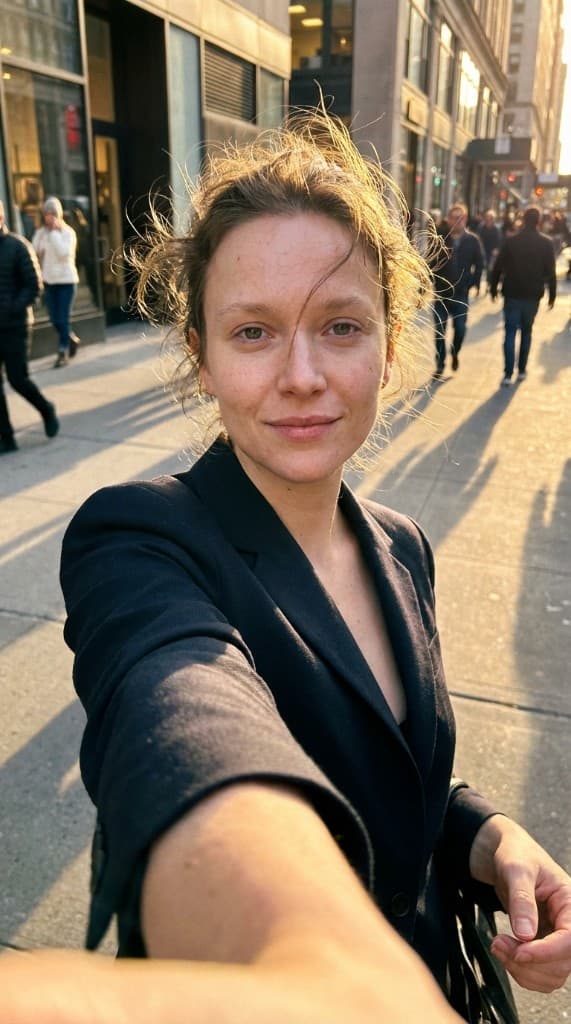
According to a 2025 LinkedIn survey, profiles with professional headshots receive 14× more profile views and 36× more messages than those without. For businesses, the stakes are even higher: your team page is often the second most-visited page on your website, right after the homepage. Prospects, investors, and job candidates judge your company by how your team looks online. Yet the traditional headshot process—hiring a photographer, booking a studio, coordinating schedules across departments—remains one of the most painful logistics exercises in corporate life. AI headshots eliminate the entire bottleneck.
Why Businesses Need Professional Headshots
Professional headshots serve as the visual foundation of your company's brand identity across every customer-facing touchpoint. They show up in more places than most teams realize, and inconsistent or missing headshots create a perception gap that undermines credibility.
Team pages and about pages
Your “About Us” or “Team” page is where prospects go to evaluate whether they trust your company. A page full of consistent, professional headshots signals stability and competence. A page with a patchwork of selfies, cropped group photos, and missing images signals disorganization. For companies in consulting, SaaS, professional services, and financial services, the team page directly influences deal velocity.
LinkedIn and professional networking
When your employees represent your brand on LinkedIn, their profile photos are an extension of your company's visual identity. A team of 50 employees with consistent, high-quality headshots creates a powerful brand impression across the platform. It reinforces the sense that your organization is professional, cohesive, and invested in its people. For more on leveraging LinkedIn for B2B growth, see our guide on AI UGC for LinkedIn B2B marketing.
Marketing collateral and sales enablement
Headshots appear in pitch decks, case study PDFs, email signatures, conference speaker bios, webinar landing pages, press releases, and internal company directories. Each of these touchpoints benefits from professional, on-brand imagery. Without a scalable headshot solution, marketing teams end up chasing employees for updated photos before every event or publication—a process that consistently delays launches. Teams that produce content for consulting and professional services know this pain especially well.
AI Headshots vs. Traditional Photographer Sessions
The cost and logistics gap between AI-generated headshots and traditional photography is dramatic. Here's a side-by-side comparison for a typical company of 25 employees:
| Factor | Traditional Photographer | AI Headshots |
|---|---|---|
| Cost per person | $150–$500 | Under $1 |
| Total cost (25 employees) | $3,750–$12,500 | Under $25 |
| Scheduling time | 2–6 weeks to coordinate | No scheduling needed |
| Time to final images | 1–3 weeks after shoot | Under 2 minutes |
| Remote team support | Requires travel or local photographers | Works from any location |
| New hire onboarding | Wait for next scheduled shoot | Generated on day one |
| Style consistency | Varies between sessions | Identical style across all photos |
| Variations per person | 3–5 selects typical | Unlimited variations |
For a 25-person team, the traditional route costs $3,750–$12,500 and takes 3–8 weeks from scheduling to final delivery. AI headshots cost under $25 total and deliver results the same day. The savings become even more dramatic at scale—a 200-person company could spend $30,000–$100,000 on a single round of professional headshots, or generate the entire set with AI for the cost of a team lunch.
Types of AI Headshots for Business
Professional corporate headshots
The classic business headshot: clean background, professional attire, neutral expression or confident smile. These are the standard for team pages, LinkedIn profiles, and corporate directories. AI can generate these with precise control over background color, lighting style, and framing—ensuring every team member's photo looks like it was shot in the same studio on the same day, even if your team spans five time zones.
Creative and casual headshots
Startups, creative agencies, and consumer-facing brands often prefer a more relaxed aesthetic—natural lighting, casual clothing, outdoor or lifestyle backgrounds. AI headshot tools can replicate these styles just as easily as formal corporate looks. A tech startup might generate headshots with a modern coworking space backdrop, while a wellness brand might opt for natural light and greenery. The key is matching the headshot style to your brand personality.
Industry-specific headshots
Different industries have different visual expectations. Law firms need conservative, traditional styling. Tech companies lean toward approachable and modern. Healthcare organizations require clean, clinical aesthetics that project trustworthiness. Real estate agents need warm, personable photos that build rapport. AI headshot generation accommodates all of these with style presets or custom prompts, so your team's photos match the visual language your prospects expect. This approach aligns well with AI UGC principles—creating content that feels native to your industry context.
How to Create AI Headshots with ppl.studio
Generating professional AI headshots with ppl.studio is a straightforward four-step process. The entire workflow takes under five minutes per person, including experimentation with different styles.
Step 1: Create an AI expert with a reference photo
Start by navigating to AI Experts and creating a new expert. Upload a clear reference photo of the team member—this can be a casual selfie, a phone photo, or any image where the person's face is clearly visible. The AI uses this reference to capture the person's likeness while generating professional-quality output. For a detailed walkthrough, follow our guide on creating your first AI expert.
Step 2: Choose a professional preset
Select from corporate, creative, or industry-specific presets. Each preset controls the background, lighting, attire styling, and overall mood of the headshot. Corporate presets deliver clean, neutral backgrounds with studio-quality lighting. Creative presets offer more variety—natural environments, colored backdrops, and lifestyle-oriented compositions. You can also write custom prompts to match your exact brand guidelines.
Step 3: Generate variations
Generate multiple headshot variations for each team member. This is where AI truly outperforms traditional photography—instead of choosing from 3–5 edited selects, you can generate dozens of options in different styles, angles, and expressions. Team members can pick their favorite, and you can maintain a library of backup options for different contexts (formal for the website, casual for blog posts, approachable for social media).
Step 4: Export and deploy
Download your finalized headshots in the resolution and format you need. Use them immediately across your website team page, LinkedIn profiles, email signatures, pitch decks, and any other touchpoint. When new employees join, simply repeat the process—their headshot matches the team's visual standard from day one.
Best Practices for AI Business Headshots
Maintain consistency across the entire team
The biggest advantage of AI headshots is the ability to enforce visual consistency that's nearly impossible with traditional photography. Use the same preset, background, and lighting style for every team member. This creates a cohesive team page where every photo looks like it belongs together—even if you added headshots for new hires months apart. Consistency signals professionalism and attention to detail.
Align headshot style with your brand identity
Your headshot style should be an extension of your overall brand and marketing visual language. A fintech company targeting enterprise clients needs different headshot energy than a consumer social app. Before generating headshots for the full team, experiment with 2–3 style directions and get stakeholder buy-in on the aesthetic. Document the chosen preset and prompt settings so future headshots match exactly.
Ensure diverse and authentic representation
AI headshots should enhance how your real team members look—not replace or alter their identity. Ensure that generated images accurately represent each person's appearance, skin tone, and features. The goal is a professional polish, not a transformation. Review generated headshots with team members before publishing to confirm they feel accurately represented.
Create a headshot library, not just single images
Generate multiple versions for each team member: a formal corporate headshot, a casual version, and a close-crop for social media avatars. Having a library means you never scramble for assets when a new use case arises—conference speaker bio, podcast guest page, partner directory listing, or internal newsletter.
Use Cases: Who Benefits Most from AI Headshots
Startup teams
Early-stage startups are hiring fast and operating on tight budgets. Spending $5,000–$10,000 on a professional photo shoot is hard to justify when that money could fund a month of runway. AI headshots let growing teams maintain a polished, professional image from day one without the financial burden. As the team doubles every quarter, new headshots match the existing set perfectly.
Remote and distributed teams
This is arguably the strongest use case for AI headshots. When your team spans multiple countries and time zones, organizing a single photographer session is logistically impossible. The alternative—asking each employee to get their own headshot locally—guarantees inconsistency. AI headshots solve both problems: every team member uploads a reference photo from wherever they are, and the output looks uniformly professional.
LinkedIn profile optimization
Companies investing in employee advocacy and social selling need their team to look professional on LinkedIn. Providing AI-generated headshots as part of onboarding ensures every new hire has a polished LinkedIn photo from their first week. This supports broader LinkedIn B2B marketing efforts where consistent team presence amplifies brand visibility.
Conference speakers and event marketing
Conference organizers need speaker headshots weeks before events, often in specific dimensions and styles. AI headshots let speakers generate event-ready photos instantly, in whatever format the organizer requires—square crop, landscape, high-resolution, with or without background. No more scrambling to find a “good enough” photo the night before the submission deadline.
Company about pages and investor materials
For companies raising funding, your “About” page and pitch deck are critical assets. Investors notice when team photos look inconsistent or unprofessional—it signals operational sloppiness. A uniform set of AI-generated headshots shows that your company sweats the details, even at the visual presentation layer. The same applies to partner and customer-facing materials where team credibility matters.
Addressing Common Concerns About AI Headshots
Authenticity and trust
The most common concern is whether AI headshots feel “real enough.” Modern AI-generated headshots are indistinguishable from professional photography in most contexts. The key is using high-quality reference photos and choosing natural-looking presets. Avoid over-stylized or heavily filtered outputs—the goal is to look like you had a great photographer, not like you used a filter app.
Disclosure and transparency
Some companies wonder whether they need to disclose that headshots are AI-generated. Current best practice is straightforward: if the headshot is based on the actual person's likeness and represents them accurately, disclosure is generally not required for standard business use (team pages, LinkedIn, email signatures). However, for contexts governed by specific regulations—such as financial services marketing or political advertising—check your industry's content disclosure guidelines. For a deeper understanding of AI content classification, see our overview of AI UGC.
When to use real photos instead
AI headshots are ideal for 90% of business use cases, but there are moments where real photography adds irreplaceable value. Company retreats, milestone celebrations, and culture content benefit from candid, real-world photography that captures genuine emotion and spontaneity. The winning strategy is a hybrid approach: AI headshots for the consistent, scalable assets you need across every touchpoint, and real photography for the high-impact moments that tell your company's unique story.
Getting Started: Your AI Headshot Rollout Plan
- Audit your current headshots. Review your team page, LinkedIn profiles, and marketing materials. Identify gaps—missing headshots, outdated photos, inconsistent styles. This gives you a clear scope for your AI headshot project.
- Define your visual standard. Choose a headshot style that matches your brand: corporate, creative, or industry-specific. Create a brief that specifies background, lighting, attire expectations, and framing. This becomes your template for all future headshots.
- Collect reference photos from your team. Ask each team member to submit a clear, well-lit photo of their face. A smartphone selfie in good lighting works perfectly. Communicate that this is not their final headshot—it's just the input for the AI.
- Generate and review. Create AI experts for each team member, apply your chosen preset, and generate 5–10 variations per person. Share options with team members for approval before publishing.
- Deploy across all touchpoints. Update your website team page, LinkedIn profiles, email signatures, and any marketing materials with the new headshots. Create a shared asset library so headshots are always accessible when needed.
- Build it into your onboarding process. Add AI headshot generation to your new-hire onboarding checklist. Every employee gets a professional headshot on their first day, maintaining consistency as your team grows.
Professional headshots for your entire team—in minutes
Create consistent, studio-quality headshots for every team member without a photographer, a studio, or weeks of scheduling. Upload a reference photo, choose a style, and export.
Start free with ppl.studio10 free photos · no credit card required
Founder of ppl.studio. Building AI tools for product marketing teams who need visual content at scale without the production overhead.