How to Use AI UGC for Email Marketing Campaigns
Email remains the highest-ROI marketing channel at $36 returned for every $1 spent. The bottleneck? Fresh, authentic imagery for every send. AI UGC fixes that.
5 min read
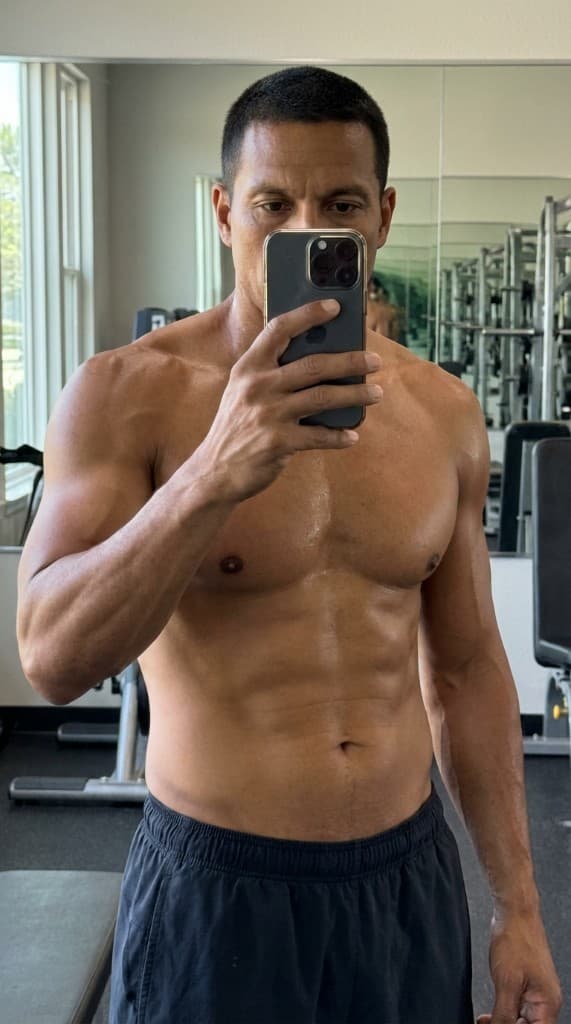
Most e-commerce email campaigns reuse the same product shots from their last photoshoot. Subscribers see the same images in abandoned cart emails, welcome sequences, promotional blasts, and post-purchase flows. The result? Declining engagement as the imagery becomes wallpaper. AI UGC gives you fresh, lifestyle-style product imagery for every email—without a single photoshoot.
Why Email Creative Gets Stale (and Why It Matters)
Email marketing platforms like Klaviyo and Mailchimp make it easy to automate flows. But creative production hasn't kept up. Most teams have:
- 10–20 product photos from their last shoot, recycled across every campaign.
- Generic stock photos that don't feature their actual products.
- No per-segment imagery—the same photos go to every subscriber, regardless of what they bought or browsed.
The data is clear: emails with UGC-style imagery see 29% higher open rates and 41% higher click-through rates than emails with standard product shots. Freshness matters—subscribers who see the same images in multiple emails are 2–3x more likely to unsubscribe.
The AI UGC Email Playbook
1. Map your email flows to image needs
Start by listing every email flow that uses product imagery:
- Welcome series — Hero lifestyle image with your flagship product.
- Abandoned cart — Person-forward image showing someone enjoying the product the subscriber left behind.
- Post-purchase — Product-in-use imagery that reinforces the purchase decision.
- Win-back — Fresh imagery featuring new products or seasonal looks.
- Promotions — Campaign-specific lifestyle photos for sales and launches.
2. Create email-specific AI experts
Build 2–3 AI experts that represent your brand's email audience. These should match the demographics and lifestyle of your most engaged subscribers. Use the same experts across all emails for brand consistency—recipients begin to recognize and trust the faces in your emails.
3. Generate unique imagery for each flow
For each email flow, generate 3–5 lifestyle photos with different scenes and compositions. An abandoned cart email hits differently when it shows a person happily using the exact product the subscriber left behind. Upload products to the props library and generate scene-specific photos in under 60 seconds each.
4. Segment imagery by audience
This is where AI UGC unlocks something traditional photography can't: per-segment visual personalization. Create different AI experts for different audience segments and serve imagery that matches each group. Young urban professionals see one expert; suburban parents see another. Same product, different context, higher relevance.
5. A/B test hero images
Use your email platform's built-in A/B testing to test different AI UGC images as the hero image in each flow. Test expert variation (which face resonates), scene variation (home vs. outdoor vs. office), and composition (product-forward vs. lifestyle). Let data decide which imagery drives the most clicks.
Email Types That Benefit Most from AI UGC
| Email type | Before (typical) | With AI UGC |
|---|---|---|
| Welcome series | Generic brand banner | Person holding flagship product in lifestyle setting |
| Abandoned cart | White-background product shot | Person using the specific abandoned product |
| Promotional blast | Same hero image every time | Fresh lifestyle shot for each campaign |
| Win-back | Text-heavy, no lifestyle imagery | New products shown in aspirational context |
The Numbers: AI UGC in Email vs. Traditional Imagery
- Emails with person-forward imagery see 29% higher open rates (people in preview thumbnails drive opens).
- UGC-style product images in email drive 41% higher click-through rates vs. product-only shots.
- Generating email imagery with AI UGC costs under $10/month vs. $1,000–5,000 for a quarterly photoshoot.
- Repurpose the same AI UGC photos across email, paid social, product pages, and organic content.
Email Platform Integration: Klaviyo, Mailchimp, and Brevo
AI UGC images drop into any email platform the same way a standard product photo does—as a hosted image URL or uploaded asset. But each platform has nuances that affect how you structure your creative workflow:
- Klaviyo — Use AI UGC images in dynamic blocks and conditional content sections. Generate 2–3 variants per flow and use Klaviyo's A/B test feature to run them simultaneously. Track revenue-per-recipient, not just opens. The best-performing image becomes the permanent flow creative; losers get replaced monthly.
- Mailchimp — Upload AI UGC photos to your Content Studio. Create a naming convention that maps each image to its flow and segment (e.g.,
hero_abandoned_cart_expert2_home.jpg) so your team can find and swap assets quickly as you refresh. - Brevo / Sendinblue — Use the template library to pre-build flow shells with AI UGC placeholder blocks. When you generate fresh imagery each month, you update the image slot rather than rebuilding the template.
- Postscript / Attentive (SMS) — MMS messages with a lifestyle photo outperform text-only SMS by 52% on click-through. Generate square (1:1) AI UGC images specifically for SMS campaigns to maximize mobile impact.
Pairing AI UGC Imagery with Subject Lines and Preview Text
The image is the hero of the email body, but the subject line and preview text determine whether it gets opened. Pair them intentionally:
| Flow | Subject line angle | AI UGC image match |
|---|---|---|
| Abandoned cart | “You left something behind” | Person examining the specific abandoned product |
| Win-back | “We've been busy” | Fresh expert in a new seasonal setting with hero product |
| Post-purchase | “Make the most of your [product]” | Product in active use—in the context they'd use it |
| Promotional | “Your [X]% off ends tonight” | Aspirational lifestyle scene, not a product-with-discount banner |
The highest-converting combinations pair an emotion-driven subject line with an AI UGC image that visualizes the outcome of opening—not the product itself. Subscribers click to see more, not to see a product shot they've already seen.
Frequently Asked Questions
Can AI UGC images be used in promotional emails without disclosure?
Yes. AI-generated product lifestyle imagery in email campaigns falls under standard creative production—the same category as stock photography or studio photography. The FTC disclosure rules apply to testimonials and endorsements, not to product imagery. If your email includes a testimonial alongside an AI UGC photo, the testimonial itself must be genuine; the photo does not require disclosure.
How often should I refresh AI UGC imagery in email flows?
For automated flows (abandoned cart, welcome, post-purchase), refresh imagery monthly or whenever you see a meaningful drop in click-through rate. For promotional campaigns, generate fresh imagery for each send—especially if you're emailing the same list more than once per week. Subscribers who see the same image in three consecutive emails are significantly more likely to unsubscribe.
What image dimensions work best for email?
The standard recommendation is 600px wide at 72dpi. For hero images, generate at 1200×800px and let your email template resize. Most email clients render images at 600px wide on desktop and 320–375px on mobile. Generate landscape or square compositions—portrait images clip on mobile preview and lose the visual impact of the face and product together. For SMS/MMS, generate square 1:1 images at 1200×1200px.
Can I use the same AI UGC images across email and paid ads?
Yes—this is one of the core advantages. Generate once, deploy everywhere. An AI UGC lifestyle image that performs in your abandoned cart email is almost certainly a good candidate for Facebook retargeting. Cross-channel consistency also reinforces brand recognition: subscribers who see the same face across email and social develop stronger recall. See our guide on repurposing AI UGC across channels for the full workflow.
Fresh email imagery in 60 seconds
Create AI experts, upload your products, and generate lifestyle photos for every email flow. Stop recycling the same photoshoot images.
Start free with ppl.studio10 free photos · no credit card required
Founder of ppl.studio. Building AI tools for product marketing teams who need visual content at scale without the production overhead.