AI UGC for Mobile App Marketing: App Store Screenshots and Ad Creative
How to use AI UGC to create app store screenshots, paid install ads, social proof imagery, and onboarding visuals that convert browsers into users.
4 min read
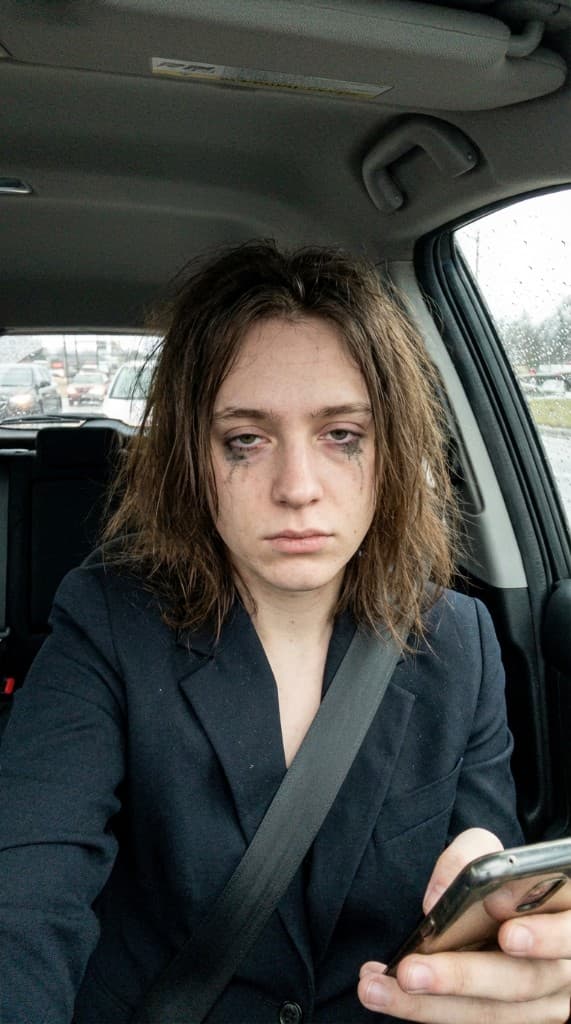
Mobile app marketing lives and dies by creative. Your app store listing has seconds to convince someone to install. Your paid UA campaigns compete against thousands of other apps for the same eyeballs. And your onboarding screens determine whether a new install becomes an active user. AI UGC gives app marketers a way to produce the person-in-context imagery that drives installs and engagement—at the scale and speed that mobile marketing demands.
The Mobile App Visual Challenge
App marketers face a unique creative problem. Unlike physical products, apps are intangible—you can't photograph someone “holding” an app. The standard approach is screenshots with device mockups, which every competitor also uses. The result: app store listings that all look identical, paid ads that blend into the feed, and marketing materials that fail to create an emotional connection.
The apps that stand out in crowded categories use lifestyle imagery showing real-looking people in the moment of using the app—checking their phone on a morning commute, tapping the screen during a workout, or sharing results with friends. This person-in-context approach triggers emotional resonance that a bare screenshot never can.
Where AI UGC Fits in App Marketing
App Store Screenshots
Apple's App Store and Google Play both support lifestyle-style screenshots alongside UI screenshots. The best-performing app listings alternate between pure UI screenshots and contextual shots showing someone using the app. AI UGC lets you create these contextual shots with different personas matching different target demographics—and test which combinations drive the highest conversion rate from listing view to install.
Paid User Acquisition Creative
UA campaigns on Meta, TikTok, Snapchat, and Google require massive creative volume. A single ad concept burns out in days. Performance UA teams need 20–50 new creative variations per week to maintain efficient CPA. AI UGC provides this scale: generate lifestyle compositions showing diverse personas using the app in different settings, then layer on text overlays and calls to action.
Social Proof and Testimonial Visuals
App landing pages and marketing emails need social proof imagery—photos of happy users alongside review quotes and ratings. AI UGC generates realistic portrait-style compositions that bring testimonials to life without needing to photograph actual users.
Onboarding and In-App Imagery
First-run screens and tutorial flows benefit from lifestyle imagery that shows the value of the app in context. Instead of abstract illustrations, show a person achieving the outcome the app promises—a calm person for a meditation app, a fit person for a workout app, a productive professional for a productivity tool.
App Marketing Content Types
| Content Type | Where It's Used | AI UGC Approach |
|---|---|---|
| Lifestyle screenshots | App Store, Google Play | Person using phone in context, with app UI composited on screen |
| UA ad creative | Meta, TikTok, Snapchat, Google | Diverse personas interacting with the app across 20–50 scene variations |
| Social proof imagery | Landing pages, emails | Portrait-style AI experts alongside testimonial quotes |
| Social media content | Instagram, TikTok, Twitter | UGC-style photos that look like real users sharing the app |
| Onboarding visuals | In-app first-run screens | Aspirational lifestyle shots matching the app's value proposition |
| Blog and PR content | Press kit, blog posts, app review sites | Professional lifestyle photos showing the app in real-world scenarios |
Building Your App Marketing Visual Library
Step 1: Define Your User Personas
Create AI experts that represent your core user segments. A fitness app might create a young gym-goer, a middle-aged runner, and a senior doing yoga. Each persona serves a different audience segment in your marketing.
Step 2: Upload App Screenshots
Add your app's UI screenshots to the props library. These become the “product” that appears in your lifestyle photos. For app store screenshots, you'll composite the UI onto the phone screen. For ads and social content, showing the phone with your app visible in context is more effective than showing the UI alone.
Step 3: Generate by Channel
Batch-generate images for each marketing channel. App store screenshots need a polished, aspirational feel. UA ads need variety and volume. Social content needs the candid, organic feel of feed-native content. Generate 10–15 images per channel to start, then scale up based on performance data.
Step 4: Test and Iterate
Run A/B tests on app store screenshots to find the winning combination. For UA ads, test different personas against different audience segments. The speed of AI UGC means you can iterate daily instead of weekly, staying ahead of creative fatigue.
App Store Optimization with AI UGC
App Store Optimization (ASO) is the app world's equivalent of SEO, and screenshots are the single most impactful visual element. Research consistently shows that the first three screenshots determine whether a user scrolls through the rest of the listing or bounces.
With AI UGC, you can test dramatically different screenshot approaches:
- Person-focused — A lifestyle photo of someone using the app, with the UI visible on screen
- Outcome-focused — A person showing the result of using the app (looking satisfied, productive, or accomplished)
- Context-focused — The app in a specific environment (gym, kitchen, office, commute) that matches the user's intent
- Demographic-focused — Different personas for different markets and audience segments
Generate 3–5 variations of each approach, test them in your app store listing, and measure install conversion rate. The winning screenshot set can lift installs by 15–30% without changing anything else about the listing.
Tips for App Marketing AI UGC
- Show the phone, not just the UI — A person holding a phone with your app visible creates more emotional resonance than a floating UI screenshot. Context matters.
- Match personas to target markets — If you're running UA in multiple countries, create AI experts that reflect the local demographic. Localized imagery consistently outperforms generic global creative.
- Refresh UA creative weekly — Mobile ad creative fatigues faster than other formats. Plan for 15–20 new variations per week using AI UGC to stay ahead of declining performance.
- Test lifestyle screenshots against pure UI screenshots — Don't assume one approach wins. Run the test. Some app categories convert better with UI-forward screenshots, others with person-in-context.
Scale your app marketing visuals
Create diverse AI personas, upload your app UI, and generate lifestyle-style creative for app stores, UA campaigns, and social media in minutes.
Start free with ppl.studio10 free photos · no credit card required
Founder of ppl.studio. Building AI tools for product marketing teams who need visual content at scale without the production overhead.