AI UGC for App Store Screenshot Optimization: Lifestyle Screenshots That Drive Downloads
Your app store listing is your most important conversion page. More than 70% of app installs come from users browsing search results and seeing your screenshots before they read a single word of your description. Yet most app marketers treat screenshots as an afterthought—flat UI mockups on a plain background. AI UGC transforms app store optimization by putting your app in the hands of real-looking people in real-world contexts, dramatically increasing the emotional pull of your listing.
5 min read
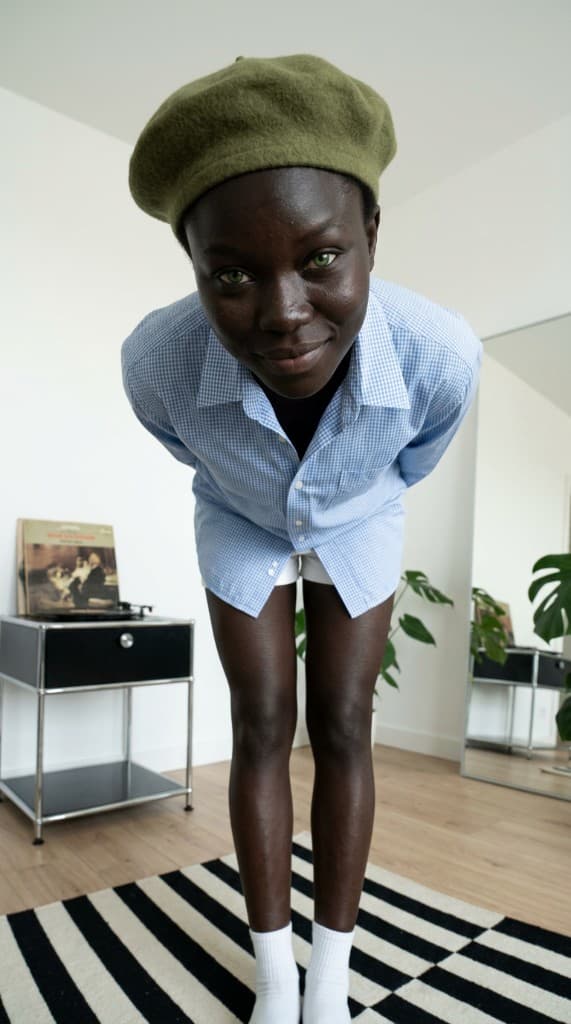
Apple and Google have both signaled through their editorial guidelines and feature decisions that lifestyle-style screenshots outperform pure UI mockups. Apple's own App Store editorial team consistently features apps that show the product in context—a person using the fitness app during a workout, a team collaborating through a productivity tool, a family using a cooking app in their kitchen. But producing these lifestyle screenshots has traditionally required the same expensive photoshoot workflow as any other lifestyle photography: models, photographers, devices, locations, and post-production compositing. AI UGC eliminates every bottleneck.
Why Lifestyle Screenshots Outperform UI Mockups
The data on app store screenshot performance is clear. Studies from StoreMaven and SplitMetrics consistently show that lifestyle-style screenshots increase conversion rates by 20–35% over plain UI mockups. Here's why:
- Emotional context drives action. A screenshot of your meditation app's interface tells users what the app does. A photo of a person peacefully meditating with your app visible on their phone tells users how the app will make them feel. The second version converts because it sells the outcome, not the tool.
- Social proof is embedded in the image. When a user sees a person using your app, it implicitly communicates that real people use and enjoy it. This is social proof baked directly into your most important conversion asset.
- Lifestyle screenshots differentiate in search results. When a user searches for “budget tracker” and sees 10 results with flat UI mockups and one result showing a person happily reviewing their finances on a phone, the lifestyle screenshot captures attention immediately. In the 2–3 seconds a user scans search results, differentiation is everything.
- They work across cultures and languages. For international app marketing, lifestyle imagery transcends language barriers. A person using your app in a gym communicates “fitness app” regardless of whether the user reads the description text. This is critical for global launches where localization budgets are limited.
App Categories and AI UGC Screenshot Strategies
| App Category | Lifestyle Context | AI UGC Scene Examples |
|---|---|---|
| Health & fitness | Active, aspirational | Person mid-workout checking their phone, post-run reviewing stats, morning yoga with the app |
| Finance | Confident, in-control | Professional reviewing budget on commute, couple planning finances at kitchen table |
| Productivity | Focused, efficient | Team member in a cafe managing tasks, freelancer organizing projects at a desk |
| Social & dating | Connected, energetic | Friends sharing content together, person smiling while swiping, group video call |
| Education | Curious, growing | Student studying with the app in a library, parent and child learning together |
| E-commerce & shopping | Excited, discovery | Person browsing products on the couch, unboxing a delivery, comparing items |
Creating App Store Screenshots with AI UGC
Step 1: Build User Personas That Match Your Target Audience
Create AI experts that represent your ideal users. For a fitness app targeting 25–40 year olds, build personas across that age range with active, health-conscious styling. For a family-focused app, create personas that include parents, children, and multi-generational groups. The personas should look like the people you want to attract, not generic stock-photo models.
Build 4–6 primary personas and use them consistently across your screenshot set. This creates a visual narrative—the user sees the same characters progressing through different use cases, which makes the screenshot gallery feel cohesive rather than random.
Step 2: Generate Lifestyle Scenes with Device Context
The key to app store lifestyle screenshots is showing the person and the device together naturally. Generate scenes where your AI personas are holding or interacting with phones in realistic contexts—glancing at the screen during a workout, scrolling on the couch, showing a friend something on the phone. These images become the background layer for your screenshot composites.
Use the Props Library to include relevant physical products alongside the device: gym equipment for a fitness app, cooking ingredients for a recipe app, office supplies for a productivity tool. These environmental props reinforce the use case without requiring a staged photo set.
Step 3: Composite UI Screenshots into Lifestyle Images
The final step is compositing your actual app UI into the device screens in the lifestyle images. This is a standard ASO workflow—Figma templates and tools like Rotato or Screenshot Pro let you drop UI screenshots into device frames, which you then overlay onto your AI UGC lifestyle background. The result is a screenshot that shows both the emotional context (the person and setting) and the functional detail (the actual app interface).
A/B Testing App Store Screenshots with AI UGC
The real power of AI UGC for ASO is testing velocity. Traditional lifestyle screenshot production takes 2–4 weeks per variant. With AI UGC, you can generate a new variant in 10 minutes. This means you can run rigorous A/B tests on your app store listing at a pace that was previously impossible:
- Test lifestyle vs. UI-only screenshots. This is your first test. Run both variants through Apple's Product Page Optimization or Google Play's Store Listing Experiments. Most apps see a 15–30% conversion lift from lifestyle imagery.
- Test different persona demographics. Does a young professional persona convert better than a student persona for your finance app? Generate both and let the data decide. This is audience research built directly into your ASO workflow.
- Test different lifestyle contexts. Compare a gym scene vs. a home workout scene for your fitness app. A commute scene vs. a desk scene for your productivity app. The context that resonates most with your audience reveals their primary use case—valuable insight for marketing and product decisions.
- Test screenshot order and narrative flow. AI UGC makes it easy to generate screenshot sets that tell a story. Test a “problem → solution → outcome” narrative against a “feature showcase” approach. Generate the lifestyle images for each narrative structure and measure which drives more installs.
Beyond the Store: Using ASO Lifestyle Creative Across Channels
The lifestyle images you generate for app store screenshots don't stop at the store listing. Repurpose them across every acquisition channel:
- App install ads. Use the same lifestyle images as Facebook and TikTok ad creative for app install campaigns. Consistent imagery between the ad and the store listing increases post-click conversion by reducing visual discontinuity.
- Landing pages. Landing pages for your app benefit from the same lifestyle context. Use your AI UGC as hero images on web landing pages that drive to the app store.
- PR and media kits. Journalists and bloggers need visual assets when covering your app. Media kits with lifestyle screenshots get featured more often than those with plain UI mockups because they're more visually compelling in editorial contexts.
- Social media organic content. Share your lifestyle screenshots on Instagram and Pinterest to drive organic app discovery. The same images that convert in the store also perform well as organic social content.
Mobile app marketers who treat app store screenshots as their primary lifestyle content investment—and then repurpose across channels—get dramatically more value per image than those who produce separate creative for each channel. AI UGC makes this unified approach practical by keeping per-image costs near zero.
Upgrade your app store creative
Generate lifestyle app screenshots showing real-looking people using your app in real-world contexts—no models, no studio, no delays.
Start free with ppl.studio10 free photos · no credit card required
Founder of ppl.studio. Building AI tools for product marketing teams who need visual content at scale without the production overhead.