AI UGC for Nonprofit and Charity Marketing: Campaign Visuals on Any Budget
How to create donor campaign visuals, social media content, fundraising materials, and annual report imagery—even when your photography budget is zero.
11 min read
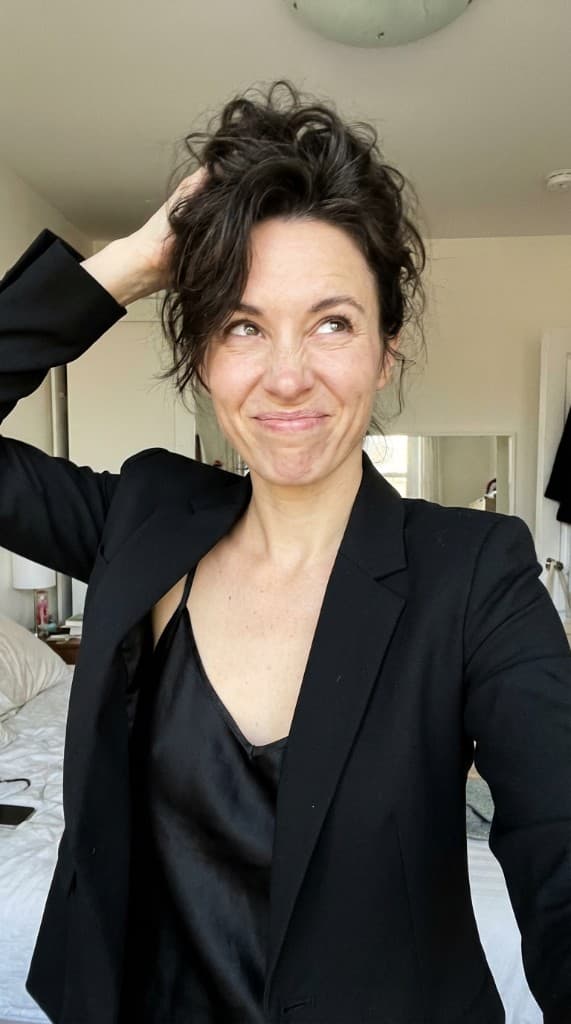
Nonprofits run on generosity, not margins. Every dollar spent on marketing is a dollar not spent on the mission. That tension means most charities operate with minimal content budgets—if they have a content budget at all. Yet donor acquisition, volunteer recruitment, and public awareness all depend on compelling visuals that tell a story. AI UGC gives nonprofits a way to produce professional campaign imagery without diverting funds from the programs they exist to support.
The Nonprofit Visual Content Problem
Nonprofits face a unique marketing paradox. They need the same quality of visual content as for-profit brands—polished social media posts, compelling email headers, event promotion graphics, annual report photography—but they operate under constraints that make traditional content production impractical:
- Budget scarcity — Average nonprofit marketing budgets range from 5–15% of total spend, and photography is often the first line item cut. A single professional photoshoot can cost $1,500–5,000, which may represent an entire quarter's content budget.
- Privacy and consent concerns — Many nonprofits serve vulnerable populations—children, refugees, domestic violence survivors, people experiencing homelessness. Photographing beneficiaries raises serious ethical questions, and consent processes are complex and time-consuming.
- Volunteer photographer inconsistency — Relying on volunteer photographers means inconsistent quality, sporadic availability, and no guarantee that the images will match your brand consistency standards.
- Stock photo fatigue — Donors have seen the same stock images of hands holding globes and diverse teams high-fiving. Generic stock photography undermines authenticity and blends your organization into every other nonprofit using the same images.
- Geographic and logistical barriers — Organizations serving remote communities, international programs, or distributed volunteer networks can't easily coordinate photoshoots across locations.
The result is that most nonprofits cycle through the same handful of event photos, reuse outdated imagery for years, or lean on stock photography that makes their campaigns indistinguishable from competitors. Donor engagement suffers because the visuals don't feel real, specific, or urgent.
How AI UGC Solves the Nonprofit Content Gap
AI UGC tools generate realistic lifestyle photography featuring AI-generated people in contextual scenes. For nonprofits, this means you can create campaign imagery that shows people in relevant situations—volunteers at work, community members benefiting from programs, donors making an impact—without photographing real individuals.
The technology works by combining your uploaded visuals (logos, branded materials, event setups) with AI-generated personas in realistic environments. Each persona maintains a consistent face across multiple images, so your campaigns can feature recurring characters that feel like real community members rather than random stock photos.
Why This Matters for Privacy-Sensitive Organizations
The privacy advantage alone makes AI UGC transformative for nonprofits. Organizations working with minors, survivors, patients, or other sensitive populations can create powerful visual narratives without ever photographing a real beneficiary. The AI-generated faces are entirely synthetic—they don't represent real people, which eliminates consent requirements and protects vulnerable individuals.
This isn't about deception. Nonprofits can be transparent that they use representative imagery to protect privacy while still creating emotionally resonant content that communicates the impact of their work.
Nonprofit Content Types You Can Create with AI UGC
Nonprofits need a wide range of visual content across fundraising, awareness, recruitment, and reporting. Here's how AI UGC addresses each category.
| Content Type | Use Case | AI UGC Approach |
|---|---|---|
| Fundraising campaign visuals | Email appeals, donation pages, giving day graphics | Generate scenes showing impact—community members in program settings, volunteers in action |
| Social media content | Regular posting across Instagram, Facebook, LinkedIn, and X | Create a library of 20–30 images per quarter with consistent AI personas for each platform |
| Event promotion | Gala invitations, 5K flyers, auction materials, community events | Generate aspirational event scenes with diverse attendees to drive registrations |
| Volunteer recruitment | Recruitment posts, orientation materials, volunteer spotlights | Show AI personas in volunteer roles—food banks, mentoring, habitat builds, tutoring |
| Annual report imagery | Impact reports, donor thank-you materials, board presentations | Create polished, on-brand visuals that illustrate program impact without using beneficiary photos |
| Grant application visuals | Supporting imagery for foundation and government grant proposals | Generate representative scenes of proposed programs to help reviewers visualize the work |
| Donor stewardship | Thank-you emails, impact updates, recurring donor communications | Produce fresh visuals for every touchpoint so donors feel the ongoing impact of their gifts |
| Paid ad campaigns | Facebook fundraisers, Google Ad Grants, Instagram awareness ads | Generate multiple ad creative variations for creative testing across audiences |
Traditional vs. AI UGC Content Costs for Nonprofits
The cost difference is stark—and for organizations where every dollar counts, it changes what's possible.
| Content Need | Traditional Cost | AI UGC Cost (ppl.studio) |
|---|---|---|
| Quarterly social media photo library (20 images) | $1,500–4,000 (photographer + models) | Under $30 |
| Fundraising campaign visuals (10 images) | $800–2,500 | Under $15 |
| Annual report photography (15 images) | $2,000–6,000 | Under $25 |
| Event promotion graphics (8 images) | $500–1,500 | Under $12 |
| Ad creative for paid campaigns (15 variations) | $1,000–3,000 | Under $25 |
| Volunteer recruitment materials (6 images) | $400–1,200 | Under $10 |
| Full-year content production | $8,000–25,000+ | Under $200 |
For a nonprofit spending $10,000 annually on visual content, switching to AI UGC frees up roughly $9,800 that can go directly to programs. That's not a marginal improvement—it's a fundamental shift in resource allocation.
Fundraising Campaign Visuals: Driving Donations
Fundraising is where visual content has the most direct impact on revenue. Whether it's a year-end giving campaign, a Giving Tuesday push, or a capital campaign for a new facility, the imagery in your appeals directly affects donor conversion rates.
Email Fundraising Appeals
Email remains the highest-ROI channel for nonprofit fundraising. Emails with compelling imagery see 2–3x higher click-through rates than text-only appeals. With AI UGC, you can generate unique hero images for every email in a campaign sequence rather than reusing the same photo across all five touches.
Create AI personas that represent the people your organization serves. Use them consistently across an email series to build an emotional narrative: the same face appearing in different scenes tells a story of transformation that a single photo cannot.
Donation Page Imagery
Your donation page is the final conversion point. Generic stock photos on a donation page signal that the organization couldn't invest in its own storytelling—which subtly undermines donor confidence. AI UGC lets you create custom, on-brand imagery for every donation page, including campaign-specific landing pages for different audience segments.
Giving Day Campaigns
Giving Tuesday and local giving days require a burst of content across multiple channels in a compressed timeframe. You need social media graphics, email headers, website banners, and ad creative—all coordinated with a consistent visual identity. AI UGC makes it possible to generate an entire giving day content library in a single session, ensuring every touchpoint reinforces the same message.
Social Media Content for Nonprofits
Social media is the primary awareness and engagement channel for most nonprofits. But maintaining a consistent posting schedule with fresh, engaging visuals is a struggle when you're working with volunteer-sourced photos or a small archive of event images.
AI UGC transforms your content calendar from a constraint into an opportunity. Instead of building posts around whatever photos you happen to have, you can plan your content strategy first and then generate matching imagery.
Platform-Specific Content
- Instagram — Generate lifestyle images with warm, aspirational scenes that show your mission in action. Create carousel posts with multiple AI-generated scenes telling a sequential story. Works well for Instagram Reels and Stories promotional stills.
- Facebook — Produce Facebook ad creative and organic post imagery that stops the scroll. Facebook's algorithm favors posts with high engagement, and authentic-looking UGC imagery consistently outperforms polished brand creative.
- LinkedIn — Create professional-toned imagery for donor relations, corporate partnerships, and grant announcements. LinkedIn B2B content benefits from imagery that balances professionalism with human warmth.
- Pinterest — Generate vertical, visually rich pins for awareness campaigns, volunteer recruitment, and event promotion. Pinterest visual content has a long shelf life that continues driving traffic for months.
Building a Content Library for the Year
Rather than scrambling for content week by week, use AI UGC to build a photo library at the beginning of each quarter. Generate 30–40 images covering your planned themes, campaigns, and awareness days. This gives your social media manager a bank of on-brand visuals to pull from, eliminating the bottleneck of content creation.
Event Promotion and Volunteer Recruitment
Events are the lifeblood of nonprofit fundraising and community building. Galas, 5K runs, auctions, community days, and volunteer drives all need promotional imagery that makes people want to attend or participate.
Pre-Event Promotion
Before the event happens, you have no photos of it. Using last year's photos feels stale, and stock images feel generic. AI UGC lets you generate aspirational event scenes—diverse groups of people enjoying a gala, runners crossing a finish line, families at a community picnic—that communicate the energy and purpose of the event before it takes place.
Volunteer Recruitment Campaigns
Showing real volunteers without their explicit consent for marketing use creates liability. AI UGC provides an ethical alternative: generate images of people in volunteer scenarios—serving meals, building houses, tutoring children, cleaning parks—that represent the volunteer experience without using anyone's likeness.
Create multiple AI personas representing different demographics to ensure your recruitment materials feel inclusive and welcoming to diverse potential volunteers.
Annual Reports and Donor Stewardship
Annual reports and impact updates are essential tools for donor retention. Major donors and foundations expect polished, visually compelling reports that document program outcomes. But many nonprofits struggle to fill a 20–40 page annual report with quality photography, especially when privacy concerns limit what can be shared.
AI UGC provides a consistent visual language for annual reports. Instead of mixing volunteer snapshots, stock photos, and event pictures of varying quality, you can generate a cohesive set of images that match your brand guidelines and illustrate each program area.
Donor Thank-You Communications
Donor retention rates average 45% for nonprofits, and one of the primary drivers of lapsed donors is poor stewardship. Personalized thank-you communications with fresh, relevant imagery perform significantly better than generic acknowledgments. AI UGC makes it economical to create unique visuals for each stewardship touchpoint throughout the year.
Paid Advertising for Nonprofits
Many nonprofits have access to Google Ad Grants ($10,000/month in free Google Ads credit) and run paid campaigns on paid social channels. The challenge is that effective paid advertising requires creative volume—multiple variations to test, refresh, and optimize. Without AI UGC, most nonprofits run the same one or two images until they burn out.
Creative Testing on a Nonprofit Budget
A/B testing ad creative is standard practice in for-profit marketing, but nonprofits rarely have the creative assets to test properly. AI UGC removes this barrier. Generate 15–20 ad variations featuring different personas, scenes, and compositions. Test them systematically to find which visuals drive the highest donation rates, then scale the winners.
Combating Ad Fatigue
Ad fatigue hits nonprofit campaigns hard because organizations typically have few creative assets to rotate. When the same image runs for weeks, engagement drops and cost-per-donation rises. With AI UGC, you can implement a creative refresh playbook that swaps in new visuals every 7–10 days, keeping campaigns performing at peak efficiency.
Step-by-Step: Building Your Nonprofit Visual Library
Step 1: Define Your Visual Needs by Campaign
Map out your year's campaigns: year-end giving, spring gala, Giving Tuesday, summer volunteer drive, back-to-school program launch. For each campaign, list the content types you need—social posts, email headers, ad creative, landing page imagery, print materials.
Step 2: Create AI Personas That Represent Your Community
In ppl.studio, create 4–6 AI experts that represent the diversity of people your organization serves and engages. Include personas for beneficiaries, volunteers, donors, and community members. Each persona maintains a consistent face, so your content tells coherent stories over time.
Step 3: Generate Campaign-Specific Imagery
For each upcoming campaign, generate 15–25 images across the content types you identified. Use scene presets that match your organization's context—community centers, outdoor environments, classrooms, kitchens, medical settings—and customize descriptions for your specific programs.
Step 4: Build Your Ad Creative Library
Prepare 10–15 ad creative variations for each paid campaign. Use different personas, scenes, and emotional tones (urgency, gratitude, hope, community). Plan for creative refreshes every two weeks during active fundraising periods.
Step 5: Maintain a Quarterly Content Refresh
Every quarter, generate fresh imagery aligned with upcoming campaigns and seasonal themes. This ensures your visual content marketing stays current and your audience doesn't see the same images recycled across months.
Ethical Considerations for Nonprofits Using AI UGC
Nonprofits operate under higher scrutiny than commercial brands, and trust is the foundation of donor relationships. Using AI-generated imagery responsibly requires thoughtfulness.
- Be transparent about representative imagery — Consider adding a small note in your annual report or on your website: “Representative imagery used to protect the privacy of those we serve.” Donors appreciate honesty and will respect the privacy rationale.
- Don't misrepresent specific outcomes — AI UGC is best for illustrative and aspirational content. Don't use AI-generated images to imply specific documented outcomes or case studies—use them for general program illustration and campaign promotion.
- Maintain demographic authenticity — Ensure your AI personas reflect the actual demographics of the communities you serve. Creating imagery that misrepresents your beneficiary population is both unethical and counterproductive.
- Balance AI and real imagery — When you have consent-cleared real photos (staff photos, public events with photo release waivers), use them alongside AI UGC. A mix of real and representative imagery feels more authentic than all-AI content.
- Follow platform-specific disclosure rules — Some ad platforms and grant-making bodies may have policies about AI-generated content. Stay current with platform guidelines, especially for Google Ad Grants.
Use Cases by Nonprofit Type
Different nonprofit categories have different visual content needs. Here's how AI UGC applies across the sector.
- Human services organizations — Food banks, shelters, and social services agencies can show the impact of their programs without photographing clients. Generate scenes of meals being served, housing being provided, and counseling taking place.
- Education nonprofits — After-school programs, tutoring organizations, and scholarship funds can create imagery of students learning and growing without the complexities of photographing minors. Closely related to strategies used in education marketing.
- Healthcare charities — Patient privacy (HIPAA and its equivalents) makes photography nearly impossible. AI UGC provides realistic healthcare settings without any patient data concerns.
- Environmental organizations — Generate imagery of volunteers in conservation settings, clean-up events, and community gardens. Show the impact of environmental programs across seasons.
- Animal welfare groups — While animal organizations often have real animal photos, they need human-and-animal interaction shots for campaigns. AI UGC can create scenes of happy adopters with pets. See also: AI UGC for pet brands.
- International aid organizations — Creating content for programs in remote or conflict-affected areas is logistically impossible with traditional photography. AI UGC provides representative imagery without sending photographers into challenging environments.
Common Mistakes Nonprofits Make with Visual Content
- Relying entirely on event photos — Events happen a few times per year, but you need content 52 weeks a year. AI UGC fills the gaps between events with consistent, on-brand imagery.
- Using the same three photos everywhere — Donors who see the same image in your email, on your website, and in their Facebook feed start to tune it out. Generate enough variety to keep every touchpoint fresh.
- Neglecting paid channel creative — If you have Google Ad Grants or a social media ad budget, invest the time to create proper creative testing variations. The ROI improvement from better creative far exceeds the cost of AI UGC.
- Treating the annual report as a photo afterthought — Your annual report is a major donor retention tool. Invest in a cohesive visual library for it, not a last-minute scramble of whatever photos are available.
- Skipping brand consistency — Even nonprofits need brand consistency. Create a set of AI personas and scene styles that become your organization's visual language, and use them consistently across all channels.
Making Every Dollar Count
The nonprofit marketing paradox—needing professional content without professional budgets—has always pushed organizations toward compromise. Compromise on quality, compromise on volume, compromise on consistency. Donors notice, even if they can't articulate it. A fundraising appeal with compelling, specific imagery outperforms one with recycled stock photos every time.
AI UGC doesn't just save money on content production. It fundamentally changes the return on marketing investment for nonprofits. When you can produce professional campaign visuals for pennies instead of thousands, the calculus shifts: better visuals drive more donations, which fund more programs, which create more impact stories, which drive more donations.
For organizations that exist to serve others, the ability to tell that story visually—compellingly, consistently, and affordably—is not a nice-to-have. It's the difference between a message that reaches donors and one that gets lost in the noise.
Create campaign visuals your mission deserves
Upload your branded materials, pick an AI persona, choose a scene—and get fundraising-ready visuals in 60 seconds. Spend your budget on programs, not photoshoots.
Start free with ppl.studio10 free photos · no credit card required
Founder of ppl.studio. Building AI tools for product marketing teams who need visual content at scale without the production overhead.