How to Scale Ad Creative Without a Design Team
The #1 bottleneck in performance marketing isn't budget—it's creative. Here's how to produce 100+ ad variations per month without designers or studios.
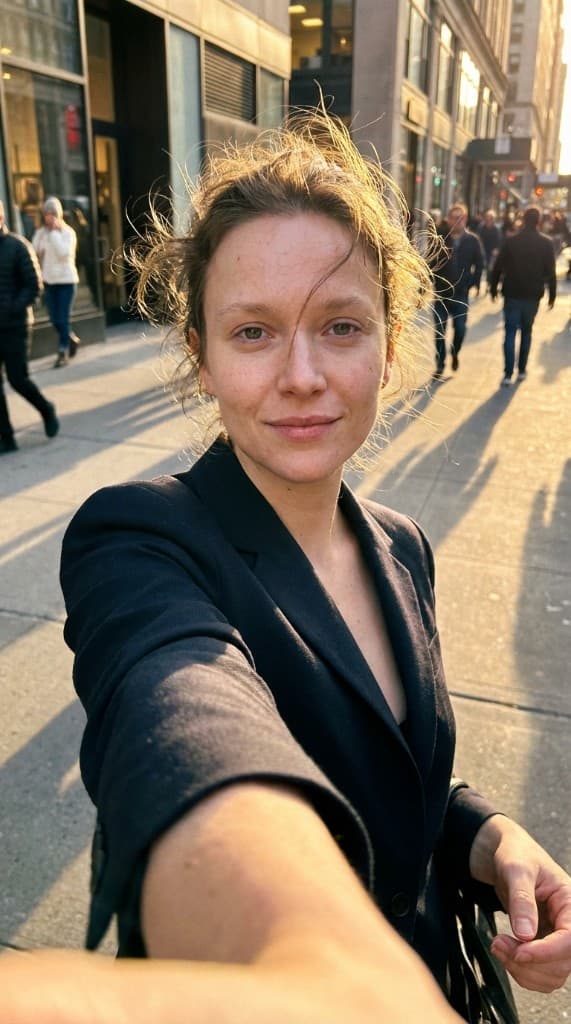
Meta's own data shows that ad creative accounts for up to 56% of auction outcomes. Not targeting, not bidding—creative. Yet most small teams and solo founders are stuck producing 5–10 variations per month because they don't have designers, photographers, or a content budget. AI UGC eliminates the bottleneck. This guide shows you exactly how.
The Creative Volume Problem
Performance marketing has an appetite for creative that most teams can't satisfy. The data is clear:
- Brands testing 50+ ad creatives per month see 2.5x higher ROAS than those testing fewer than 10.
- Most ads on Meta lose performance after 3–7 days of high-frequency delivery due to ad fatigue.
- Top-performing accounts refresh creative weekly, not monthly.
If you're a solo founder, a 2-person marketing team, or a lean agency managing multiple clients, you simply can't hire enough designers or creators to meet that volume. The traditional options—freelance designers at $50–150/hour, UGC creators at $150–500/batch, or stock photos that everyone has seen—all have hard limits on scale.
The AI UGC Creative Playbook
Here's the workflow that lets a single person produce 100+ unique ad variations per month:
Step 1: Build your expert roster
Create 5–8 AI experts that represent your target demographics. Vary age, ethnicity, and style. This gives you built-in audience segmentation—you can test which expert resonates with which audience segment without hiring multiple creators.
Step 2: Upload your product library
Add all your products to the props library. Use supplier images, your own photos, or even screenshots from your website. The AI handles the scene composition—your input just needs to be a clear product image.
Step 3: Batch-generate by testing axis
The key to productive creative testing is systematic variation. For each product, generate variations across three axes:
- Expert variation — Same product, same scene, different experts. Tests which persona resonates with your audience.
- Scene variation — Same product, same expert, different settings (kitchen, gym, outdoor, office). Tests which context drives the most clicks.
- Composition variation — Same product, same expert, different angles and poses (close-up, full-body, product-forward, lifestyle). Tests visual framing preferences.
With 5 experts × 4 scenes × 3 compositions, you have 60 unique variations per product—all generated in under an hour.
Step 4: Launch and let the algorithm decide
Upload your variations to Meta Ads Manager (or TikTok, Pinterest, etc.) using Advantage+ Creative or Dynamic Creative. The platform will automatically test combinations and allocate budget to the best performers. Your job is to provide creative volume—the algorithm handles optimization.
Step 5: Weekly refresh cycle
Every Monday, generate a fresh batch of 20–30 variations. Pause the lowest-performing ads from last week. Replace them with new creative. This creative refresh cycle keeps your account healthy and prevents fatigue from degrading performance.
What This Looks Like in Practice
| Metric | Before AI UGC | After AI UGC |
|---|---|---|
| Ad variations per month | 5–15 | 100–200+ |
| Creative production cost | $2,000–8,000/mo | Under $10/mo |
| Time to produce one batch | 1–3 weeks | 30–60 minutes |
| Creative refresh frequency | Monthly (at best) | Weekly |
| People required | Designer + photographer + creators | 1 person (you) |
Beyond Photos: Video Ad Creative
Once you've generated your top-performing AI UGC photos, turn the best ones into talking-head videos with Animate. Write a short script (product review, testimonial, how-to), generate a lip-synced video, and launch it as a Reel or video ad. This extends your photo creative into video without any additional production.
For Agencies: Scale Across Clients
If you're a performance marketing agency, this workflow multiplies across clients. Each client gets their own expert roster and props library. One media buyer can manage creative production for 5–10 clients in the same time it previously took for one. See how one agency used this approach in our performance agency case study.
Common Objections (and Why They Don't Hold)
- “AI content won't perform as well as real UGC.” — At high volume, AI UGC consistently finds winners that outperform limited creator batches. The advantage isn't per-image quality—it's testing volume. Read about common AI UGC mistakes to avoid.
- “My audience will know it's AI.” — Most viewers don't scrutinize feed-native ads for authenticity. They react to the product, the scene, and the emotion. The UGC aesthetic is what matters, not the production method.
- “I need video, not just photos.” — Start with photos (faster, cheaper, easier to test), identify winners, then upgrade to video with Animate. The photo-first workflow is how most successful accounts operate.
Frequently Asked Questions
How many ad creative variations do you actually need?
The research-backed minimum for meaningful creative testing is 20–30 variations per campaign. Below 10, you're not testing—you're guessing. Top-performing accounts run 50–100+ variations per month and see 2.5x higher ROAS than accounts running under 10. The practical way to think about it: each variable you want to test (expert, scene, composition, product placement) multiplies your variation count. 5 experts × 4 scenes × 3 compositions = 60 unique variations. You don't need to run all 60 simultaneously—run 15–20 at a time, kill the bottom performers weekly, and replace them with fresh variations based on what's working.
What's the fastest way to produce ad creative without a designer?
The fastest workflow is AI UGC + ad manager text overlays. Generate lifestyle product photos with AI UGC (under 60 seconds per image), upload directly to Meta Ads Manager or TikTok Ads, and add headlines and body copy directly in the platform. Skip external design tools entirely for the initial testing phase. Once you identify winning image concepts from testing, you can optionally add logo placement or branded overlays in Canva before scaling. The goal in the first testing rounds is speed and volume—perfect production adds time and cost before you know what works.
How does creative volume actually improve performance marketing results?
Creative volume improves results through three mechanisms. First, statistical probability: more variations tested means a higher chance of finding a top-performing creative. A brand testing 50 variations is statistically more likely to find a 2x-ROAS winner than one testing 5. Second, algorithm feeding: Meta Advantage+ and TikTok Smart+ need diverse creative inputs to identify the best combination for each audience segment—10 variations give the algorithm 10 data points; 50 give it 50. Third, fatigue prevention: fresh creative entering rotation weekly prevents performance decay from audience saturation. All three effects compound: more variations find better winners, better winners are fed to the algorithm, and fresh rotation extends their performance lifespan.
Do you need video ads or do static images work for performance campaigns?
Static images still drive significant performance for most DTC brands, particularly for bottom-of-funnel conversion campaigns. On Meta, single-image ads with strong CTR and CPA metrics regularly outperform video in conversion campaign objectives. TikTok is more video-native, but image carousels still drive strong results for product-focused campaigns. The recommendation: start with static AI UGC images for efficiency and testing speed, identify your top 3–5 performing concepts, then convert those winning concepts into video using Animate. This photo-first, video-second workflow avoids spending production time on video formats before you know what angle resonates with your audience.
Stop letting creative bottleneck your growth
Upload your products, create AI experts, and start generating ad-ready UGC photos in under 60 seconds. No design team required.
Start free with ppl.studio10 free photos · no credit card required
Founder of ppl.studio. Building AI tools for product marketing teams who need visual content at scale without the production overhead.