AI UGC for Health and Wellness App Marketing: Lifestyle Ad Creative at Scale
The health and wellness app market generates over $100 billion annually, yet most apps in the category look identical in the App Store—the same gradient backgrounds, the same device mockups, the same stock illustrations. AI UGC gives wellness app marketers a way to break through that visual sameness with person-forward lifestyle photography that shows real-looking people in the moments your app was built for—morning meditation sessions, post-workout cooldowns, meal prep kitchens, and peaceful bedtime routines.
17 min read
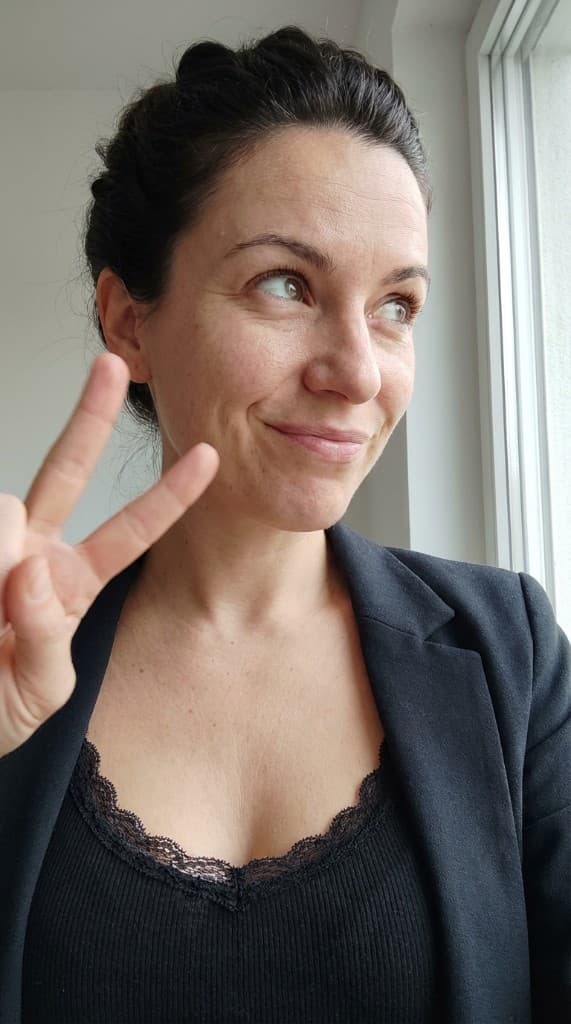
Health and wellness is the single largest app category by consumer spend, with users downloading meditation, fitness, nutrition, therapy, and sleep apps at record rates. Grand View Research valued the global wellness app market at $107.4 billion in 2025 and projects it to grow at 17.6% CAGR through 2030. Yet most wellness apps struggle with the same creative bottleneck: generating enough authentic, person-forward imagery to fuel user acquisition campaigns, populate app store listings, and sustain social media content calendars. Traditional photoshoots require models, locations, permits, and weeks of lead time. Creator partnerships burn budget and lock you into limited usage rights. AI UGC removes those constraints entirely—you generate diverse, on-brand lifestyle imagery in hours, test it across channels, and iterate based on performance data instead of guesswork.
Why Lifestyle Imagery Drives Wellness App Installs
Wellness apps sell an outcome, not a physical product. Nobody installs a meditation app because the UI is pretty—they install it because they want to feel calmer, sleep better, or reduce anxiety. That means your marketing needs to visualize the outcome, not the interface. A person sitting cross-legged on a cushion at sunrise, eyes closed, face relaxed—that single image communicates more about what your app delivers than a dozen UI screenshots ever could.
Data backs this up consistently. SplitMetrics' 2025 benchmarks showed that app store listings featuring lifestyle-context screenshots convert 28–35% higher than listings using only UI screenshots. For wellness categories specifically, the effect is even stronger: Calm and Headspace both attribute significant install lifts to shifting their App Store assets toward person-forward imagery in recent years. The reason is psychological—wellness is deeply personal, and shoppers need to see someone who looks like them experiencing the benefit before they trust the app enough to download it.
This is where most wellness app teams hit a wall. Producing lifestyle imagery at the scale and variety that modern mobile app marketing demands is prohibitively expensive with traditional methods. You need images for App Store and Google Play screenshots, Meta and TikTok install campaigns, Google App Campaigns, in-app onboarding, email nurture sequences, social content calendars, and landing pages. Each channel has different aspect ratios, creative guidelines, and audience expectations. And creative fatigue means you need fresh variations every week or two. AI UGC makes this volume achievable without a single photoshoot.
Wellness App Categories and Their Visual Needs
“Health and wellness” covers a vast spectrum of apps, and each sub-category has distinct creative requirements. Understanding what works visually for each category is essential before you start generating content.
Meditation and Mindfulness Apps
Meditation apps like Calm, Headspace, and Insight Timer compete in one of the most saturated wellness categories, with over 2,500 meditation apps available globally. The visual language is well-established: soft natural light, serene indoor or outdoor settings, closed eyes, relaxed posture, muted earth-tone color palettes. What differentiates top performers is demographic variety—a 55-year-old man meditating in a den conveys something fundamentally different from a 25-year-old woman meditating on a beach, yet both audiences need to see themselves represented.
AI UGC excels here because meditation imagery is inherently static—no complex action shots, no athletic movements. You need realistic people in calm poses across diverse settings: living rooms, bedroom corners, office nooks, garden patios, park benches, and mountain overlooks. With AI experts, you can build a roster of 10–15 meditation personas spanning ages 20 through 65, multiple ethnicities, and both genders, then generate each persona across 8–10 scene types. That's 80–150 unique lifestyle images from a single afternoon's work.
Fitness Tracking and Workout Apps
Fitness apps like Strava, Peloton, Nike Training Club, and SWEAT need imagery showing people in motion—running, lifting, stretching, cycling. This category overlaps significantly with fitness and activewear brand marketing, but with a key difference: the focus is on the phone-in-hand or wearable-on-wrist moment. Fitness app imagery should show someone using a device during the activity, not just doing the activity itself.
Scene types that perform well include: a runner glancing at their phone on a trail, someone checking their watch mid-workout, a cyclist reviewing stats on their bike-mounted phone, and a person reviewing post-workout results on a couch. The phone or wearable must be visible because it anchors the viewer's association between the person's experience and the app.
Nutrition and Meal Planning Apps
Apps like MyFitnessPal, Noom, Yazio, and Lose It! depend on food-adjacent lifestyle imagery. The visual formula: real-looking people in kitchens, at dining tables, in grocery stores, and at meal prep stations, interacting with both food and their phones. This category is uniquely challenging for traditional photography because you need to coordinate models, food stylists, and realistic kitchen settings simultaneously.
AI UGC simplifies this by generating composed scenes—a person photographing a colorful salad with their phone, someone weighing ingredients on a kitchen counter, a couple cooking together with a tablet propped up nearby, or a solo diner scanning a barcode at a restaurant. The food itself doesn't need to be your product; the focus is on the behavior of tracking, planning, and making mindful food choices.
Therapy and Mental Health Apps
BetterHelp, Talkspace, Cerebral, and Woebot occupy a category where imagery must communicate safety, trust, and approachability without making clinical claims. The visual challenge is delicate: you want to show someone engaging in a therapy-like interaction (phone in hand, seated comfortably, reflective expression) without implying a specific medical outcome.
Effective scene types include: a person on a couch with a warm blanket and a phone, someone journaling next to a cup of tea, a young adult texting with a supportive expression, and a professional taking a mental health break in an office setting. The tone should be warm and non-clinical—natural light, comfortable clothes, domestic settings. AI UGC is particularly valuable here because therapy app marketers need to show demographic diversity without ever revealing real patient identities, making synthetic personas the ideal solution.
Sleep and Recovery Apps
Sleep apps like Sleep Cycle, Pillow, and ShutEye rely on nighttime and pre-bedtime imagery: dim lighting, bedroom settings, someone settling into bed with their phone on a nightstand, or waking up refreshed in morning light. This niche is small in scene variety but high in emotional impact—the contrast between restless-looking imagery and peaceful, rested imagery is the entire selling proposition.
Generate AI UGC pairs: a “before” scene of someone tossing in harsh blue-screen light, followed by an “after” scene of the same persona sleeping peacefully in a darkened room with a phone glowing softly on the nightstand. These paired images perform exceptionally well in carousel ads and app store screenshot sequences.
App Store and Google Play Screenshot Strategies
Your app store listing is the highest-leverage surface for wellness app marketing. It's where organic search traffic, paid campaign traffic, and editorial feature traffic all converge. Apple allows up to 10 screenshots; Google Play allows up to 8. Most wellness apps waste these slots on pure UI captures. The data-driven approach is to mix lifestyle context shots with UI screenshots in a deliberate sequence. For a deeper dive into screenshot optimization across categories, see our guide on AI UGC for app store screenshot optimization.
The Optimal Screenshot Sequence
Based on SplitMetrics and StoreMaven A/B testing data, the highest-converting wellness app listings follow a pattern:
- Screenshot 1 (lifestyle hook): A person experiencing the app's core benefit. For a meditation app, someone in a serene setting with eyes closed. For a fitness app, someone mid-workout glancing at their device. This first image must stop the scroll and communicate the emotional outcome in under two seconds.
- Screenshot 2 (UI highlight): Your app's most impressive screen—the main dashboard, a session in progress, or a results summary. This grounds the lifestyle promise in product reality.
- Screenshots 3–4 (lifestyle + feature pairs): Alternate between lifestyle context shots and feature-specific UI screenshots. Each pair connects an emotional benefit to a product feature.
- Screenshot 5 (social proof): A social proof composition showing app ratings, user count milestones, or testimonial quotes alongside a person-forward image.
- Screenshots 6–8/10 (secondary features and demographics): Show additional use cases and different persona demographics. This is where AI UGC's diversity pays off—a young professional using the app at their desk, a parent using it in a nursery, an older adult using it in a garden.
Platform-Specific Requirements
| Dimension | Apple App Store | Google Play Store |
|---|---|---|
| Max screenshots | 10 per localization | 8 per listing |
| Primary aspect ratio | 6.5″ (1290 × 2796 px) portrait | 16:9 or 9:16, min 320 px |
| Video allowed | Up to 3 app previews (30 s each) | One promo video (YouTube link) |
| Lifestyle imagery policy | Allowed; must represent actual app experience | Allowed; avoid misleading content |
| A/B testing built in | Product Page Optimization (3 treatments) | Store Listing Experiments (5 variants) |
| Best AI UGC approach | Generate 3 lifestyle variants per slot, run PPO tests monthly | Generate 5 lifestyle variants per slot, use Store Listing Experiments continuously |
Social Ad Creative for App Install Campaigns
Paid user acquisition is the lifeblood of wellness app growth, and creative is the single largest lever for campaign performance. Meta's own research shows that creative quality accounts for 56% of auction outcomes on Facebook and Instagram. TikTok's creative best practices explicitly recommend “creator-style” content that blends into the organic feed. For wellness apps, this means lifestyle imagery showing real-looking people in relatable wellness moments—exactly what AI UGC produces.
Meta (Facebook and Instagram) Install Campaigns
Meta remains the largest paid channel for wellness app installs. The platform's Advantage+ App Campaigns require a steady feed of creative variants to optimize effectively. What works for wellness apps on Meta:
- Person-forward static images: A single person in a wellness moment (meditating, stretching, cooking, journaling) with minimal text overlay. These outperform product UI screenshots by 40–60% on CTR in health app categories.
- Before/after carousel sequences: First slide shows a relatable pain point (stressed at desk, sleepless in bed), second slide shows the transformation (calm meditation scene, peaceful morning). Carousels drive 20–30% lower CPA than single-image ads when the narrative arc is clear.
- Demographic-matched creative sets: Generate separate ad sets for each target demographic. A 45-year-old woman meditating in her living room for the 35–54 female audience segment; a 28-year-old man doing breathwork after a gym session for the 18–34 male segment. Meta's machine learning matches the right creative to the right user, but only if you give it enough diverse inputs. Learn more about Meta-specific creative in our Facebook ads creative guide.
TikTok Install Campaigns
TikTok's App Promotion campaigns require content that looks native to the platform—vertical, casual, shot in a way that feels like someone's own video rather than a polished ad. AI UGC for TikTok wellness app campaigns should emphasize:
- Selfie-angle compositions: Images that look like someone took a photo of themselves using the app, held at a natural phone-selfie distance and angle.
- Story-format sequences: Three to five images that tell a mini wellness narrative: wake up → open app → complete session → feel the benefit. These work as slideshows or quick-cut video sequences.
- Young-skewing personas: TikTok's core wellness app audience is 18–34. Generate personas that reflect this demographic, but don't ignore the 35–44 segment that is growing fastest on the platform.
Google App Campaigns
Google App Campaigns (formerly Universal App Campaigns) distribute your creative across Search, Display, YouTube, and Google Play automatically. Because you can't control placement, your lifestyle images must work at multiple aspect ratios and sizes. Generate each scene in landscape (1200 × 628), portrait (1080 × 1920), and square (1080 × 1080) formats. Google's algorithm will test combinations and allocate budget toward the best performers. Upload 20–30 lifestyle image assets per campaign for adequate testing volume.
Snapchat and Pinterest
Snapchat's App Install objective is particularly effective for meditation and sleep apps targeting Gen Z. Full-screen vertical imagery with a single person in a cozy, relatable setting (bedroom, dorm room, couch) performs best. Pinterest is an underused channel for wellness app marketing, but its search intent makes it valuable—people actively search “morning routine,” “meal prep ideas,” and “bedtime routine,” making it ideal for lifestyle content that introduces your app as part of those routines.
Scene Types That Perform for Wellness Apps
After analyzing thousands of wellness app ad creatives, certain scene types consistently outperform others. The common thread: they show a specific, recognizable moment in someone's day where the app fits naturally.
| Scene Type | Best App Categories | Key Visual Elements | Top Channel |
|---|---|---|---|
| Morning routine | Meditation, fitness, nutrition | Soft natural light, bedroom or kitchen, phone on nightstand or counter | Instagram, Pinterest |
| Gym / workout floor | Fitness tracking, workout | Athletic wear, mid-rep or resting, phone or watch visible | TikTok, Meta |
| Meal prep / kitchen | Nutrition, calorie tracking | Colorful ingredients, cutting board, phone propped up, natural light | Pinterest, Facebook |
| Meditation space | Meditation, mindfulness, therapy | Cushion or mat, eyes closed, soft lighting, minimal clutter | App Store, Instagram |
| Outdoor run / walk | Fitness, step tracking, running | Trail or park path, earbuds, phone armband or in hand, golden hour | Google App, Snapchat |
| Bedtime wind-down | Sleep, meditation, therapy | Dim warm lighting, bed or reading nook, phone on nightstand, relaxed posture | Meta, Snapchat |
| Office wellness break | Meditation, therapy, breathing | Desk setting, closed laptop, eyes closed or journaling, professional attire | LinkedIn, Google App |
| Weekend nature scene | Mindfulness, hiking, yoga | Mountain, lake, or forest backdrop, casual outdoor wear, phone in pocket or backpack | Pinterest, App Store |
Persona Diversity for Health and Wellness Content
Wellness is universal. Stress, sleep problems, fitness goals, and nutritional needs span every demographic. Your creative library must reflect that. The biggest mistake wellness app marketers make is generating imagery that skews toward a single demographic—typically young, female, and fitness-oriented—when the actual user base is far broader.
A study by the American Psychological Association found that 83% of U.S. adults consider their physical health an important source of stress, with the highest rates among adults aged 35–54. Yet most wellness app imagery features people in their 20s. This mismatch between audience and creative reduces relevance and suppresses conversion rates in the exact demographic segments with the highest willingness to pay for premium subscriptions.
Building a Wellness Persona Roster
Create a minimum of 8–12 AI expert personas for wellness app marketing. Each persona should be distinct in age, ethnicity, gender, and visual style. Here is a framework:
- Young professional (22–30): Apartment settings, commute moments, post-work decompression. This persona resonates with users downloading their first wellness app, often triggered by workplace stress.
- Active parent (30–42): Kitchen scenes, early morning before the household wakes, brief mindfulness moments between tasks. This is the highest-value demographic for nutrition and meditation app subscriptions.
- Mid-career professional (40–55): Office wellness breaks, weekend hiking, evening reading nooks. This demographic has the highest subscription retention rates and lowest churn.
- Fitness enthusiast (25–40): Gym floors, running trails, home workout spaces. Overlaps with fitness brand creative but with an app-usage context layer.
- Retiree / active senior (55–70): Garden meditation, gentle yoga, walking paths, cozy reading chairs. This is the fastest-growing segment for sleep and meditation apps and is almost entirely unrepresented in most wellness app marketing.
- College student (18–24): Dorm rooms, campus benches, library study breaks. Mental health apps see highest download velocity in this demographic during exam periods.
For each persona, generate images across at least 5–6 of the scene types listed above. That gives you 40–72 unique lifestyle compositions per persona cycle—enough to sustain multiple channels for several weeks before needing a refresh. This approach to creative volume is what separates wellness apps that scale profitably from those that plateau.
Compliance Considerations: No Medical Claims
Health and wellness app marketing operates under stricter advertising guidelines than most consumer categories. Both Apple and Google have health-specific review policies. Meta, TikTok, and Google Ads all restrict health claims in advertising. Getting this wrong can result in ad rejections, account suspensions, or regulatory action. AI UGC does not exempt you from these rules—in fact, the ease of generation means you need to be more disciplined about compliance, not less.
Rules to Follow
- Never imply specific medical outcomes. Your AI UGC can show a person looking calm, but it cannot imply that your app treats anxiety disorder. Show the experience (a peaceful moment), not the diagnosis (anxiety relief). The distinction is subtle but critical.
- Avoid before/after imagery that implies medical treatment. A sleep app can show someone waking up refreshed, but it should not frame the image as “before treatment / after treatment.” Use language like “your evening” and “your morning” instead.
- Do not show clinical settings. AI-generated imagery of people in hospital gowns, doctor's offices, or clinical environments can trigger medical advertising restrictions even if your app is a general wellness tool. Keep settings domestic, outdoor, or professional—not clinical. For apps that do operate in clinical spaces, see our guide on dental and medical practice marketing, which covers healthcare-specific considerations in depth.
- Include appropriate disclosures. If your app offers guided meditation but is not a licensed therapy tool, your marketing should not imply therapeutic equivalence. Platform-specific disclosure requirements vary—review Meta's Health and Wellness advertising policies, Google's Healthcare and Medicines policy, and TikTok's Health-related Ads Policy before launching campaigns.
- Mind body image sensitivity. Wellness imagery should be aspirational without being exclusionary. Avoid generating AI personas that imply a single “ideal” body type. Diverse body representation is not just ethically important—it also broadens your addressable audience and improves ad performance by increasing relevance across demographic segments.
Platform-Specific Ad Strategy Playbook
Each advertising platform has different creative requirements, audience behaviors, and optimization dynamics. Here is a channel-by-channel playbook for using AI UGC in wellness app install campaigns.
Meta Advantage+ App Campaigns
Upload 20–30 lifestyle images per ad set. Include at least 3 demographic segments per batch. Let Meta's algorithm match creative to users. Refresh creative every 10–14 days to avoid ad fatigue. Use dynamic creative optimization (DCO) with AI UGC images as the visual layer and test 5–8 headline variations against each image. Wellness apps typically see 15–25% CPA reductions when switching from stock imagery to person-forward AI UGC.
TikTok App Promotion
Generate vertical (9:16) lifestyle images that feel native to TikTok's aesthetic—casual, slightly imperfect lighting, selfie-adjacent angles. Upload 10–15 images per campaign and let TikTok's automated creative optimization build video-style slideshows. Wellness apps on TikTok see best results with “day-in-my-life” narrative arcs: morning → midday break → evening wind-down. Generate 3–4 images per narrative sequence using the same AI persona for visual continuity.
Google App Campaigns
Google requires creative assets in multiple formats: landscape banners, square images, and portrait images. Generate each AI UGC scene in all three aspect ratios. Upload 20 images (mix of lifestyle and UI screenshots), 5 text headlines, and 5 descriptions. Google's machine learning will test every combination and optimize toward your ROAS or CPA target. The key insight: Google App Campaigns distribute across Search, YouTube, Display, and Play Store, so your lifestyle images must work without context—no assumption that the viewer knows what your app does. Each image must communicate a clear wellness moment.
Apple Search Ads
Apple Search Ads Creative Sets let you customize which App Store screenshots appear for specific keyword groups. This is where AI UGC screenshot optimization pays off directly. Create separate creative sets for each keyword theme: “meditation app” keywords show meditation-scene lifestyle screenshots, “sleep app” keywords show bedtime imagery, “anxiety help” keywords show calm, reassuring lifestyle photos. This keyword-to-creative alignment typically improves tap-through rates by 15–30%.
Creative Volume and Testing Framework
Wellness app marketing requires high creative volume because wellness imagery fatigues faster than most categories. A meal prep scene that feels fresh in week one feels repetitive by week three. The emotional resonance of wellness imagery depends on novelty—people want to see new wellness moments, not the same meditation pose recycled with different filters.
Recommended Weekly Volume by Stage
| Growth Stage | Monthly Ad Spend | New Images / Week | Persona Variations | Scene Rotations |
|---|---|---|---|---|
| Pre-launch / soft launch | <$5K | 10–15 | 3–4 personas | 4–5 scene types |
| Early growth | $5K–$25K | 20–30 | 6–8 personas | 6–8 scene types |
| Scaling | $25K–$100K | 40–60 | 10–12 personas | All 8 scene types |
| Mature / enterprise | >$100K | 80–120 | 15–20 personas | All scenes + seasonal variants |
At every stage, the testing cadence is the same: generate a batch, deploy across channels, let each platform's algorithm run for 3–5 days to gather statistical significance, then pause underperformers and double down on winners. AI UGC's economics make this test-and-iterate cycle practical even at the pre-launch stage—the cost of generating 15 images is negligible compared to booking a single lifestyle photoshoot.
Beyond Install Ads: Retention and Engagement Creative
Most wellness apps monetize through subscriptions, which means lifetime value depends on retention, not just installs. AI UGC plays a role far beyond the initial install campaign.
- Onboarding screens: Replace generic illustrations with lifestyle photos that match the user's stated goals. If a new user selects “reduce stress” as their primary goal, show meditation and breathing scenes in their onboarding flow. If they select “improve fitness,” show workout and outdoor activity scenes. This personalized visual experience improves day-7 retention by signaling that the app understands the user's specific needs.
- Push notification imagery: Rich push notifications with lifestyle images see 2–3× higher open rates than text-only notifications. Generate a library of small, contextually appropriate images for different notification types: morning meditation reminders, evening wind-down prompts, weekly progress celebrations, and streak maintenance nudges.
- Email nurture sequences: Free-to-paid conversion emails that include lifestyle imagery showing premium features in context convert 25–40% better than text-only or UI-screenshot emails. Show a person enjoying an advanced guided session, accessing sleep stories in a cozy bedtime setting, or reviewing detailed health insights on their phone.
- In-app paywall screens: The paywall moment is the highest-stakes conversion point in a freemium wellness app. Lifestyle imagery on the paywall screen—showing a person experiencing the premium benefit—outperforms feature lists and pricing tables alone. Test different persona demographics on the paywall screen to find which resonates most strongly with your converting audience.
Measuring Creative Performance for Wellness Apps
Wellness app creative measurement differs from e-commerce because the goal is installs and subscriptions, not immediate purchases. Key metrics to track for AI UGC performance:
- Cost per install (CPI): Your primary efficiency metric. Track CPI by creative variant, persona demographic, and scene type. Most wellness apps see 20–35% CPI reductions when moving from stock imagery to AI UGC lifestyle content.
- Thumb-stop rate: Percentage of users who pause scrolling when your ad appears. Lifestyle imagery with a clear person and recognizable wellness moment consistently delivers 3–5× higher thumb-stop rates than UI screenshots or abstract illustrations.
- Install-to-trial conversion: The rate at which installs become free trial users. Track this by creative variant to identify which lifestyle scenes attract the highest-intent users. Morning routine and bedtime scenes often attract more trial-prone users than generic wellness imagery.
- Trial-to-paid conversion: The ultimate measure of creative quality. High-quality AI UGC attracts users whose expectations match the app's actual experience, leading to better trial-to-paid conversion. Misleading or overly aspirational imagery drives installs but kills subscription rates.
- Creative lifespan: Track how many days each AI UGC image sustains target CPI before fatiguing. Wellness imagery typically sustains performance for 10–18 days, versus 7–12 days for non-wellness consumer app creative. Longer lifespans make each generated image more cost-effective.
Getting Started: Your First Wellness App AI UGC Sprint
You don't need to build a 200-image library on day one. Start with a focused sprint that gives you enough creative to test and learn, then scale based on what the data tells you.
- Define your top 3 use cases. Identify the three wellness moments that best represent your app's core value. For a meditation app, that might be morning meditation, office break, and bedtime wind-down. For a nutrition app: meal prep, grocery shopping, and post-meal logging.
- Create 4–6 AI expert personas. Cover your primary demographic segments. Include at least one persona in each of these age bands: 18–29, 30–44, and 45–60. Ensure ethnic and gender diversity. Upload any brand-specific wardrobe or props to your Props Library.
- Generate your initial batch. Produce 3–5 images per persona per scene type. With 5 personas and 3 scene types, that's 45–75 images—enough for your first round of app store screenshots, a Meta install campaign, and a TikTok test campaign.
- Deploy and measure for 7 days. Upload lifestyle screenshots to your App Store and Google Play listings. Launch install campaigns on Meta and TikTok with your AI UGC creative. Set up tracking for CPI, thumb-stop rate, and install-to-trial conversion by creative variant.
- Analyze and iterate. After one week, identify your top 5 performing images. What do they have in common? Same persona? Same scene type? Same lighting? Use those patterns to guide your next generation batch. Double down on winning combinations and retire underperformers.
Within a single afternoon, you can build the visual foundation that most wellness apps spend weeks or months assembling through traditional photoshoots and creator partnerships. The speed advantage compounds over time: while competitors wait for creator deliverables, you're already on your third round of creative testing. For a broader look at how AI UGC fits into the mobile marketing landscape, revisit our comprehensive guide on AI UGC for mobile app marketing.
Build your wellness app's visual library in an afternoon
Generate lifestyle ad creative for every app category, every persona, and every platform—no photoshoots, no model releases, no waiting for creator deliverables.
Start free with ppl.studio10 free photos · no credit card required
Founder of ppl.studio. Building AI tools for product marketing teams who need visual content at scale without the production overhead.