AI UGC for DTC Brand Launch Photography: From Zero to Campaign-Ready
Launching a DTC brand used to mean spending $5,000–$20,000 on a product photography shoot before you've made a single sale. AI UGC changes the economics entirely. This guide walks you through building your entire launch visual library—product pages, ads, email, and social—in a single workflow.
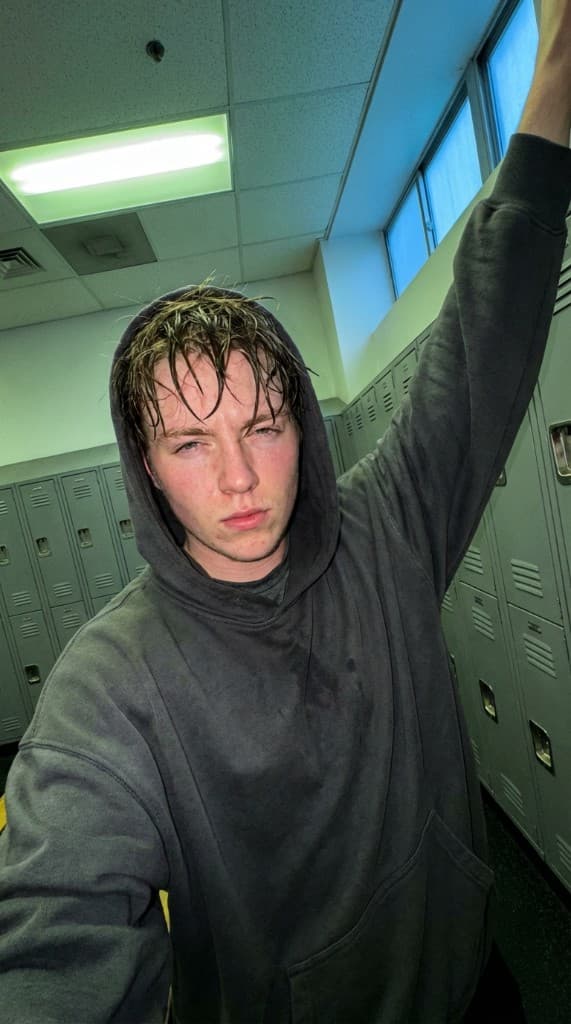
The gap between “product ready to ship” and “brand ready to launch” is almost always visual content. You need lifestyle images for product pages, ad creative for paid acquisition, email imagery for launch sequences, and social content for organic reach. Traditional photography takes weeks and thousands of dollars. AI UGC compresses the entire visual production timeline into a single afternoon. This guide is the step-by-step playbook for going from zero visual assets to a complete, campaign-ready content library.
What You Need Before Launch Day
A complete DTC launch visual library covers six asset categories. Here's the minimum viable set for each:
1. Product Page Images (8–12 per SKU)
- 2–3 lifestyle images with a person using the product in context
- 2–3 product-only images on clean backgrounds (these you'll photograph traditionally or use product photography AI)
- 1–2 scale/size reference images (product held in hand, next to everyday objects)
- 1–2 detail/texture close-ups
- 1 packaging/unboxing image
2. Ad Creative (15–25 variants)
- 5–8 static image ads with different hooks, scenes, and AI experts
- 3–5 carousel sets (3–5 images each) for carousel ads
- 3–5 video assets from animated AI UGC for TikTok and Meta
3. Email Campaign Imagery (10–15 images)
- Launch announcement hero image
- Product spotlight images for drip sequences
- Social proof/testimonial-style imagery
- Abandoned cart reminder images
4. Social Media Content (20–30 images)
- Instagram feed posts (square and portrait)
- Stories and Reels cover images
- Pinterest pins (2:3 vertical)
- TikTok thumbnails
5. Marketplace Listings (if applicable)
- Amazon A+ Content lifestyle images
- Marketplace-specific gallery images (see our multi-marketplace guide)
6. PR and Media Kit
- High-resolution lifestyle images for press features
- Product-in-use images for editorial coverage
That's 60–100+ unique images per product. With traditional photography, that's a multi-day shoot. With AI UGC, it's a single production session.
Step 1: Define Your Visual Identity
Before generating a single image, establish your brand's visual parameters. These decisions will keep every asset consistent:
- Color temperature: Warm and golden (wellness, food, lifestyle) or cool and clean (tech, skincare, minimalist)? This affects scene selection and lighting.
- Setting style: Modern minimalist homes? Outdoor adventure scenes? Urban environments? Cozy domestic interiors? Pick 2–3 primary settings that match your brand personality.
- Customer archetype: Who buys your product? Define age range, lifestyle, and aesthetic. This determines your AI expert roster.
- Composition style: Close-up product focus? Wide environmental shots? Candid casual? Mirror selfie? Your brand should have a signature composition approach.
Write these down as a simple one-page brief. You'll reference it for every generation session. For a deeper dive, see our guide on building a brand style guide with AI UGC. You can also explore visual presets to find pre-built styles that match your brand.
Step 2: Upload Your Products
The quality of your AI UGC depends on the quality of your product reference images. Here's how to set yourself up for the best results:
- Shoot on a clean background: White or neutral gray works best. Avoid busy patterns or colored surfaces that might bleed into AI-generated scenes.
- Multiple angles: Front, back, side, and 3/4 view minimum. Include a top-down shot for products with interesting top surfaces.
- In-hand reference: One photo of the product being held naturally. This gives the AI a reference for scale and grip position.
- Packaging shots: If your packaging is part of the brand experience (and it should be for DTC), upload photos of the sealed package, open box, and tissue/wrapping.
Upload everything to the Props Library. Label by SKU and variant. For a detailed walkthrough, see the Product Props guide.
Step 3: Build Your AI Expert Roster
Your AI experts are the faces of your brand content. For a launch, build 5–8 experts that cover your target audience:
- Primary persona (2–3 experts): Your core customer. These experts appear in most of your content. Match age, style, and vibe to your ideal buyer.
- Secondary persona (2–3 experts): Adjacent demographics you want to reach. If your core customer is a woman in her 30s, secondary experts might include a college-age user and a 50-something professional.
- Aspirational persona (1–2 experts): The person your customer wants to be. For a fitness brand, an expert who looks like they live the active lifestyle your product supports.
Follow the Create Your First AI Expert guide for the setup process. Diversity in your expert roster means your ads can be tested across different demographics without additional production cost.
Step 4: Plan Your Shot List
Use Storyboards to plan every image you need before generating. Organize by channel:
- Product page shots: Person using product in primary setting, secondary setting, close-up interaction, product held up to camera
- Ad creative shots: Hook images (eye-catching, pattern-interrupt), benefit demonstration, social proof scenes, comparison angles
- Email shots: Hero banner images (wide aspect ratio), product spotlight (centered, clean), urgency/scarcity images
- Social content: Casual lifestyle (Instagram), dynamic action (TikTok), detail-focused (Pinterest), professional context (LinkedIn if B2B)
For a complete shot list methodology, see our guide on building a product photo shot list.
Step 5: Batch Generate
With your experts, props, and shot list ready, it's time to produce. Follow the batch production workflow for maximum efficiency:
- Generate 3–5 variants of each planned shot
- Use different experts for variety across the set
- Vary scenes within your established style parameters
- Generate at the highest resolution available—you can always downsize for specific platforms
For a typical single-product DTC launch, expect to generate 150–250 images in a session, then curate down to your final 60–100 per product.
Step 6: Quality Control
Every image must pass QC before it goes into your launch assets. Run through the quality control checklist:
- Anatomy check: Hands, fingers, teeth, hair—zoom to 100% and scan
- Product accuracy: Labels, colors, proportions match the real product
- Lighting consistency: Shadows and highlights are realistic and directionally consistent
- Background scan: No impossible geometry, floating objects, or text artifacts
- Brand alignment: Color temperature, composition, and mood match your style guide
Step 7: Export and Organize
Export your curated images at platform-specific resolutions:
- Product pages: 2000×2000px (Shopify), 2000×2000px (Amazon)
- Meta ads: 1080×1080px (feed), 1080×1920px (Stories/Reels)
- TikTok: 1080×1920px
- Pinterest: 1000×1500px
- Email: 600×400px (hero), 300×300px (inline)
- PR/media: Highest resolution available
Organize files into a clear folder structure: /launch-assets/product-pages/, /launch-assets/ads/meta/, /launch-assets/ads/tiktok/, /launch-assets/email/, /launch-assets/social/. This structure makes it easy to hand off to designers, ad managers, or agency partners.
Launch Day Timeline
Here's a realistic timeline for producing your entire launch visual library with AI UGC:
- Day 1 (2–3 hours): Define visual identity, shoot product reference photos, upload to Props Library
- Day 2 (2–3 hours): Build AI expert roster, plan shot list with Storyboards
- Day 3 (3–4 hours): Batch generate all images, create video content with Animate
- Day 4 (2–3 hours): Quality control, curate final selections, export and organize
Total: 9–13 hours of active work across 4 days. Compare that to 2–4 weeks and $5,000–$20,000 for traditional photography. You launch with more content, in less time, at a fraction of the cost.
Post-Launch: Keep the Content Machine Running
Launch is just the beginning. Your AI UGC infrastructure—experts, props, style parameters—is now set up for ongoing production:
- Weekly ad creative refresh: Generate 5–10 new ad variants per week to combat creative fatigue
- Seasonal content swaps: Generate new seasonal imagery as holidays approach (see our seasonal content planning guide)
- New product additions: When you launch new SKUs, upload the product photos and generate a full content set using your existing expert roster and style parameters
- Creative testing at scale: Use your creative testing framework to systematically identify winning angles and scale them
The Bottom Line
A DTC brand launch no longer requires a massive upfront photography investment. AI UGC gives you the volume, variety, and quality to launch with a complete visual library across every channel—in days, not weeks. The infrastructure you build (experts, props, style guide) compounds: every new product launch and seasonal campaign gets faster and more consistent.
Follow the seven steps in this guide, and you'll have 60–100+ campaign-ready assets per product before you've made your first sale. That's the kind of content advantage that used to be reserved for well-funded brands with existing photography budgets. Now it's available to everyone.
Launch your DTC brand with a complete visual library
From zero to campaign-ready in days. Product pages, ads, email, and social—all from one AI UGC workflow.
Start free with ppl.studio10 free photos · no credit card required
Founder of ppl.studio. Building AI tools for product marketing teams who need visual content at scale without the production overhead.