How to Build a Brand Style Guide with AI UGC: Visual Consistency Across Every Channel
The fastest way to make AI UGC look inconsistent is to generate without guidelines. When every team member picks different AI experts, scenes, and presets, the output looks like it came from five different brands. A brand style guide for AI UGC solves this—it defines the visual rules that keep your content cohesive across every channel, campaign, and team member.
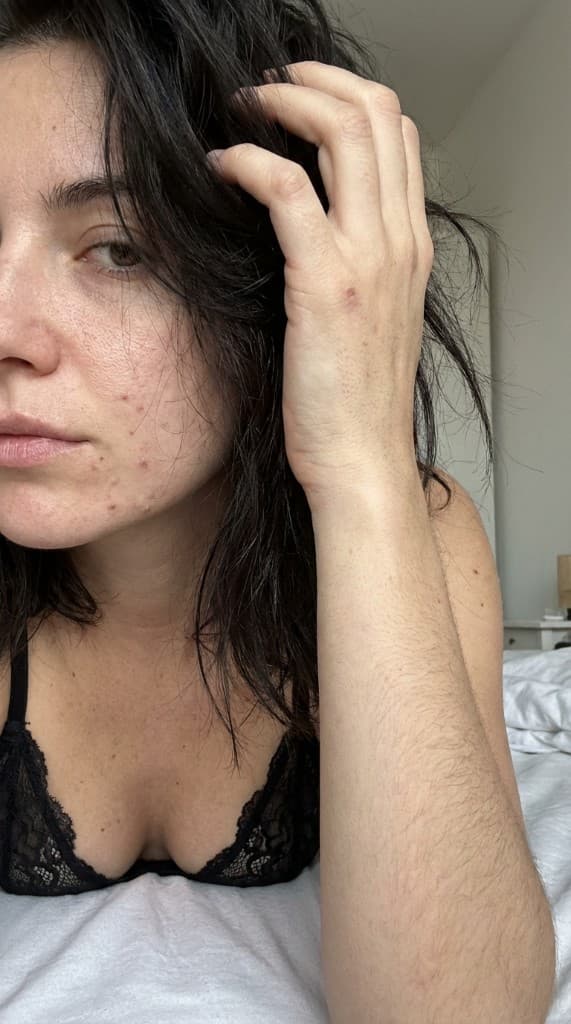
Traditional brand style guides cover logos, colors, and typography. AI UGC adds a new dimension: you need to define the visual world your brand lives in—the people, places, lighting, and compositions that make your product photos instantly recognizable as yours. This guide walks through every element of an AI UGC style guide and how to implement it in ppl.studio.
Why AI UGC Needs a Style Guide
Without a style guide, AI UGC content drifts in three predictable ways:
- Persona inconsistency. Different team members create different AI experts for the same campaigns. The brand's visual identity fractures across personas that don't share a coherent aesthetic.
- Scene sprawl. Without defined scene categories, content jumps between wildly different environments—minimalist studio one day, cluttered kitchen the next, outdoor adventure the day after. The brand feels scattered rather than intentional.
- Tonal mismatch. A luxury skincare brand accidentally generates content with a casual, budget-friendly vibe because the preset and scene combination didn't match the brand's positioning. Visual tone communicates price point and quality instantly.
A style guide prevents all three by encoding your brand's visual decisions into reusable, shareable standards that any team member can follow.
The 6 Elements of an AI UGC Brand Style Guide
1. AI Expert Persona Standards
Your AI experts are the faces of your brand. Define standards for:
- Demographic range. What age, gender, and appearance diversity should your expert roster cover? Most brands need 3–5 primary experts that represent their core customer segments. A beauty brand might define experts across multiple skin tones and age groups; a tech brand might focus on professional-looking personas across demographics.
- Styling rules. Define what your experts wear and how they're groomed. Casual streetwear or polished business casual? Minimal accessories or statement pieces? The styling should match your brand's target customer's self-image.
- Expression guidelines. Natural and candid, or confident and direct? The emotional tone of your experts' expressions communicates brand personality. Genuine smiles and relaxed postures for approachable brands; composed, confident expressions for premium positioning.
- Naming convention. Name your experts consistently so the team can reference them: “Expert A – Sarah, 28, casual-urban” or “Expert B – Marcus, 35, professional-modern.”
2. Scene Categories
Define 3–5 approved scene categories for your brand. Each category should include specific environment types and when to use them:
- Primary scenes (70% of content): Where your product is naturally used. Bathroom for skincare, kitchen for cookware, desk for tech. These are your default environments for lifestyle photography.
- Aspirational scenes (20% of content): Where your customer wants to be. Travel destinations, upscale restaurants, scenic outdoor settings. Use for top-of-funnel awareness and brand-building content.
- Product-focused scenes (10% of content): Clean, minimal backgrounds that spotlight the product itself. Flat lays, counter-top shots, shelf displays. Use for marketplace listings and product detail pages.
3. Visual Preset Combinations
Visual presets control the lighting, color temperature, and mood of your images. Define 2–3 approved preset combinations that become your brand's visual signature:
- Hero preset. Your primary visual mood. This is the preset used for the majority of your content. A warm, golden-hour-inspired preset for a cozy home brand; a bright, clean, high-contrast preset for a modern tech brand.
- Secondary preset. A complementary mood for variety. If your hero preset is warm and soft, your secondary might be bright and energetic. This creates visual variety while staying within your brand's aesthetic range.
- Platform-specific preset. Some channels demand specific visual treatments. TikTok and Instagram Stories favor more casual, slightly underproduced aesthetics. Google Shopping favors clean, well-lit imagery. Define which preset works best for each channel.
4. Composition Rules
How the product, person, and environment are arranged in the frame:
- Product prominence. Define minimum product visibility: the product should occupy at least 15–20% of the frame area. Label should be legible at thumbnail size. Never bury the product behind the person or scene elements.
- Camera angles. Define your approved angles: selfie-style for social proof content, eye-level for editorial, slightly above for flat lay. Consistency in camera angle is one of the most recognizable brand signals.
- Negative space. Define where text overlays and CTAs should go. If your ads consistently place copy on the right side, generate images with negative space on the right. This prevents cropping issues and maintains ad template consistency.
5. Color and Tone Guidelines
- Color temperature. Warm (golden, amber tones) vs. cool (blue, neutral tones). This should match your brand's color palette. A brand with warm orange and brown brand colors should use warm presets; a brand with cool blue and silver should use cool presets.
- Saturation level. High saturation for vibrant, energetic brands (fitness, food, kids' products). Low saturation for premium, understated brands (luxury, minimalist, professional).
- Contrast range. High contrast for bold, graphic-forward content. Low contrast for soft, editorial content. Define what feels “on-brand” and what doesn't.
6. Channel-Specific Adaptations
Your style guide should include channel-specific modifications to the base brand guidelines:
| Channel | Format | Tone Shift | Content Priority |
|---|---|---|---|
| 1:1 feed, 9:16 Stories/Reels | Slightly more polished, editorial | Lifestyle hero shots, flat lays | |
| TikTok | 9:16 only | More casual, less produced | Selfie-style, UGC-native, talking heads |
| 1:1, 4:5, 16:9 | Slightly warmer, more relatable | In-use lifestyle, testimonial-style | |
| Amazon | 1:1 (1000×1000 min) | Clean, informative, product-forward | Lifestyle with product prominence, infographic overlays |
| 600px wide, 2:3 or 3:2 | On-brand, hero-image quality | Hero lifestyle, seasonal, product spotlight |
Implementing Your Style Guide in ppl.studio
- Build your approved AI expert roster. Create all experts defined in your style guide. Name them consistently and document their purpose: “Primary expert for Instagram lifestyle content” or “Secondary expert for TikTok ad creative.” See the expert creation guide.
- Save preset combinations. Configure and save your 2–3 approved visual preset combinations. Document which preset to use for which channel and content type.
- Create reference boards. Generate 5–10 sample images that represent the ideal output for each content category. These become the visual reference that any team member can compare their output against.
- Build storyboard templates. Create reusable storyboard templates for your most common content needs: ad sequences, product page image sets, social media content batches. Templates encode your style guide into the generation workflow.
- Document the rules. Write a one-page reference document that covers: approved experts (names and use cases), approved scenes (with examples), approved presets (which to use when), composition rules (product placement, text safe zones), and channel-specific adaptations. Keep it concise—a style guide that nobody reads is worse than no style guide.
Style Guide Checklist
Use this checklist to audit your AI UGC output against your style guide:
- Is the AI expert from the approved roster?
- Does the scene match an approved scene category?
- Is the visual preset one of the 2–3 approved combinations?
- Is the product clearly visible and label-legible at thumbnail size?
- Does the color temperature match the brand's defined tone?
- Is the composition appropriate for the target channel (aspect ratio, safe zones)?
- Would this image be recognizable as your brand if the logo were removed?
That last question is the ultimate test of visual consistency. If someone familiar with your brand wouldn't recognize the image as yours, the style guide needs tightening.
Evolving Your Style Guide Over Time
A style guide is a living document that should evolve based on performance data:
- Quarterly performance review. Analyze which expert × scene × preset combinations drive the best ROI. Retire underperformers and promote overperformers to primary status.
- Seasonal updates. Refresh approved scenes and presets for seasonal campaigns. Add holiday-specific scene categories and warm/cool preset shifts for summer/winter transitions.
- New channel additions. When you expand to new platforms, add channel-specific adaptations to the guide before generating content. Don't retrofit after the fact.
- Team growth. When new team members join, the style guide becomes their onboarding document. If they can produce on-brand content after reading the guide, it's working. If they need extensive feedback, the guide needs more specificity.
Build your AI UGC brand style guide today
Use ppl.studio to define your visual identity with AI experts, presets, and scene configurations. Produce consistent, on-brand content across every channel from a single platform.
Start free with ppl.studio10 free photos · no credit card required
Founder of ppl.studio. Building AI tools for product marketing teams who need visual content at scale without the production overhead.