AI UGC Prompt Engineering: The Complete Guide for Marketers
The gap between a mediocre AI-generated product photo and a winning one is almost always the prompt. This guide walks through the exact structure high-performing marketing teams use to brief AI UGC—and the mistakes that keep everyone else stuck in the uncanny valley.
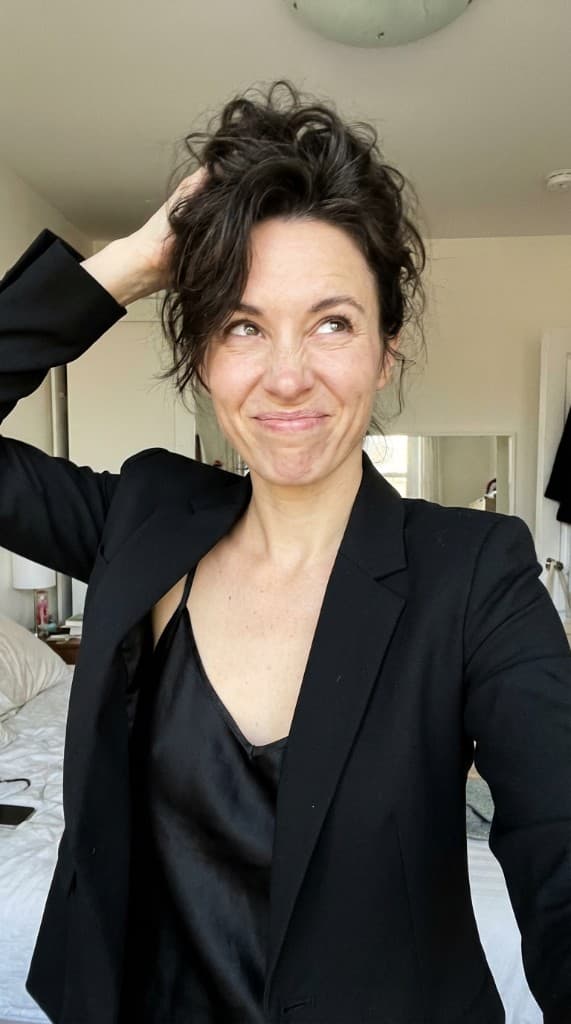
Prompt engineering isn't about magic words. It's about thinking like a creative director—then translating that brief into a structure the model can actually execute on.
The 5-Part AI UGC Prompt Structure
Every high-performing AI UGC prompt we've seen follows roughly the same shape. Miss a part and the output gets generic; include all five and you start getting creative that feels briefed.
- 1. Subject.Who is in the scene? Be specific about age range, ethnicity, body type, styling, and mood. “Woman” is weak. “A 32-year-old woman with curly brown hair, casual Sunday-morning styling, warm smile” is a brief.
- 2. Product placement.Where is the product in the frame, and what is the subject doing with it? Holding, using, applying, pouring, wearing, unboxing. Avoid “with the product”—it's ambiguous and produces inconsistent results.
- 3. Environment.Physical location + time of day + era. “Modern minimalist kitchen, late morning natural light, contemporary” is specific. “Nice kitchen” is not.
- 4. Camera and composition. Shot type (wide, medium, close-up), angle (eye level, low, overhead), and aspect ratio. This is the biggest lever for ad-native output.
- 5. Mood and finish. The emotional register (calm, playful, aspirational, raw) and the visual finish (film grain, clean digital, soft haze, editorial contrast). This is what separates on-brand from off-brand.
Weak Prompt vs. Strong Prompt
The same product, same model, same session—but dramatically different results.
| Weak | Strong |
|---|---|
| Woman using the serum in a bathroom | Close-up of a 28-year-old woman with natural skin texture applying serum to her cheek, morning light through a bright minimalist bathroom, medium shot, eye level, soft film grain, calm and aspirational mood |
| Man drinking the coffee outside | Wide shot of a 35-year-old man in a grey hoodie holding the coffee cup with both hands, steam visible, sitting on a wooden porch at sunrise, golden hour backlighting, editorial finish, quiet reflective mood |
| Family eating the snack | Overhead shot of a family of four around a reclaimed-wood dining table, two kids reaching for the snack bowl in the centre, late afternoon warm light, mid-century modern kitchen, playful candid mood, natural film finish |
The Five Most Common AI UGC Prompt Mistakes
- Describing the marketing goal instead of the image.“A high-converting ad for Gen Z” is not a prompt. The model can't visualise a conversion rate. Describe what the photo looks like, not what it's for.
- Stacking too many subjects.More than 2–3 people in frame degrades anatomy and facial consistency fast. For group scenes, generate the wide shot separately from the hero close-ups.
- Over-describing the product. If you're using a reference product (as you should in AI UGC), don't re-describe it in words. Describe the interaction, not the object.
- Ignoring camera language.“Medium shot, eye level, 35mm look” does more work than any adjective about quality.
- No mood specification.Without it, you get the model's default—usually flat, neutral stock photography. Mood is the single biggest lever for brand consistency.
Prompt Templates to Steal
Three templates that cover 80% of performance creative needs. Fill in the brackets.
- Hero product-in-use: “Close-up of [subject] [verb] the product in [environment], [time of day] light, [shot type] at [angle], [mood] mood, [finish].”
- Lifestyle context: “Wide shot of [subject] in [environment] with the product visible on [surface/held], [time of day] light, candid [mood] moment, [finish].”
- Problem/solution hook: “Medium shot of [subject] in [situation showing the pain], product in frame as the resolution, [mood shift from X to Y], [finish].”
From One Prompt to a Campaign
Once you have a prompt that works, the real leverage is variation. Hold the structure constant and vary one parameter at a time: subject demographics, environment, time of day, camera angle, mood. Twenty variations of a proven prompt is a week of creative testing. For the daily refresh loop performance teams need to beat ad fatigue, see our playbook on beating ad fatigue with creative refresh.
The Camera Vocabulary Cheat Sheet
Camera language does more for AI UGC output than any adjective about “quality” or “beauty.” Models trained on billions of captioned images have learned what a 35mm portrait, a wide-angle establishing shot, or a top-down flat-lay actually looks like. Speak the language and you get the image.
| Lens / framing | When to use |
|---|---|
| 35mm lens, medium shot, eye level | Default people-and-product hero. Native to most platforms. |
| 50mm lens, close-up, shallow depth of field | Product detail shots, beauty and skincare, jewelry. |
| 85mm portrait lens, head-and-shoulders | Founder portraits, testimonial-style headshots. |
| Wide-angle 24mm, low angle, environmental | Storefronts, vehicles, exterior shots that need scale. |
| Top-down flat-lay, overhead, symmetrical | Food, lifestyle still-life, “what's in my bag” aesthetics. |
| Phone-camera POV, slight tilt, casual | Native UGC look. The single biggest lever for ad-native output. |
The Lighting Vocabulary Cheat Sheet
After framing, lighting is the second biggest lever. The wrong light makes a good composition look like stock; the right light makes a simple frame feel cinematic.
- Golden hour / warm directional light.The single most flattering lighting in AI UGC. Use for lifestyle, food, and outdoor portraits. Avoid for tech and clinical product categories where it reads as “influencer.”
- Soft window light, late morning.The default for indoor product shots, skincare, food. Reads “editorial” without being precious.
- Overcast / soft daylight. Best for fashion, apparel, and any category where true color matters. No harsh shadows, even skin tones.
- Low-key studio with single-source softbox.Premium product photography. Beauty, jewelry, tech, automotive. Reads “serious brand.”
- Mixed practical light (kitchen pendants, street neon). For atmosphere-driven lifestyle. Coffee shop, bar, dinner-party scenes.
- Bright daylight, midday sun, hard shadows.The “cool youth” aesthetic. Energy drinks, streetwear, sneakers, BNPL fintech.
- Backlit / silhouette / rim light. Drama and aspiration. Fitness, automotive launches, premium spirits.
The Style Anchor Cheat Sheet
Style anchors are the final 10% that takes output from “recognizably AI” to “actually shipping.” Use one or two—not five. Stacking anchors muddies the signal and gives the model nothing to commit to.
| Anchor | Visual signature |
|---|---|
| 35mm film, slight grain, warm tones | Editorial UGC. Native to Instagram and Pinterest. |
| Clean digital, true color, high resolution | Tech and DTC e-commerce. Best for product detail. |
| Phone-camera, slightly compressed, ambient | Native ad UGC. The look that beats stock on Meta. |
| Editorial magazine, high contrast, color-graded | Beauty, fashion, premium lifestyle. |
| Soft haze, dreamy, low contrast | Wedding, romance, candle/fragrance, slow-living brands. |
| High-saturation pop, bold color blocks | CPG, kids' brands, fast-casual food. |
What to Leave Out (Negative Prompting)
Most platforms quietly support negative prompts—the list of things you do notwant in the frame. Even on platforms that don't, naming the artifact you're trying to avoid sometimes helps the model route around it.
- Anatomy artifacts to avoid:extra fingers, distorted hands, asymmetric eyes, melted ears. If hands are in frame and not critical, partially obscure them in the prompt (“hand resting on the cup,” “hand out of frame”).
- Generic-AI tells to suppress:overly smooth skin, shiny lips, perfect symmetry, plastic-looking surfaces, the “dragon-breath” over-bokeh background.
- Stock-photo tells to suppress:“corporate handshake,” “laughing alone at salad,” obviously-posed laptop scenes, white-toothed grin, “diverse team standing in a triangle.”
- Brand-context tells to suppress: visible competitor logos, generic placeholder text, watermark-style overlays, time-of-day mismatches (golden-hour shoot with overhead office lighting).
Consistency Across a Series
One-off prompts are easy. The real craft is keeping a brand's look consistent across 50 or 500 assets. The teams that do this well almost always work from a locked “style line” that prepends every prompt.
- Anchor a reusable style line. Example: “Editorial 35mm film look, soft warm daylight, modern minimalist set, on-brand neutral palette, candid posture, slight grain.” Paste it at the top of every prompt in the series.
- Hold the persona, vary the scene. Use AI personasto lock a recurring face across the campaign. Customers recognizing a face across three impressions trust the brand 2–3× more than three strangers.
- Use storyboards, not one-off prompts. A storyboardenforces narrative and visual continuity across a 4–6 frame sequence. Useful for landing pages, video ads, email sequences.
- Save and version the winners.Promoted prompts become brand assets. A library of 20 tested prompt “recipes” is more valuable than 200 one-off generations.
Two Worked Examples
Example 1: Skincare DTC Brand, New Serum Launch
Brief:hero image for a vitamin-C serum landing page. Target buyer is a 28–42 year old woman who already follows a skincare routine.
Final prompt: “Editorial 35mm film look, soft warm window light at late morning, close-up of a 34-year-old woman with natural skin texture and visible pores, gently applying the serum dropper to her cheek, eyes softly closed, calm aspirational mood, modern minimalist bathroom in the soft-focus background, shallow depth of field, subtle film grain finish.”
Why it works:specific age and skin language signals premium-not-airbrushed. The verb “applying the dropper to her cheek” pins the product interaction. The lighting and finish lock the brand register.
Example 2: D2C Coffee Brand, Black Friday Carousel Ad
Brief: 4-frame carousel for Meta, native UGC look, must feel like a real customer post.
Frame 1 (hook): “Phone-camera POV at slight tilt, hand holding the bag of coffee in front of a sunlit kitchen counter, morning light, candid casual mood, mild compression artifact.”
Frame 2 (process): “Top-down overhead phone shot of fresh ground coffee in a pour-over filter on a wooden counter, morning daylight, native phone-camera look.”
Frame 3 (outcome): “Close-up of a hand holding a steaming ceramic mug, blurred kitchen background, morning sunlight from window left, casual phone-camera grain.”
Frame 4 (CTA): “Lifestyle wide shot of a 32-year-old man at a kitchen table with a laptop and the same mug, calm reflective morning, phone-camera POV, slight desaturation.”
Why it works:the four frames share lighting, finish, and POV language. The series reads as one customer's morning, not four separate shoots stitched together.
Model-Specific Notes
- Image models (Gemini, Midjourney, Imagen, FLUX). Respond best to dense, scene-descriptive language. Treat the prompt like a screenplay direction, not a Google search.
- Video models (Veo, Sora, Runway). Add motion verbs and camera moves: “slow push-in,” “handheld follow,” “static lock-off.” Avoid stacking more than one camera move per shot or the model averages and produces mush. See our walkthroughs in the Gemini product-photo prompts guide and the AI UGC video script templates.
- Reference-anchored models (the ones used in AI UGC). Describe the interaction, not the product. The reference image carries the product identity; the prompt carries the scene and the mood.
- Aspect ratio matters more than people realize. 9:16 native for TikTok, Reels, Stories. 4:5 for in-feed Meta. 1:1 for safe-everywhere. Wrong ratio = wasted spend regardless of prompt quality.
A Quick Workflow for Performance Teams
- Lock the style line. One paragraph describing camera, lighting, finish, mood. Save it. Re-use it across the entire brand library.
- Pick or build the persona. Recurring face = recurring trust. Anchor it before prompt 1.
- Write the first prompt against the 5-part structure. Subject, product placement, environment, camera, mood.
- Generate a batch of 8–12. Pick the 2 best. Note what made them best.
- Vary one parameter at a time. Same prompt, swap subject. Same subject, swap environment. Same environment, swap time of day. This is your testing matrix.
- Ship into a creative testing framework. Let media spend pick winners. Promote winners back into the prompt library.
FAQ
How long should an AI UGC prompt be?
For image models, 40–100 words is the sweet spot. Shorter and the model fills the gaps with its default aesthetic; longer and the late instructions get diluted. For video, keep it tighter—30–60 words per shot—and rely on shot sequencing for narrative.
Should I write prompts in bullet points or paragraph form?
Paragraph form, almost always. Bullet points tell the model the items are independent, which produces collage-feeling output. A paragraph reads as one scene and the model commits to it.
Why does the same prompt produce inconsistent output?
Three reasons, in order. First, the prompt is under-specified—the model is filling the gaps differently each time. Second, the seed is varying—most platforms randomize unless you lock it. Third, the model itself is updating in the background; what worked last quarter may need re-anchoring this quarter.
Can I prompt for “real-looking” without it backfiring?
Asking for “realistic” or “not AI-looking” usually backfires—the model leans harder into the average. Instead, anchor the realism via camera language (“phone-camera POV, slight compression artifact”), small imperfections (“visible skin texture, slight asymmetry”), and casual context (“candid moment, mid-conversation”).
How do I avoid the “everyone-looks-the-same” AI face?
Specify age range, ethnicity, body type, and one distinguishing feature (curly hair, freckles, glasses, dimple). And use persona anchoringfor any recurring face—don't re-roll demographics on every prompt.
When should I use a storyboard instead of writing prompts one at a time?
Whenever the output is a sequence: a 3–5 panel ad, an email hero + body images, a landing page narrative, a short-form video. Storyboards enforce continuity across frames; one-at-a-time prompts produce continuity drift.
Great prompts, in a platform built for marketers
ppl.studio turns marketing briefs into campaign-ready AI UGC. Bring a product and a mood; leave with a library.
Start free with ppl.studio10 free photos · no credit card required
Founder of ppl.studio. Building AI tools for product marketing teams who need visual content at scale without the production overhead.