AI UGC for Product Launches: Build Visual Buzz Before Day One
A step-by-step playbook for using AI UGC to build pre-launch hype, arm your PR and influencer teams, and hit day one with a full library of ad creative.
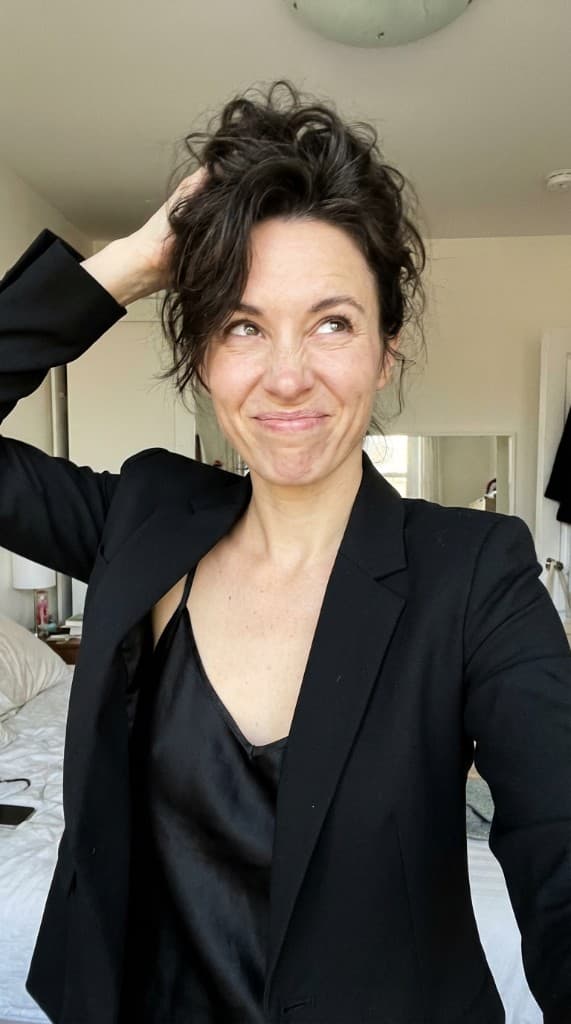
Product launches fail when marketing has no content to work with. The product exists in a warehouse or on a factory floor, but the visuals team is scrambling to produce hero shots, social teasers, and ad creative before the launch date. AI UGC eliminates that bottleneck. You can build your entire launch visual library—lifestyle photos, social content, PR imagery—from product renders or samples weeks before launch day.
The Pre-Launch Content Gap
Every product launch follows the same pattern: engineering finishes late, samples arrive with barely enough time for photography, and marketing launches with whatever they can scrape together. The result is mediocre launch visuals that undermine months of product development.
The bottleneck is always content production. Traditional photography requires the finished product, a booked studio, hired models, and 2–4 weeks of turnaround. That timeline doesn't work when your launch date is set by the product roadmap, not the content calendar.
AI UGC decouples content production from physical product availability. You can start generating lifestyle photos the moment you have a product render—weeks or months before launch.
Launch Content You Can Create with AI UGC
| Content Type | When to Produce | AI UGC Approach |
|---|---|---|
| Teaser campaign images | 4–6 weeks before launch | Silhouette or partial-reveal lifestyle shots with AI experts hinting at product use |
| PR and media kit photos | 3–4 weeks before launch | High-quality lifestyle photos showing the product in aspirational settings for press coverage |
| Social media announcement content | 1–2 weeks before launch | Platform-optimized lifestyle photos for Instagram, TikTok, LinkedIn, and Facebook posts |
| Email campaign imagery | 1 week before launch | Hero images for announcement emails, drip sequences, and VIP early access campaigns |
| Day-one ad creative | Pre-built, scheduled to go live on launch day | 20–30+ ad creative variations ready for testing across platforms |
| Landing page imagery | 1–2 weeks before launch | Hero shots, feature illustrations, and social proof sections for the product landing page |
Building Your Pre-Launch Visual Library
Phase 1: Foundation (6–4 Weeks Out)
Start with the assets you have. Product renders, CAD files, prototype photos—anything that shows the product clearly. Upload these to the props library. Then create 3–5 AI experts that represent your launch audience. If you're launching a fitness product, create experts who look like active, health-conscious people across different demographics.
Generate your first batch of 20–30 lifestyle photos. Focus on variety: different scenes, different experts, different compositions. This batch becomes the raw material for everything that follows.
Phase 2: Campaign Assets (4–2 Weeks Out)
Using the best images from Phase 1, build out campaign-specific assets. Create storyboard sequences for social media carousels that tell the product story in 3–5 frames. Generate platform-specific crops and compositions: square for Instagram feed, 9:16 for Stories and TikTok, 16:9 for YouTube thumbnails.
This is also when you build your PR kit. Select the 5–8 strongest lifestyle photos and prepare them at high resolution for media outlets. Journalists need ready-to-publish imagery—brands that provide professional photos get significantly more press coverage than those that don't.
Phase 3: Ad Creative Library (2–1 Weeks Out)
Generate 20–30 ad creative variations. Different experts, different scenes, different compositions. Plan for at least 3 rounds of creative refresh during the first month post-launch. Pre-build everything so your performance team can launch campaigns the minute the product goes live.
Include both UGC-style shots (candid, person-in-shot) and product-focused compositions (flat lay, product hero). Different audiences respond to different styles, and having both ready means your media buyer can test immediately without waiting for new assets.
Phase 4: Launch Day and Beyond
On launch day, every channel fires simultaneously with coordinated visual content. No scrambling, no placeholder imagery. And because AI UGC generation takes seconds, your team can respond to real-time feedback. If a specific persona or scene outperforms, generate more variations of the winning approach within hours.
Traditional Launch Content vs. AI UGC: Timeline Comparison
| Traditional | AI UGC | |
|---|---|---|
| Can start before product ships | No | Yes—from renders |
| Time from product to launch-ready content | 3–6 weeks | 1–2 days |
| Pre-launch content budget | $3,000–15,000 | Under $100 |
| Ad creative variations ready for day one | 5–10 | 30+ |
| Ability to respond to launch day feedback | Days to weeks | Same hour |
Launch-Specific Tips
- Create a “hero persona” for your launch — Pick one AI expert as the face of the launch. Use this persona across teasers, hero images, and ads. Consistency builds recognition and anticipation.
- Pre-schedule your creative refresh rotation — Plan which new images go live at week 1, week 2, and week 4. Don't wait for ad fatigue to set in—proactively rotate fresh creative.
- Build variant imagery early — If you're launching multiple colors or sizes, generate lifestyle photos for every variant before launch. Don't wait for each variant to have its own photo shoot.
- Include diverse personas from day one — Launch with imagery that reflects the diversity of your audience. AI UGC makes it easy to create 4–6 personas across different demographics at no additional cost.
- Generate more than you'll use — Produce 50+ images during pre-launch. You'll use the best 20–30 for launch, and the rest become your creative reserve for the following weeks.
Post-Launch: Keeping Momentum
The biggest mistake brands make is treating launch day as the finish line. The first 30 days after launch are when most of your ad spend hits, and creative fatigue sets in fast. Brands that pre-build a 4–6 week content pipeline maintain momentum while competitors' launch energy fades.
AI UGC lets you stay ahead. As early customer feedback comes in, generate new imagery that addresses their use cases. If buyers mention they love using the product at the gym, produce a fresh batch of gym-scene lifestyle photos. If social media engagement spikes on a particular persona, double down with more variations of that winning approach.
The brands that win launches aren't the ones with the best single launch image. They're the ones with the deepest content reserves—the ability to keep feeding fresh, relevant, tested creative into every channel for weeks after the initial splash.
Frequently Asked Questions
Can AI UGC be used before a product is manufactured?
Yes—this is one of the most powerful applications of AI UGC for product launches. Upload a product render, CAD visualization, prototype photo, or even a detailed sketch and AI UGC generates lifestyle photos showing the product in real-world contexts. These pre-production visuals are suitable for teaser campaigns, investor decks, press kits, and social media announcements that build anticipation before launch. The workflow: generate lifestyle photos from renders 4–6 weeks before launch, use them for pre-launch campaigns, then supplement or replace with final product photos once manufacturing is complete. For most product categories, the render-based AI UGC is visually indistinguishable from photos of the finished product, making it effective for creative testing as well as marketing.
How many ad creative variations should you have ready for launch day?
A minimum of 20–30 unique ad creative variations should be ready before your launch campaign goes live. This covers: 5–8 hero variations (different AI personas with your product in the primary launch scene), 5–8 scene variations (same persona, different environments that represent different use cases), 5–8 composition variations (close-up, lifestyle, product-forward, person-forward), and 4–6 format variations (square for Instagram feed, 9:16 for Stories and TikTok, 16:9 for YouTube and display). With 20–30 variations ready at launch, your performance team can immediately begin creative testing and identify the top performers within the first week, then scale the winning creative while the launch momentum is at peak.
What's the biggest visual content mistake brands make at product launch?
Launching with too few creative variations is the most costly mistake. Brands that launch with 3–5 ad creatives watch their CPA climb within the first 5–7 days as ad fatigue sets in on a small creative pool. The second most common mistake is launching only with product-hero images and skipping lifestyle photography—the creative that actually stops the scroll is a person using the product in a scene the target audience recognizes. Third is not having a pre-planned creative refresh schedule: most brands wait until performance drops before ordering new creative, losing 1–2 weeks while the team scrambles to produce fresh assets. Build the first 4–6 weeks of creative refresh content before launch day so your performance team never has to wait.
How do you update launch visuals once the real product photos are available?
The transition from pre-launch AI UGC (generated from renders) to post-launch AI UGC (generated from real product photos) is straightforward: re-upload the final product photos to your props library, re-generate the same scene types you used pre-launch, and replace the render-based images in your ads and product pages. For most products, this update is nearly invisible to the audience—the scene, persona, and composition are the same, just with the final product accurately represented. Keep the pre-launch AI UGC running in campaigns until you have enough data from the new imagery to confirm the switch improves performance. In parallel, use the real product photos to generate additional scene types that didn't work as well from renders (detail shots, texture close-ups, packaging imagery) that now become available.
Launch your next product with a full content library
Upload a product render, create your launch personas, and build 50+ lifestyle photos before your product ships. No studio, no models, no waiting.
Start free with ppl.studio10 free photos · no credit card required
Founder of ppl.studio. Building AI tools for product marketing teams who need visual content at scale without the production overhead.